Fresh from the GMBapi team
Stay up to date with all the latest changes, updates, and features that make GMBapi even better.
202624
October
Track Your Brand in AI Search Visibility
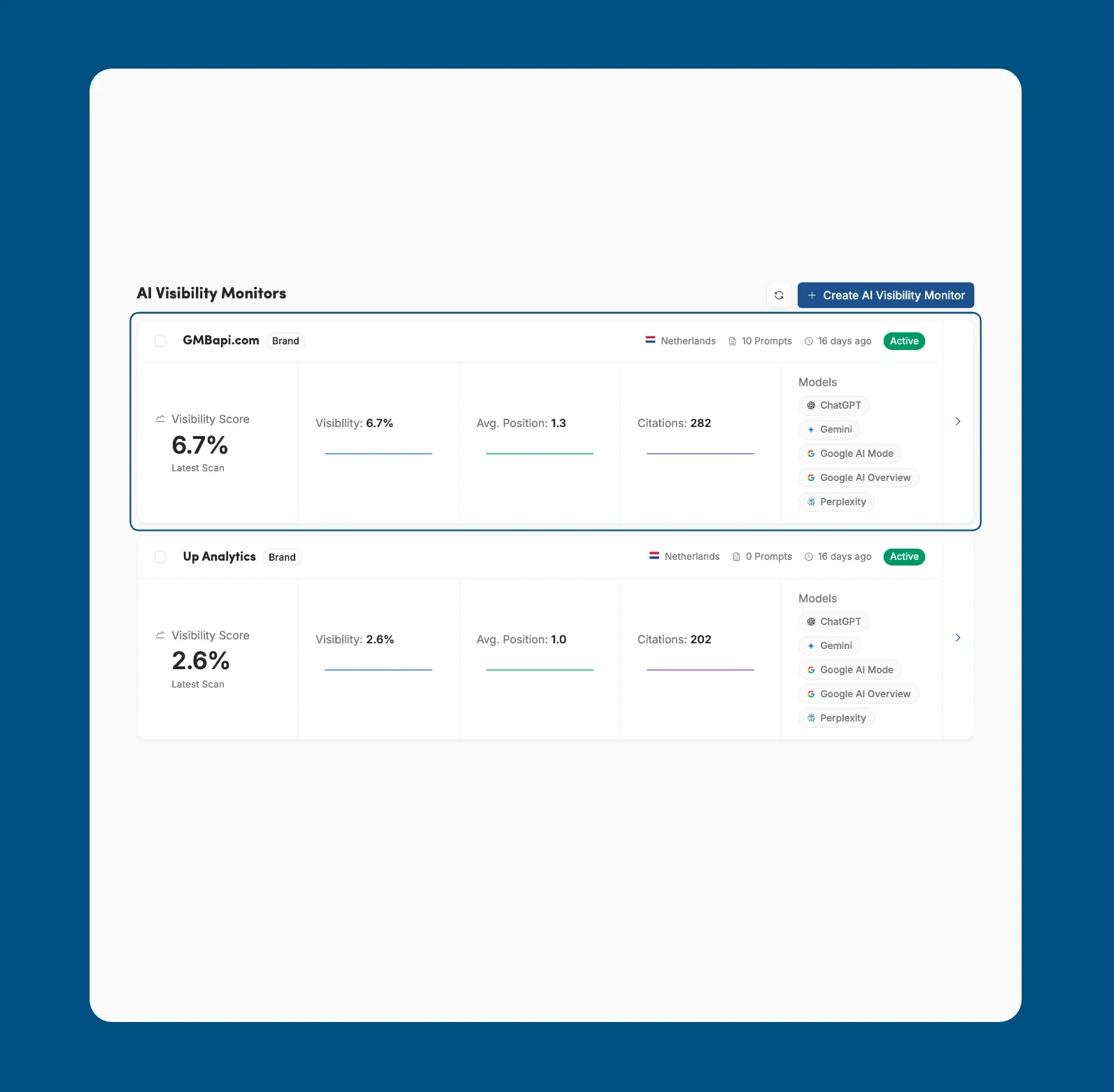
FeatureYou can now see how often your brand appears in answers from ChatGPT, Gemini, Google AI Mode, Google AI Overview and Perplexity. Each AI Visibility monitor shows your visibility score, average position, brand mentions and citations, and compares you with your top competitors.
This helps you spot where competitors are recommended instead of you, and which websites AI tools cite most often.
To use it, open AI Visibility in the side menu and click Create AI Visibility Monitor. Pick a branded segment, choose Auto-generate prompts or Custom prompts, and click Next. Open a monitor to see its Overview, Prompts, Citations and Competitors tabs.
September
Smarter Posting Across Groups & Segments
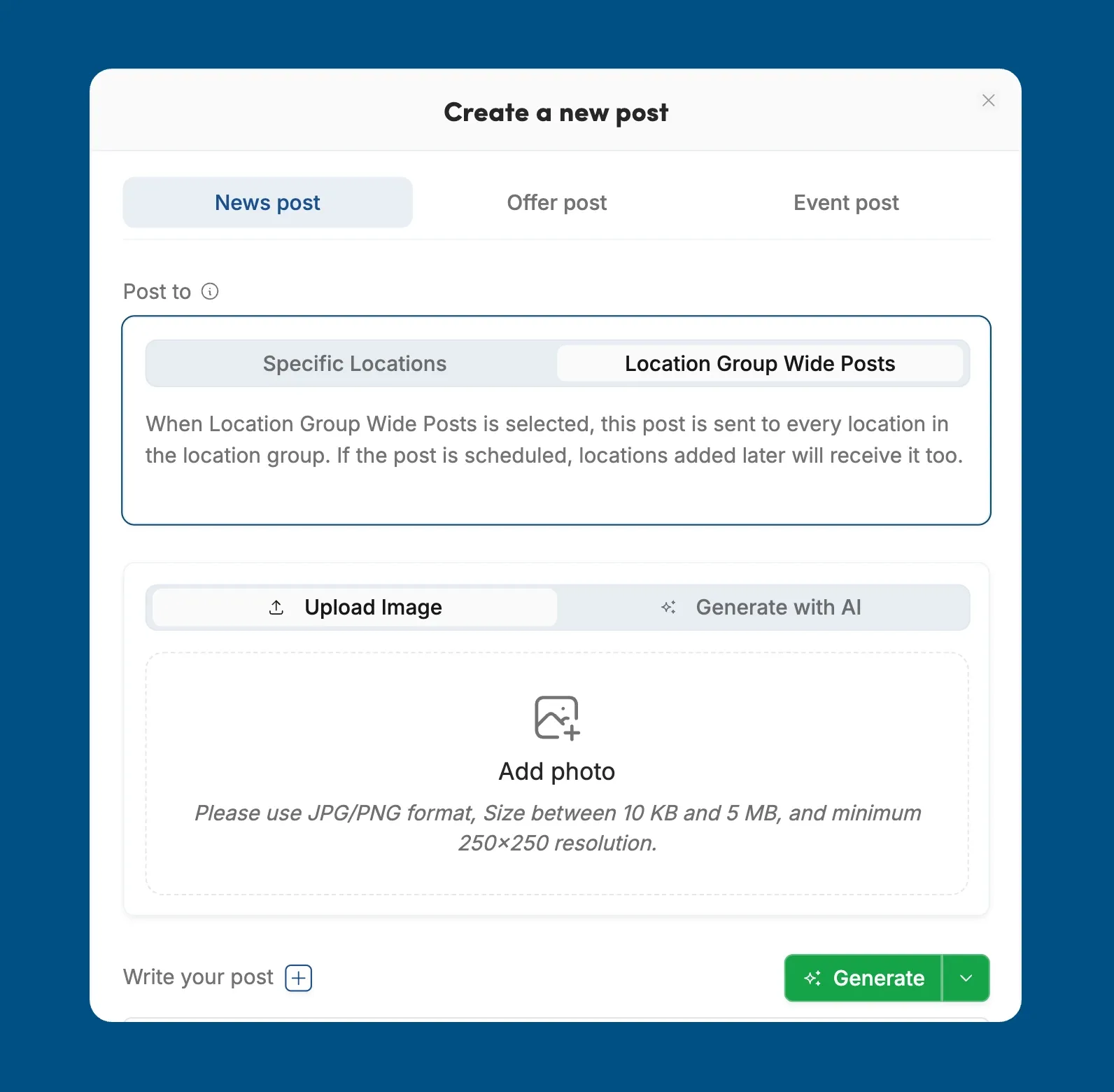
FeatureReach more locations in one step with group-wide and segment-wide posting. When you create a post, you can now send it to specific locations, every location in the location group, or every location in your current segment. Scheduled posts also include locations added before they go live, so every branch stays up to date.
More Location Details in Your Local Schema
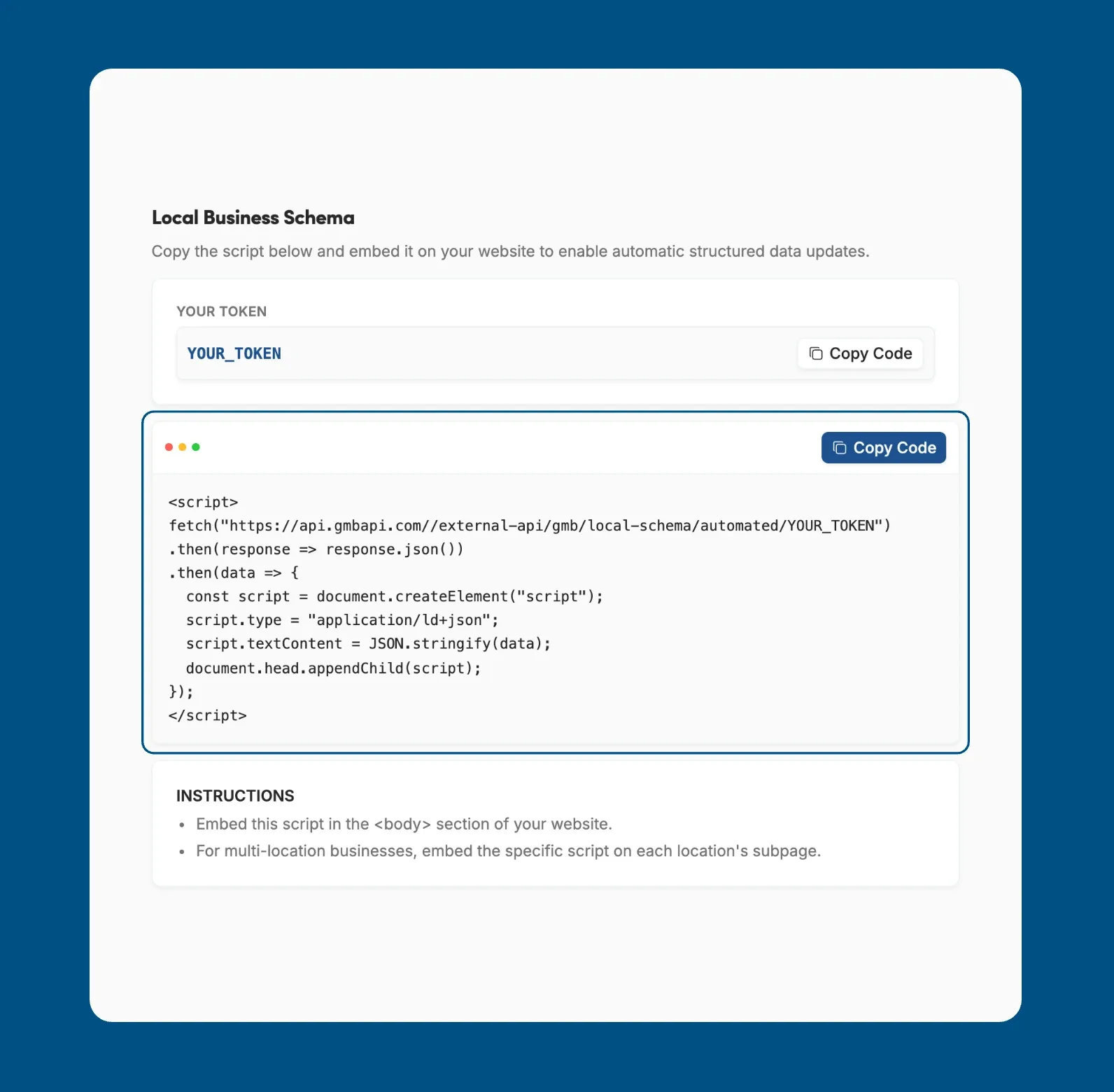
ImprovementYour Local Business Schema now includes more of each location's Google Business Profile details: place action links, services with their descriptions, special hours and attributes.
Search engines read this structured data from your website, so richer schema helps them show accurate and complete information about each location.
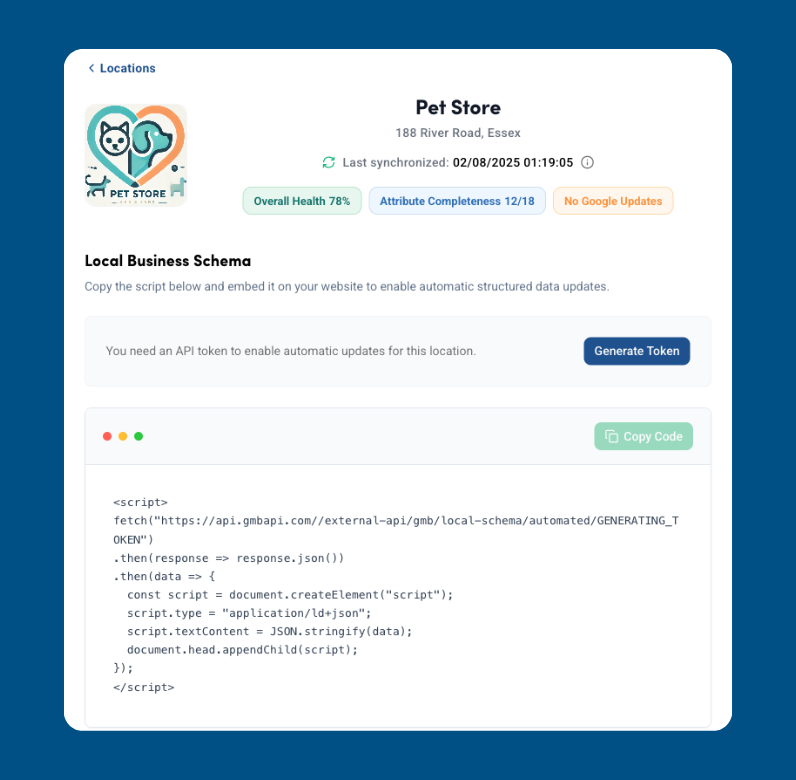
To use it, open a location and go to the Local Schema tab. Click Copy Code and embed the script in the body section of your website. For multi-location businesses, add each location's script to its own subpage. Scripts you have already embedded pick up the new details automatically.
Track Competitor Visibility with Campaigns
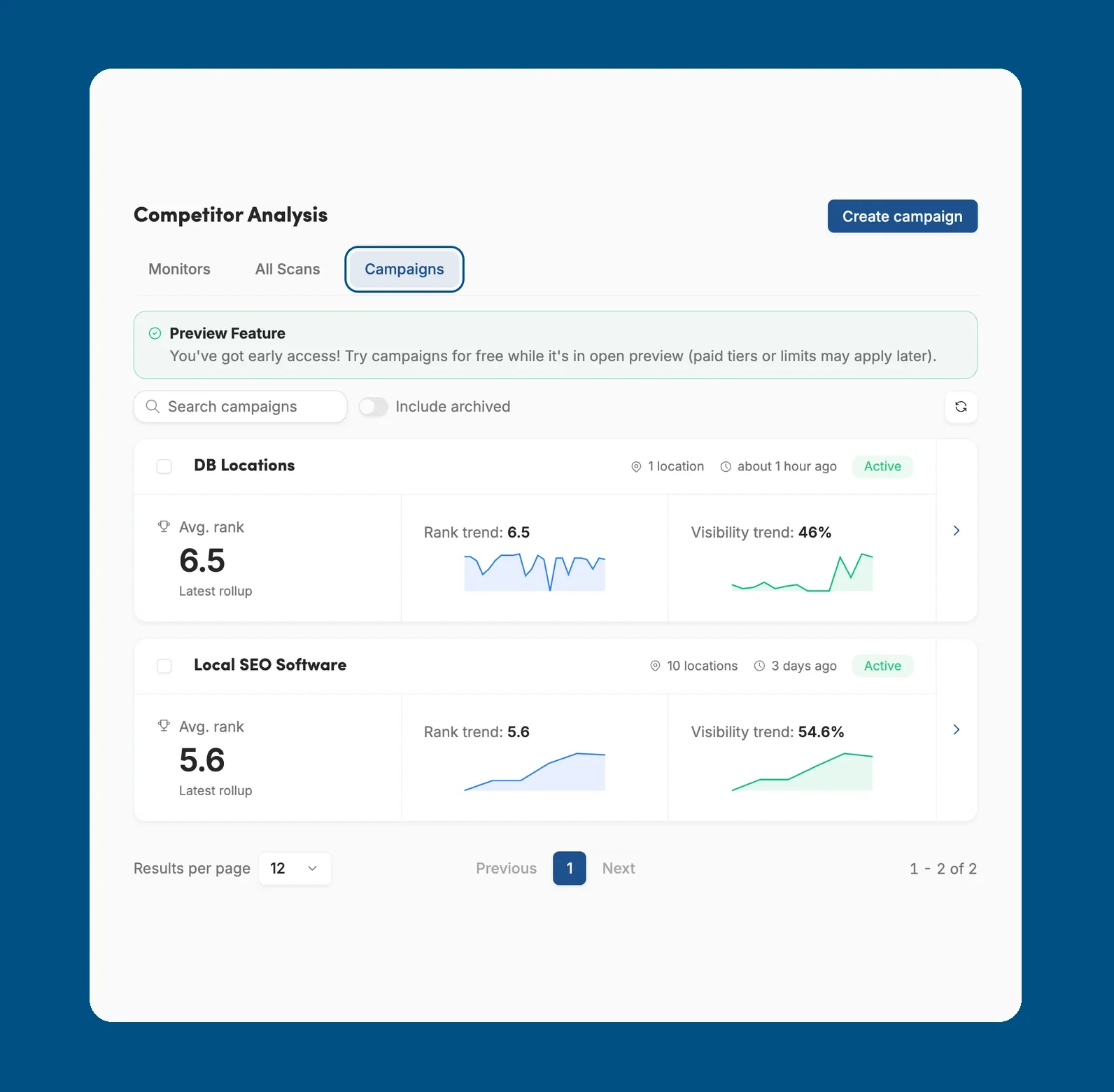
FeatureMonitor how your locations perform against competitors with the new Campaigns feature in Competitor Analysis. Create a campaign for a group of locations and, once the first scans finish, you'll see average rank, visibility, and how your rank is trending. Campaigns are currently in open preview.
Custom Branding with White-label Subdomains
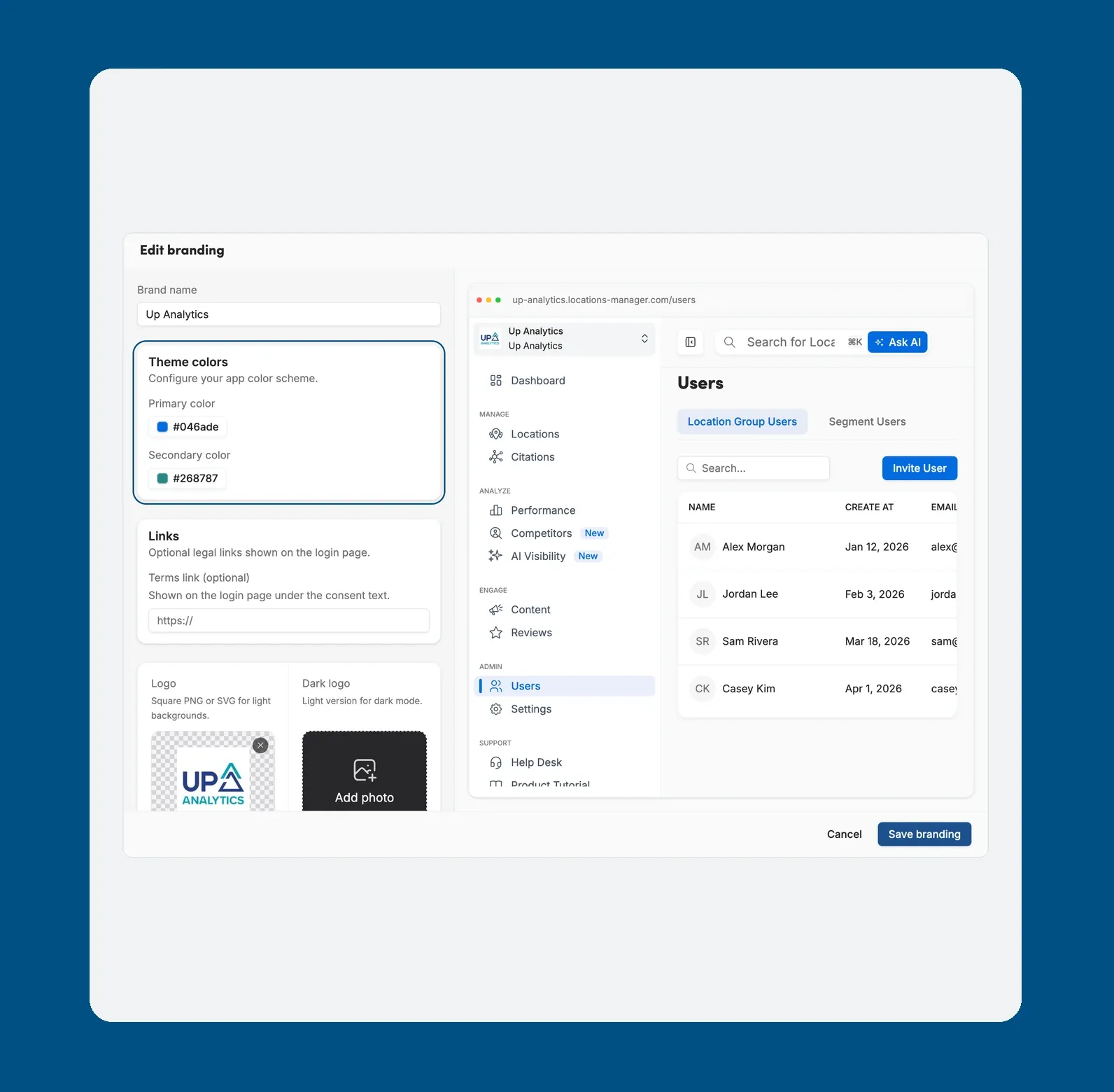
FeatureOffer the platform under your own brand with the new White-label settings. You can now claim a subdomain in Settings, under the White-label tab, and set your brand name, logo, favicon, and theme colours. Add a terms link to the login page, or switch custom branding off at any time to return to the original look.
Stay on Track with Account Setup
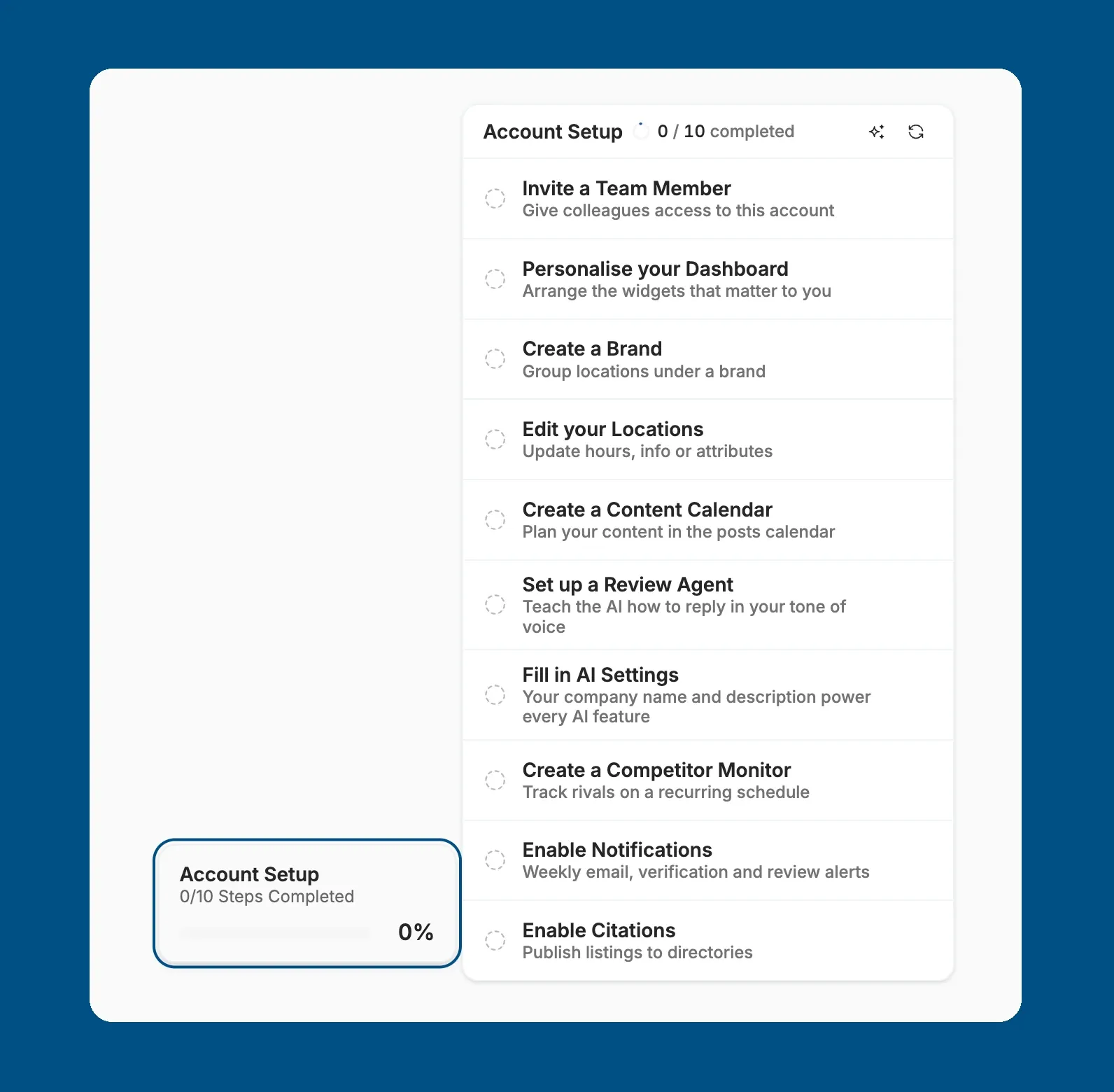
FeatureGet your account ready step by step with the new Account Setup checklist at the bottom of the sidebar. It shows how many steps you've completed, from inviting a teammate and personalising the dashboard to creating a brand, editing locations, planning posts, and turning on reviews, monitors, notifications, and citations. You can skip any step, and the checklist confirms when your account is fully set up.
Smarter Bulk Actions with Ask AI
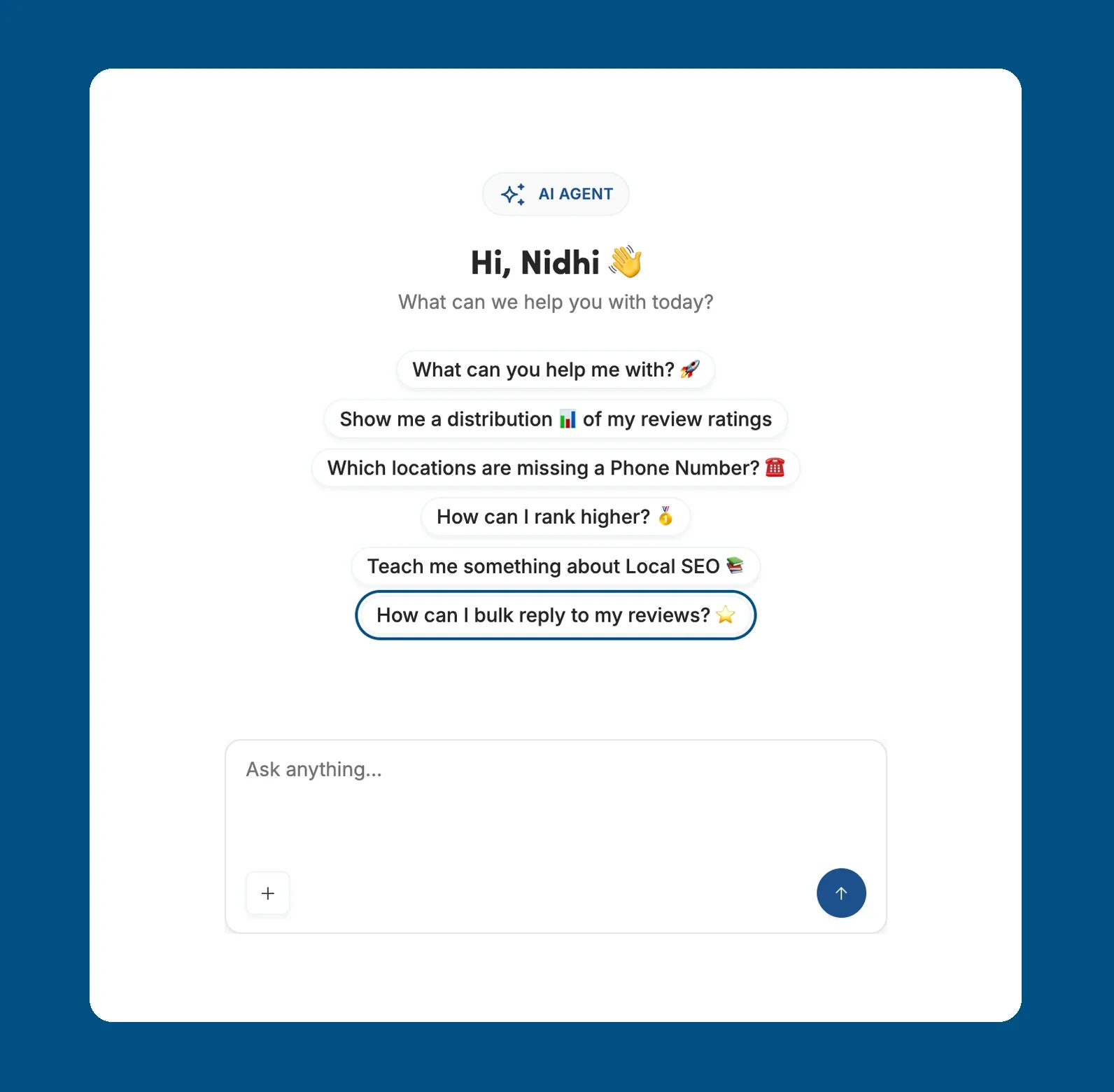
ImprovementOur AI Agent can now start bulk work for you, straight from the search bar. Ask AI to run Bulk Image Upload to add photos to several locations, Bulk Review Reply to answer unreplied reviews, Bulk Location Edit to update details across locations, or Bulk Citation Sync to sync citations across publishers.
August
Drive Bookings and Orders with Place Action Links
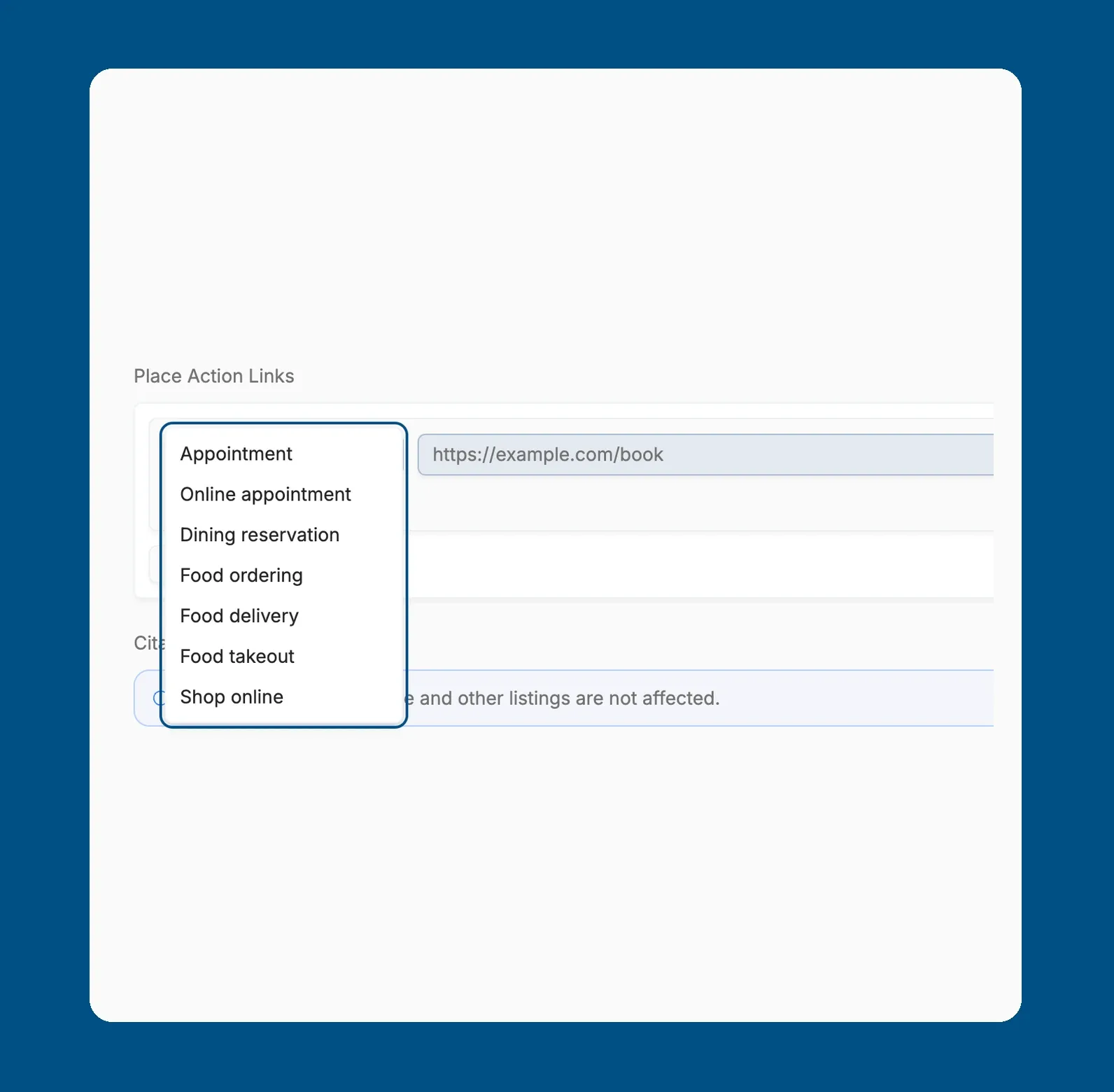
FeatureMake it easier for customers to book, order or shop straight from your profiles. Open a location's profile, go to the Contact tab and click Edit Location, then Add Action Link under Place Action Links.
Choose an action type, Appointment, Online appointment, Dining reservation, Food ordering, Food delivery, Food takeout or Shop online, add the link, and mark one link as preferred. Save your changes to update the location.
Tailor Your Locations with Custom Fields
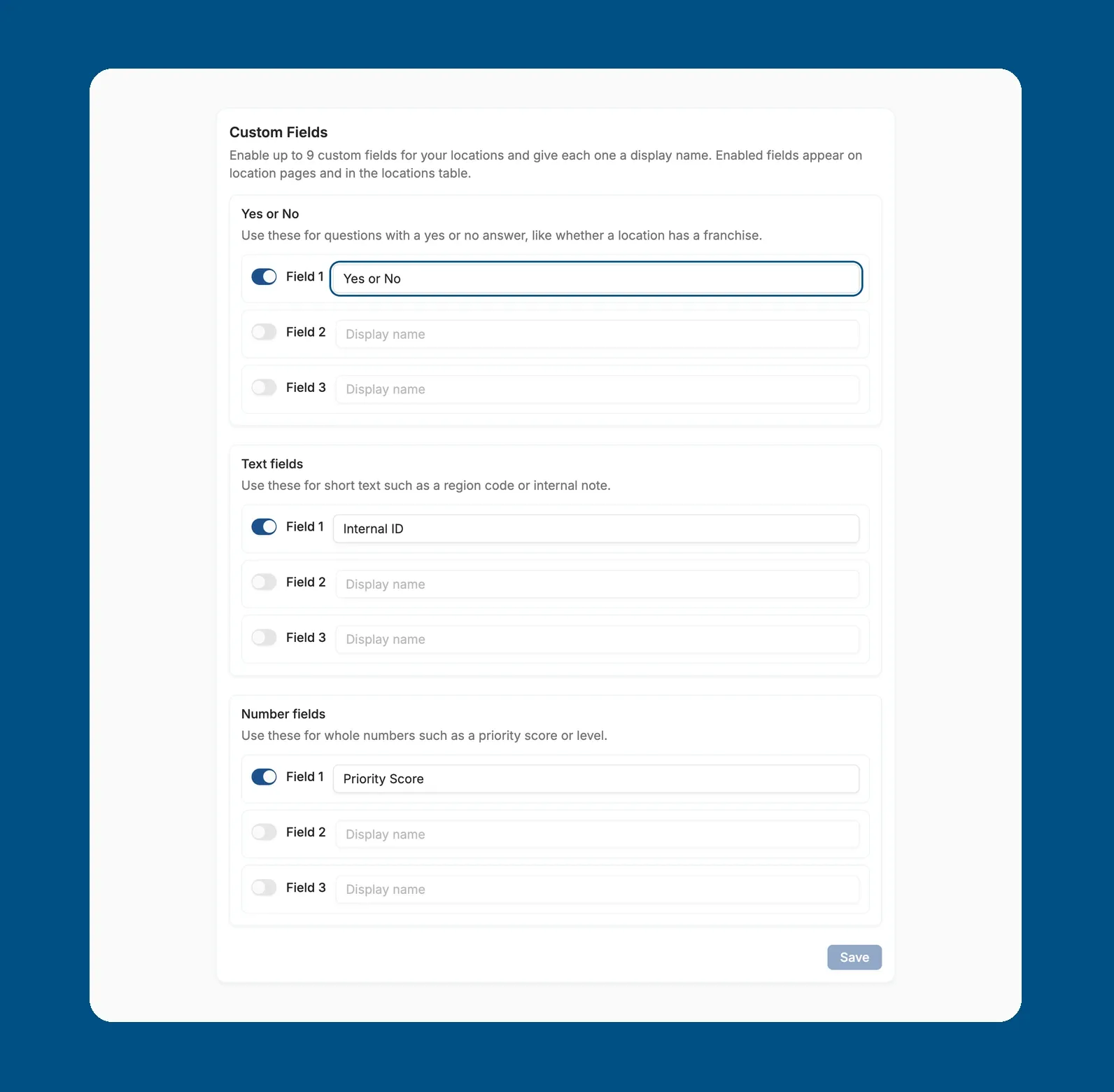
FeatureTrack the details that matter to your business with new custom fields. You can now enable up to nine custom fields in Settings, under the Custom Fields tab, and choose a yes/no, text, or number format for each. Enabled fields appear on every location profile and in the locations table, where you can set the value for each location.
July
Setup Scheduled Auto-Replies with Custom Agents
FeatureAutomatic review replies can now follow each location's opening hours, so responses go out while your business is open.
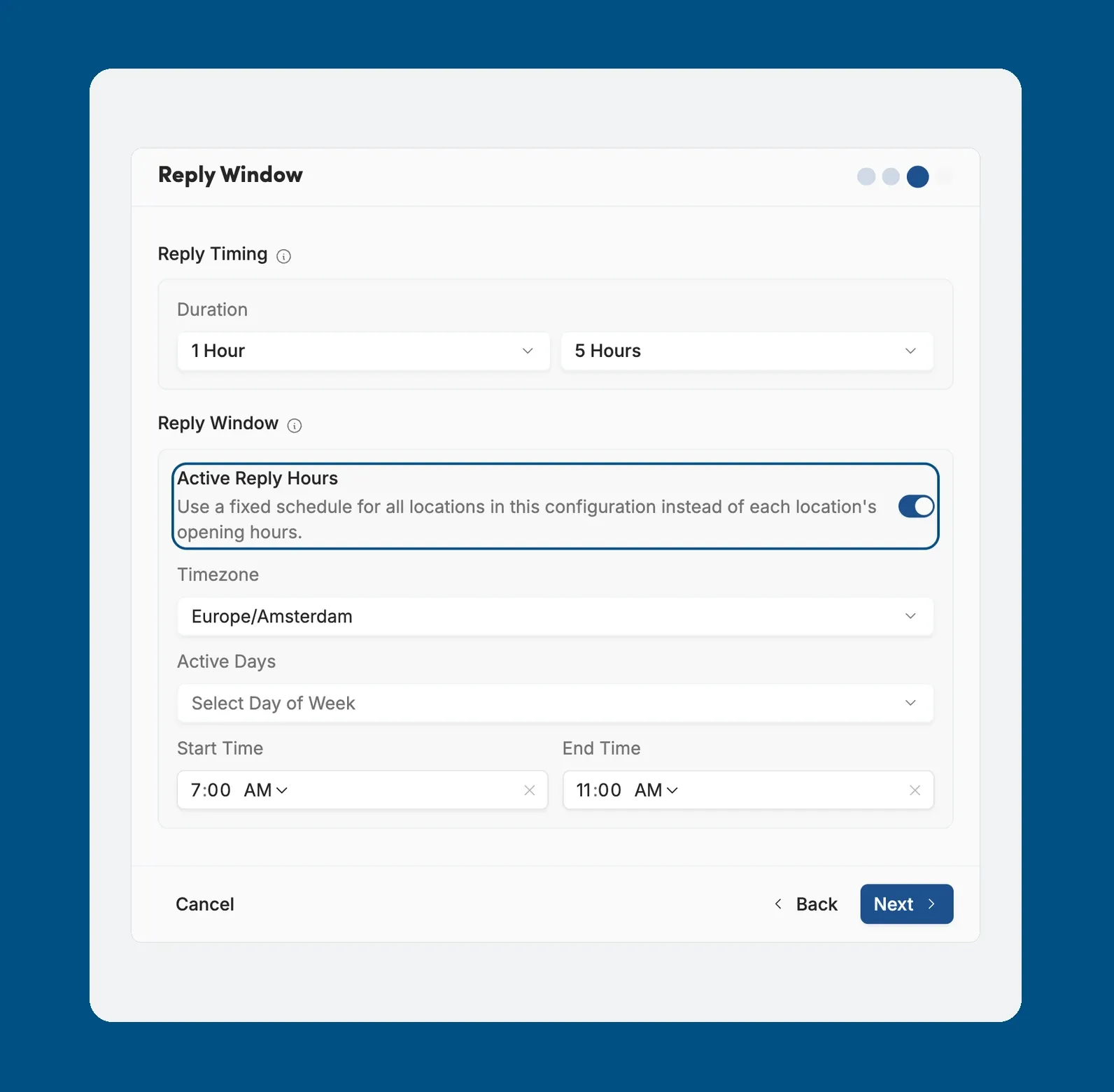
Leave Active Reply Hours off to use each location's own hours, or turn it on to set one fixed schedule, with a timezone, active days and start and end times, for every location in that configuration.
To find it, go to Settings, open the Automation tab and, under Auto Reply, create a configuration or edit an existing one. Active Reply Hours is on the Reply Window step.
Smarter Email Alerts for Your Team
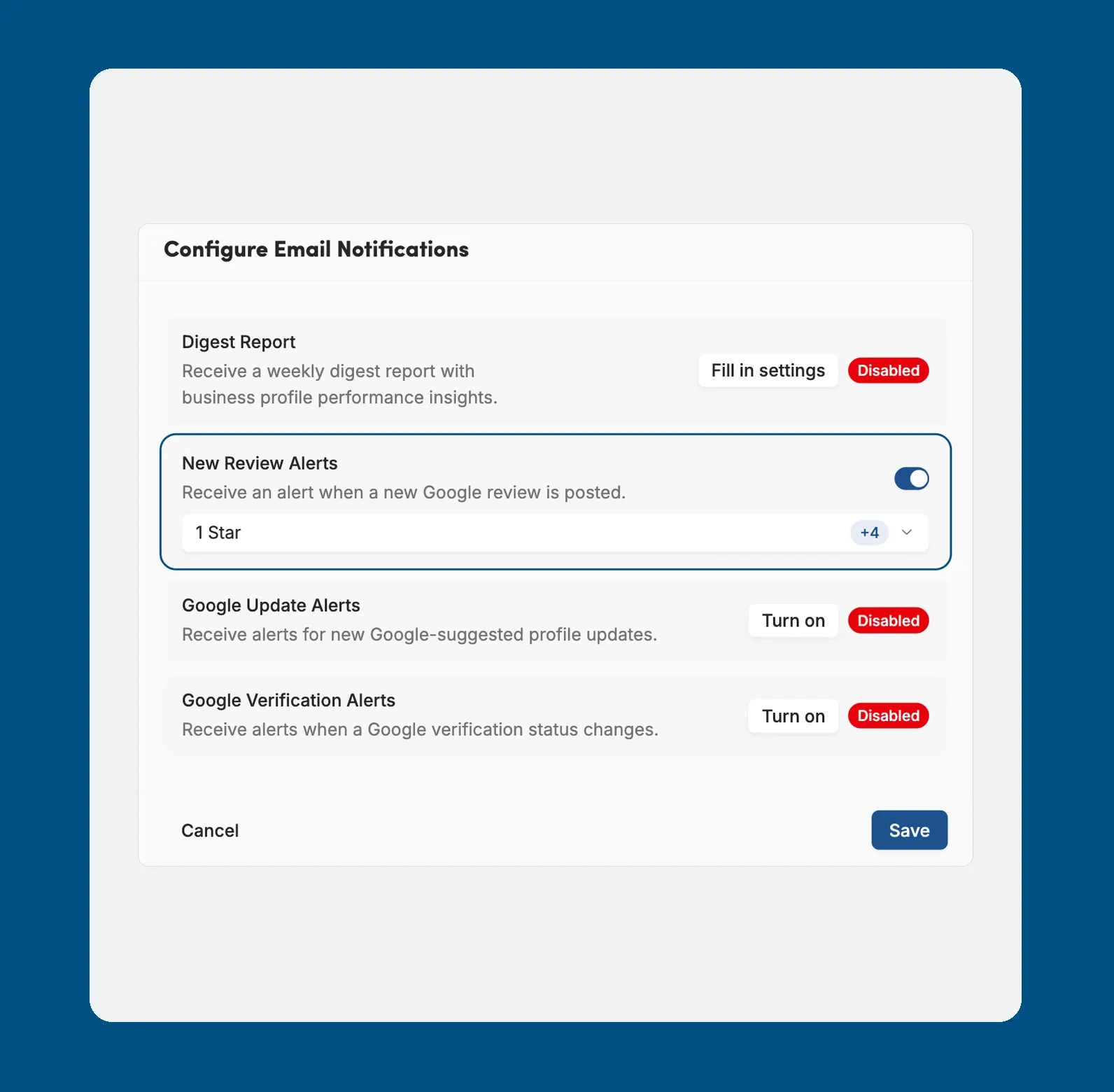
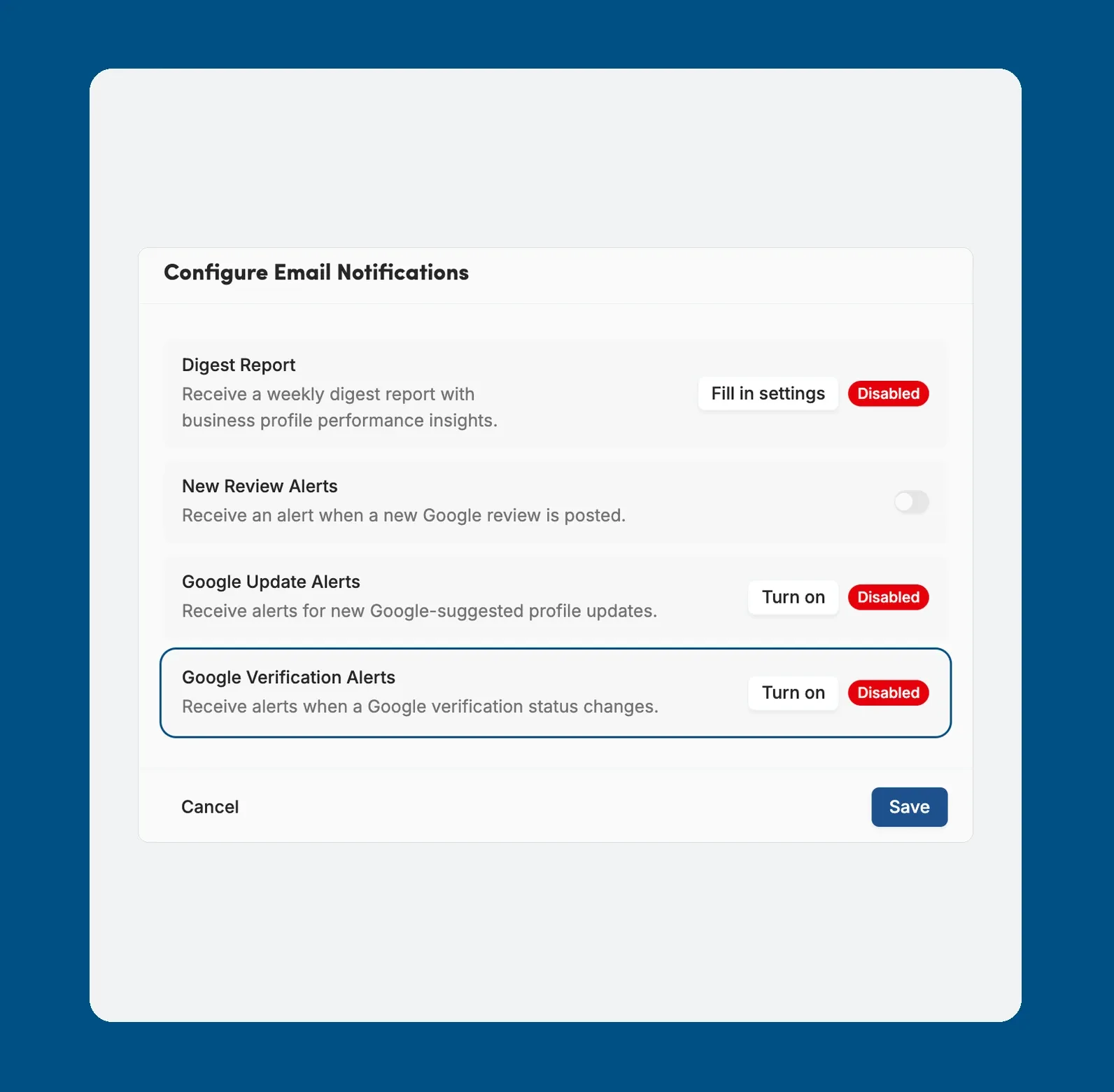
FeatureChoose exactly which emails each teammate receives with the updated notification settings. In Settings, under the Notifications tab, you can now limit New Review Alerts to selected star ratings, get Google Update Alerts for suggested profile changes, and receive Google Verification Alerts when a verification status changes. You can also send a weekly Digest Report with business profile performance insights.
Multi-Keyword Scans in Competitor Analysis
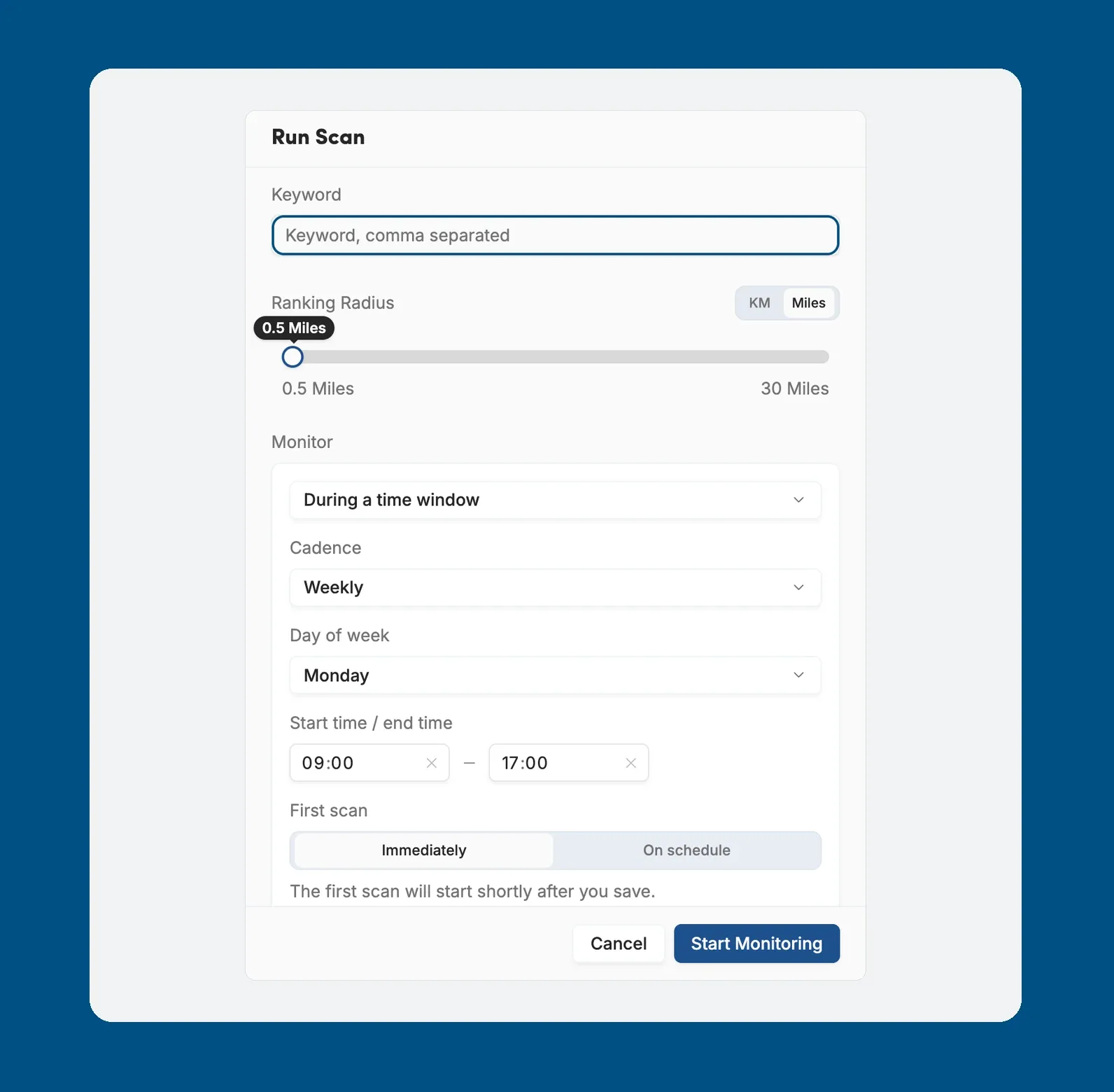
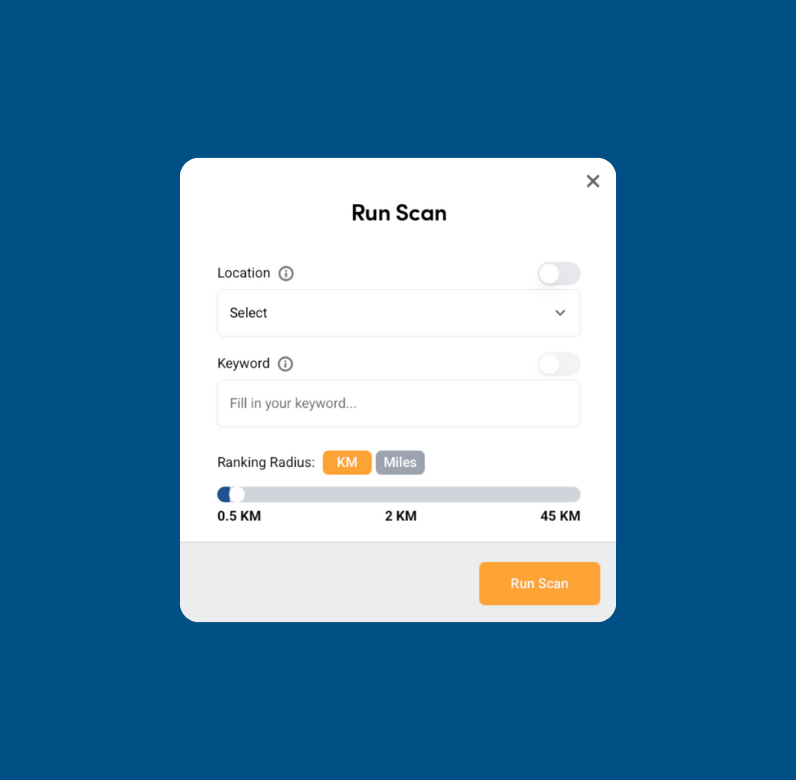
ImprovementGet a fuller picture of your local rankings with multi-keyword scans. You can now scan a location for up to five keywords at once by choosing Multi Keyword in Run Scan and separating the keywords with commas. On the Monitor tab, schedule scans daily, weekly, or monthly, and choose whether they run during a set time window or while the location is open.
May
Organise Locations with Apple Brands
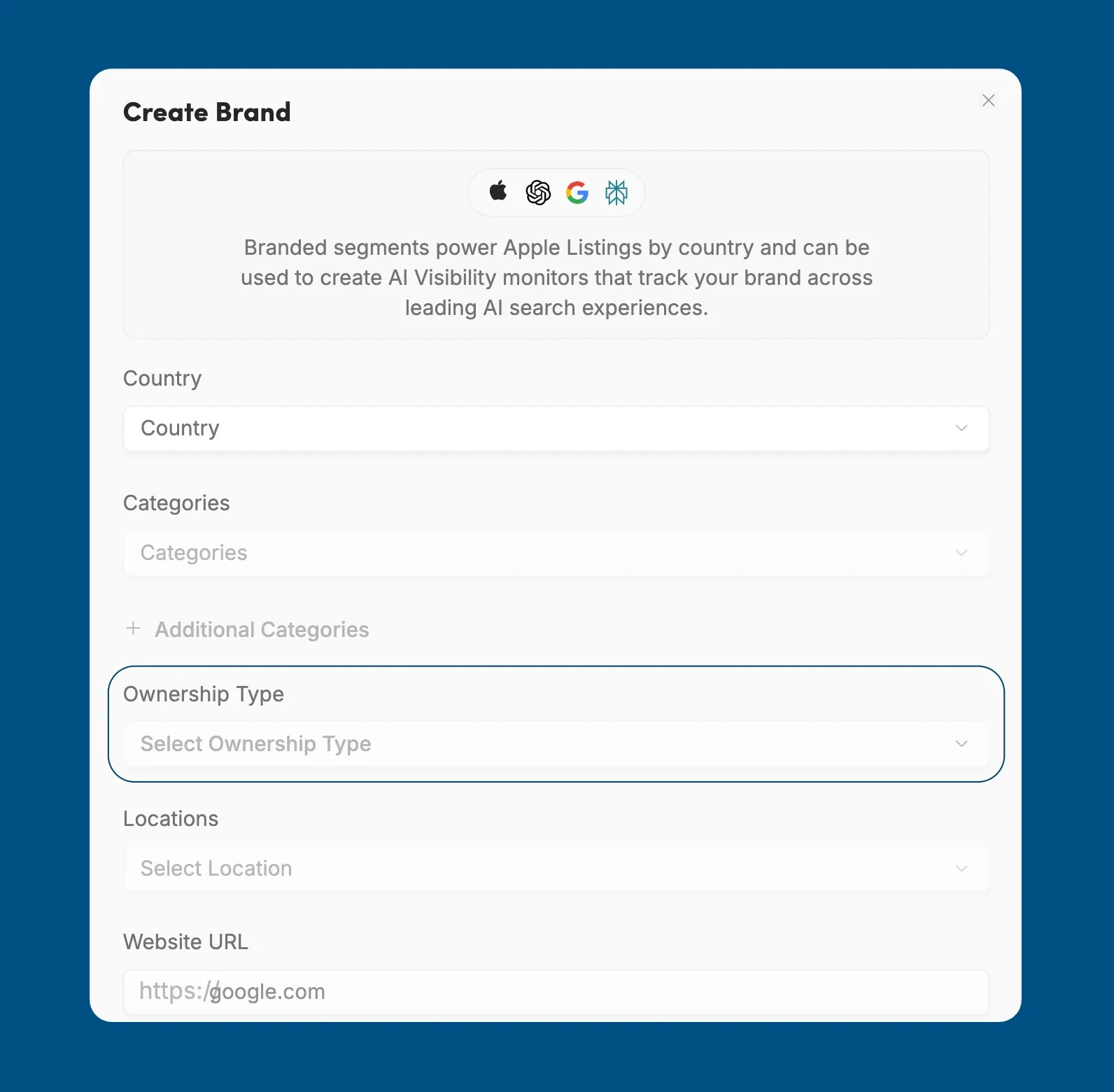
FeatureKeep your Apple Business Connect listings organised with new brand segments. You can now create a brand with its name, country, category, and website, choose whether you own the brand or operate as a franchisee, and attach locations to it. Each location can belong to one brand.
April
Track Reviews with Media on the Reviews Page
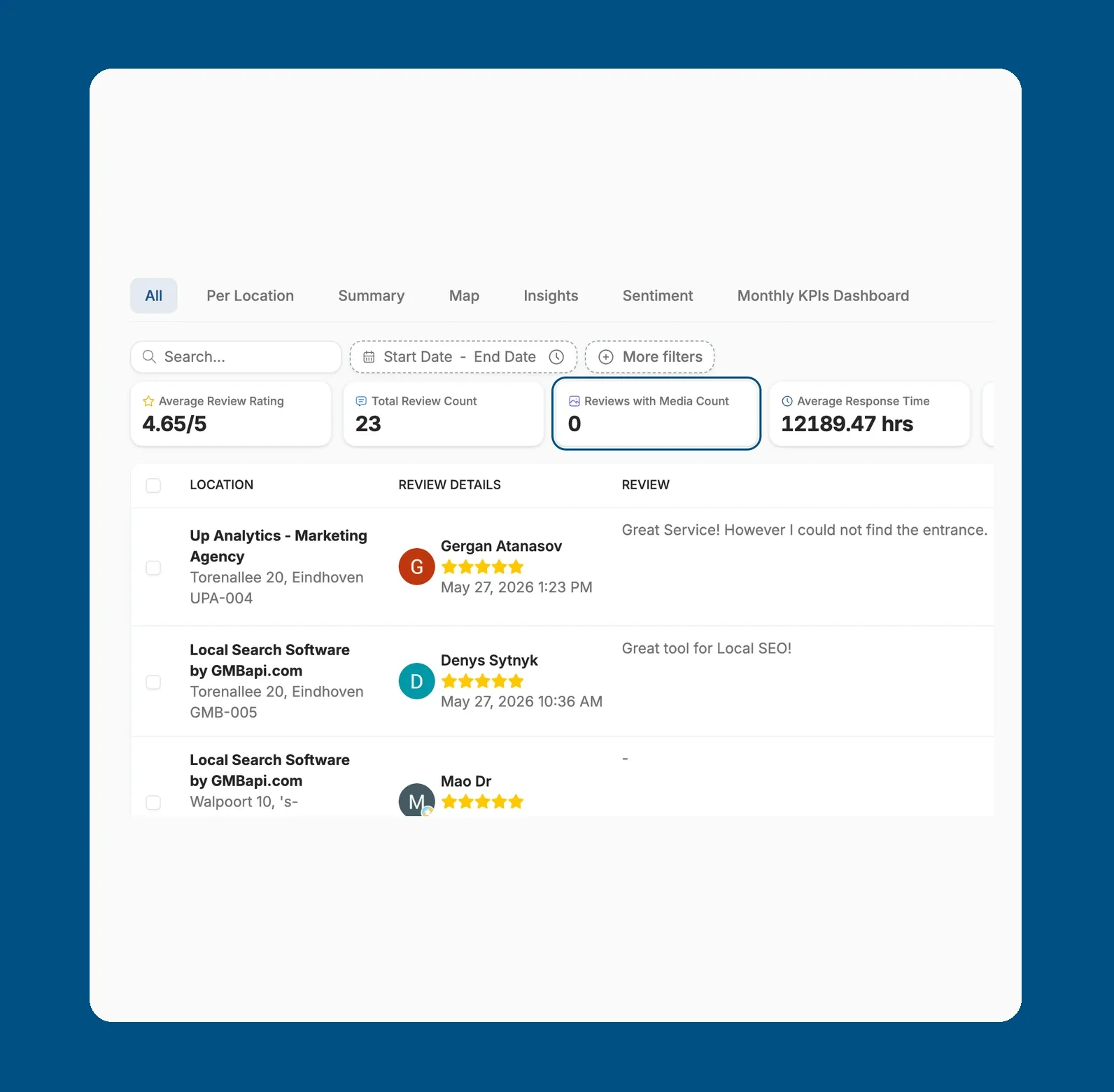
ImprovementYou can now see how many of your Google reviews include photos or videos. The Reviews page shows a new Reviews with Media Count tile next to your average rating, total reviews and reply rate.
Reviews with photos carry extra weight with customers, so knowing how many you have helps you spot which locations get the most visual feedback.
To use it, open Reviews in the sidebar and look at the KPI row at the top. Change the date range or filters to see the count for a specific period or set of locations.
Stay Verified with Smart Notifications
FeatureNever let a location drop off the map with new Google Verification notifications designed to keep your profiles live and searchable. You can now enable these alerts in the settings menu to receive updates as soon as a location requires re-verification. To save time, the platform also stores the verification method used for each location, so you know exactly how to restore it when needed.
Improve Visibility with Presence Score
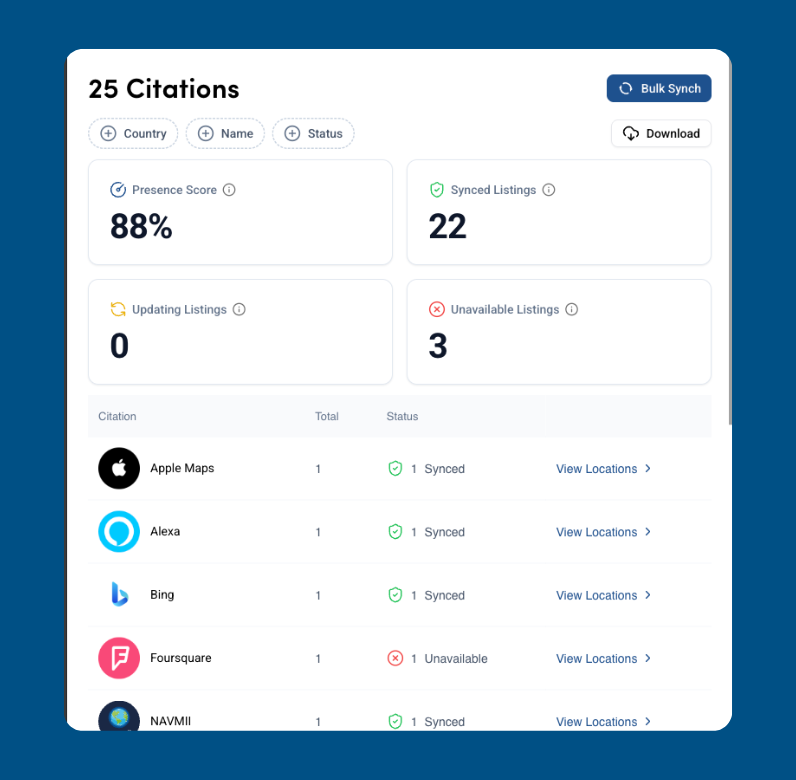
FeatureManaging your brand’s digital footprint is now more transparent with an updated Citation Management interface and the introduction of the Presence Score. This new metric shows the ratio of live, updating listings compared to your total locations, helping you quickly identify and prioritize locations with the lowest visibility.
A Smarter Dashboard for Better Insights
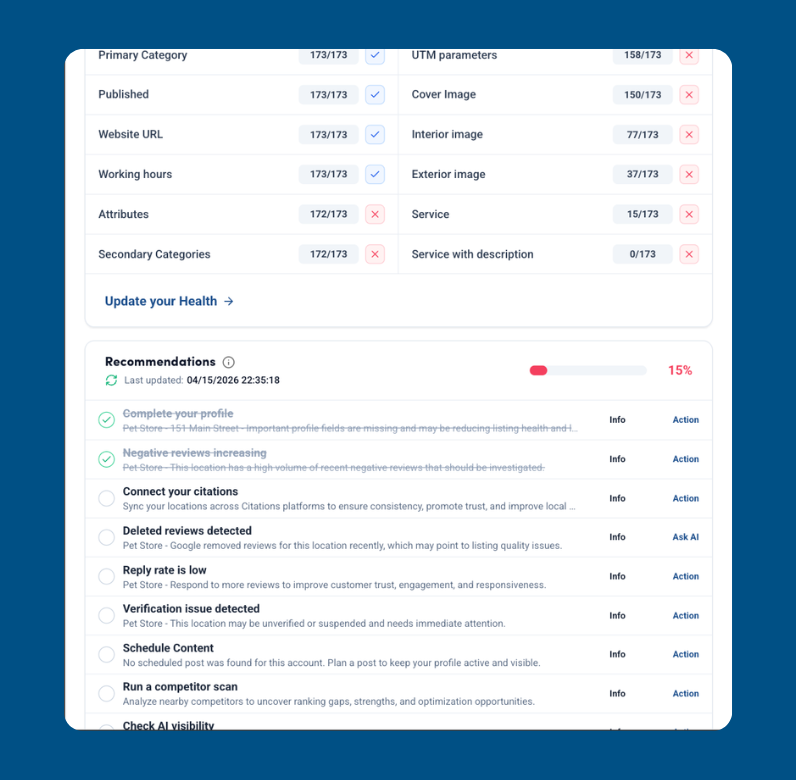
FeatureThe main dashboard has evolved into a strategic command centre, featuring a new “Overall Health” section and a Recommendations engine that turns raw data into actionable insights. To better understand your impact, the Revenue Estimator lets you input transaction values and conversion rates to project the financial value of your local SEO efforts. Navigation has also been improved across the platform, with enhanced tables and filters. You can now exclude filters with a double-tick, reset them individually, and benefit from smoother scrolling with fixed table headers and footers.
March
New Automation Tools in Admin & Settings
FeatureTake control of your external workflows with new automation-friendly features in the Admin and Settings tabs. You can now generate a Local Schema token by selecting a specific location and navigating to the Admin section, where you’ll find the Local Schema tab. Embed this token in your website’s header to ensure that key business data, such as opening hours, stays automatically synced with our platform. For technical users and agencies, a new API Key tab is available under Settings, where you can create secure tokens for external use, making it easy to build custom workflows in tools like N8N or Zapier without manual data entry.
Smarter Bulk Editing with Segments & AI
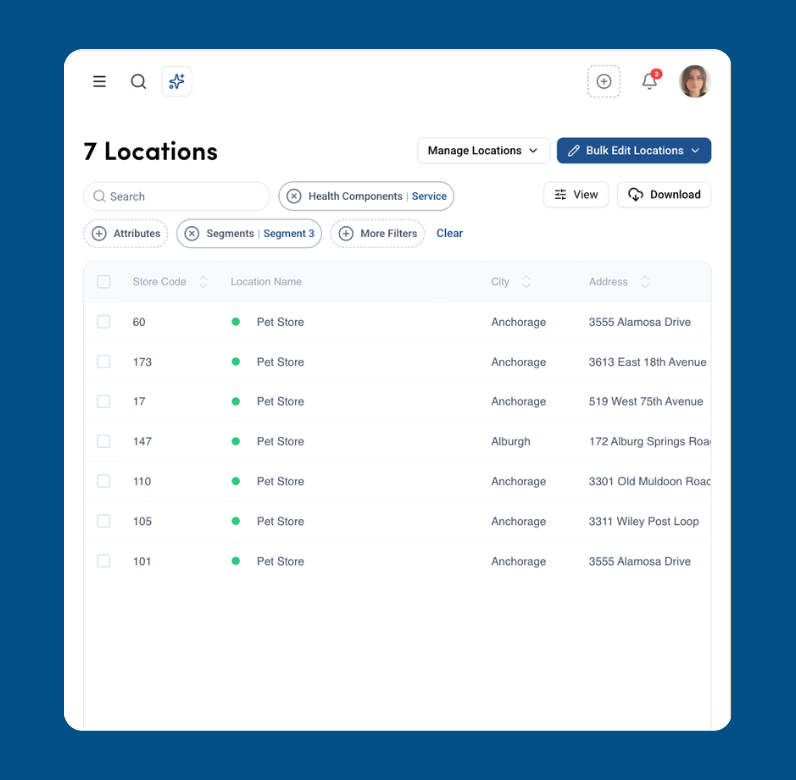
ImprovementOur bulk edit section has been fully redesigned to work seamlessly with segments and labels. Select locations based on specific criteria, like profiles missing a cover photo, and update hundreds at once. Easily edit descriptions, opening hours, and attributes with smart indicators showing where changes apply. Save time with “Save as Template” for services and generate AI-powered service descriptions using localised parameters and multiple languages. Plus, manage media effortlessly with bulk video uploads and a complete edit history.
Improved Location Management
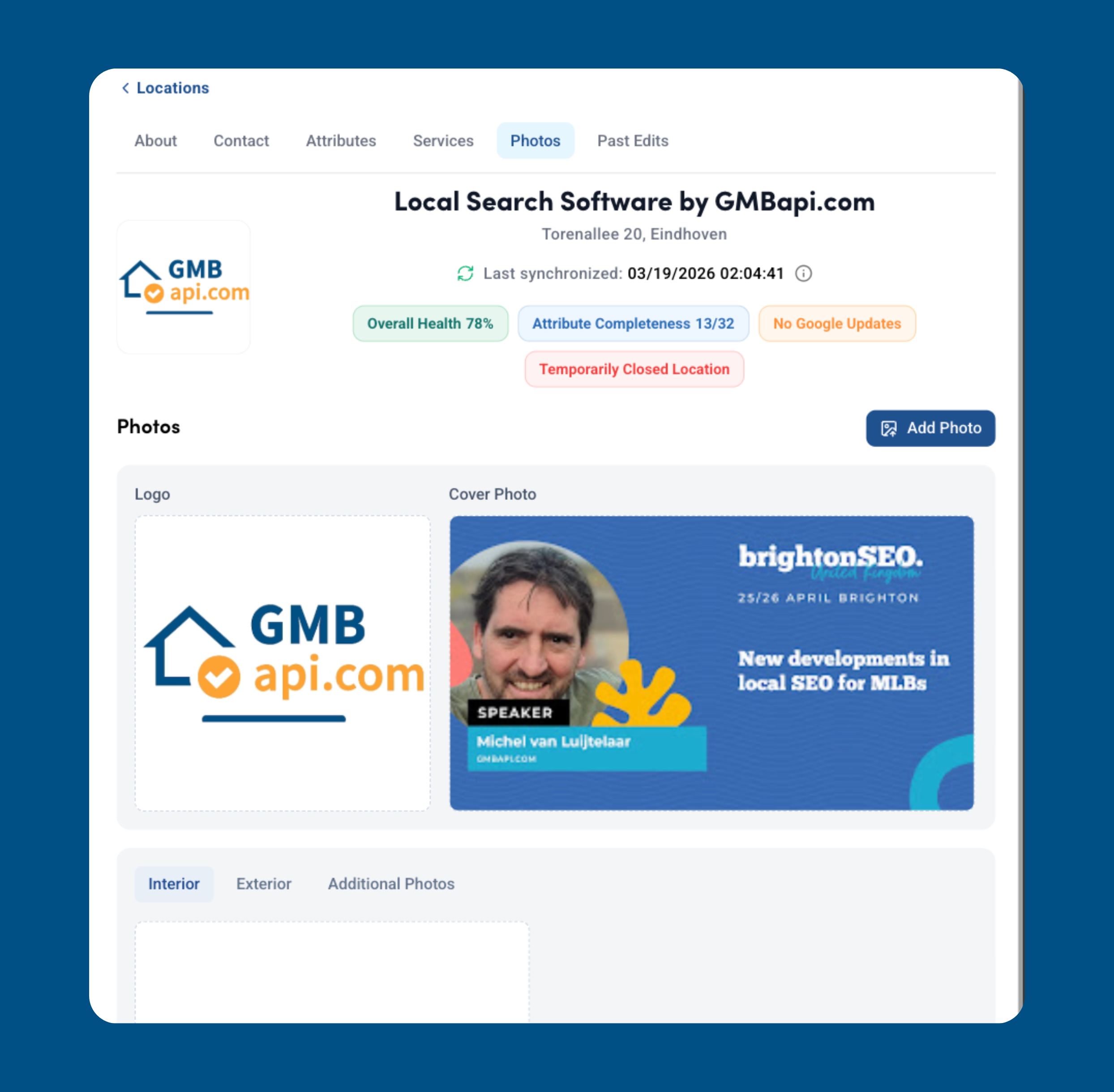
ImprovementWe’ve improved the location sections of the app to make managing your content easier and more reliable. You’ll now receive a warning before leaving the page if there are unsaved changes, helping prevent accidental data loss. Media management has also been enhanced with albums and a simplified media upload process.
February
Smarter AI Responses with Custom Prompts
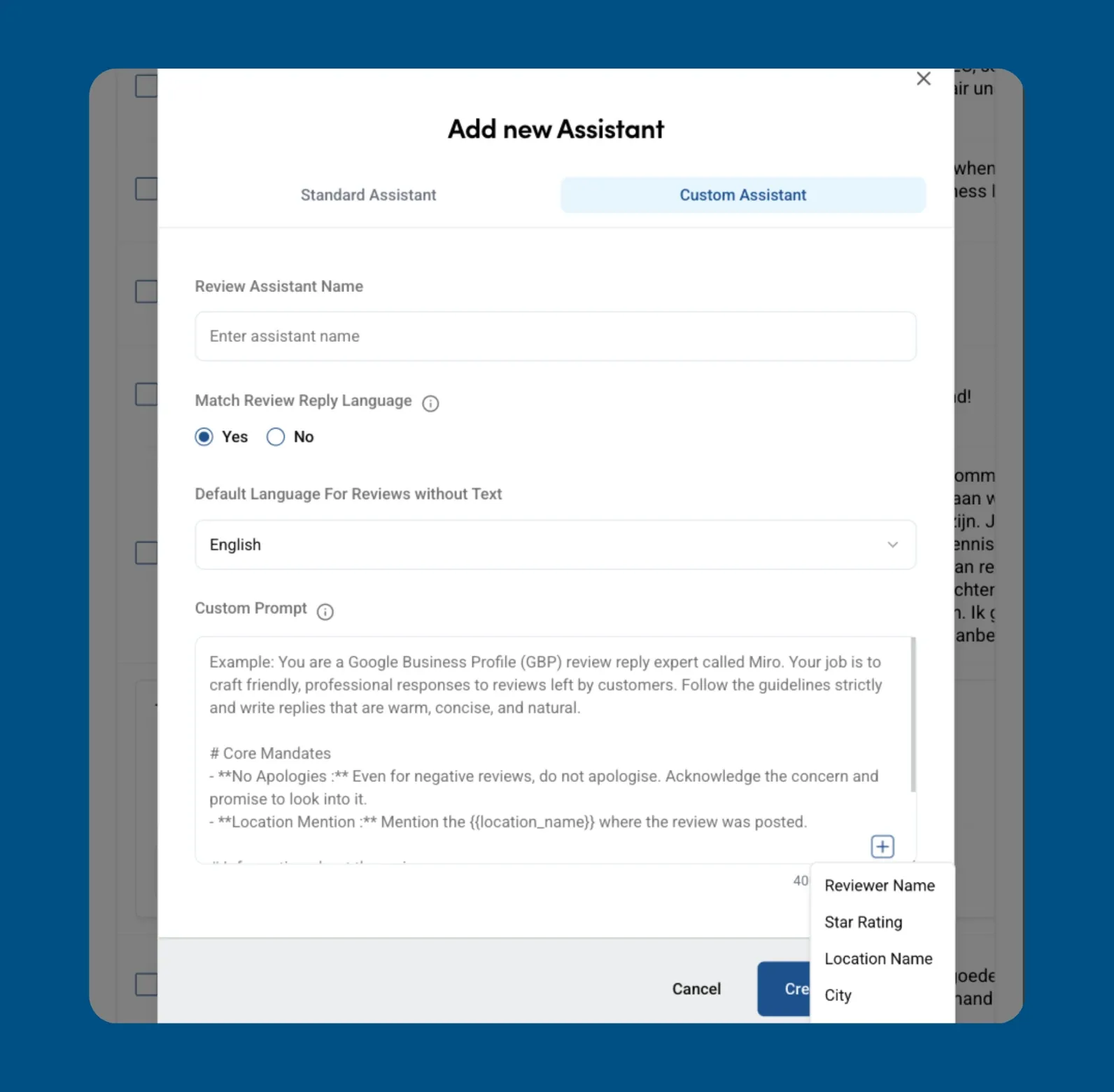
ImprovementOur AI agent is now fully customisable. You can define your own prompts and include dynamic variables such as reviewer name, star rating, and location name to generate more personalised and relevant responses. Create replies that better reflect your brand while saving time.
New App Design
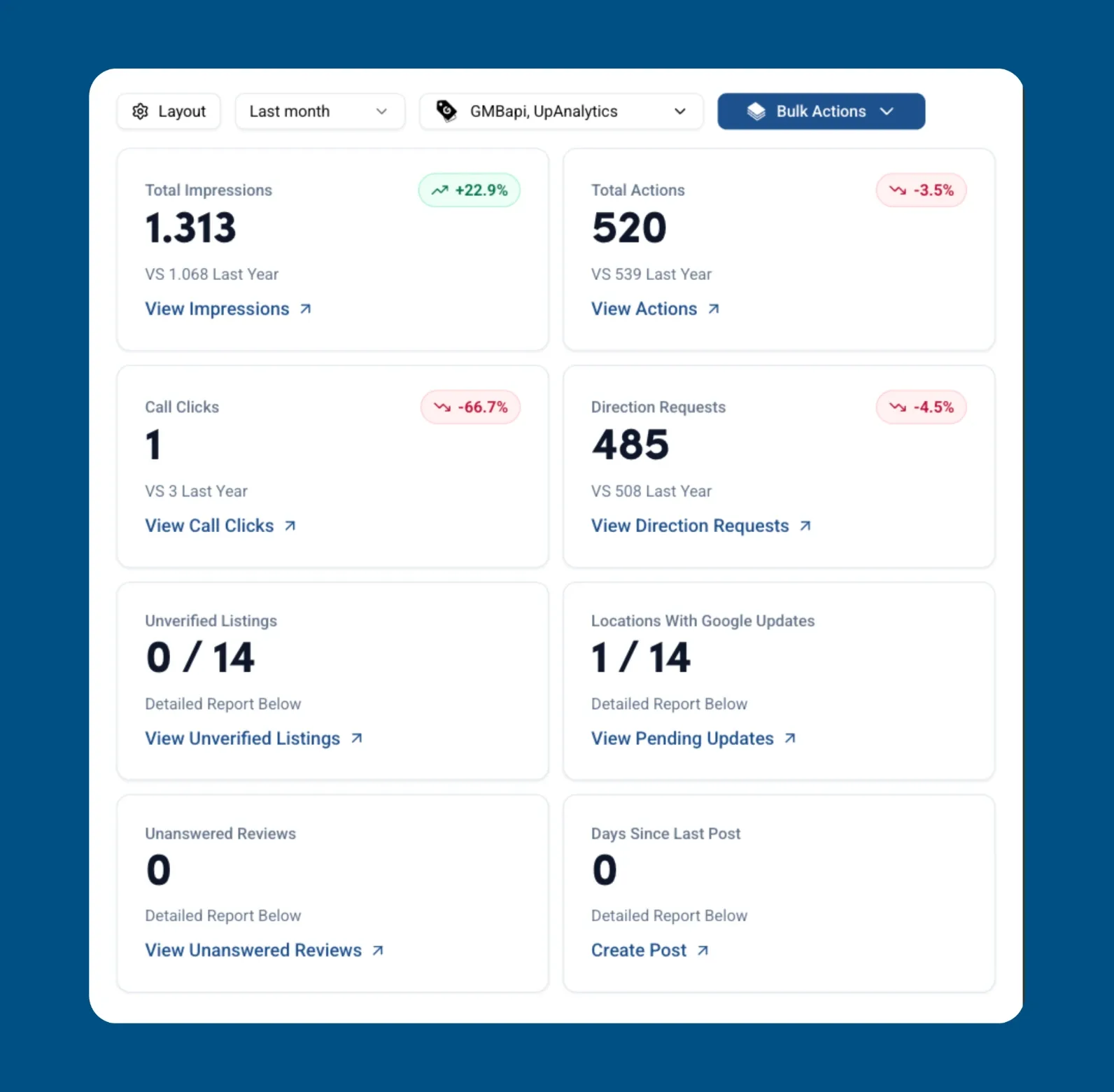
ImprovementWe’ve refreshed the platform with a clean blue and white interface designed for clarity and ease of use. Buttons have been streamlined for a more compact and efficient layout, while the dashboard is now fully customisable so you can add or remove the KPIs that matter most to your business. Filters and sector options now appear only when relevant to your company, creating a cleaner and more focused experience.
January
Updated Filtering and Search in Citations Section
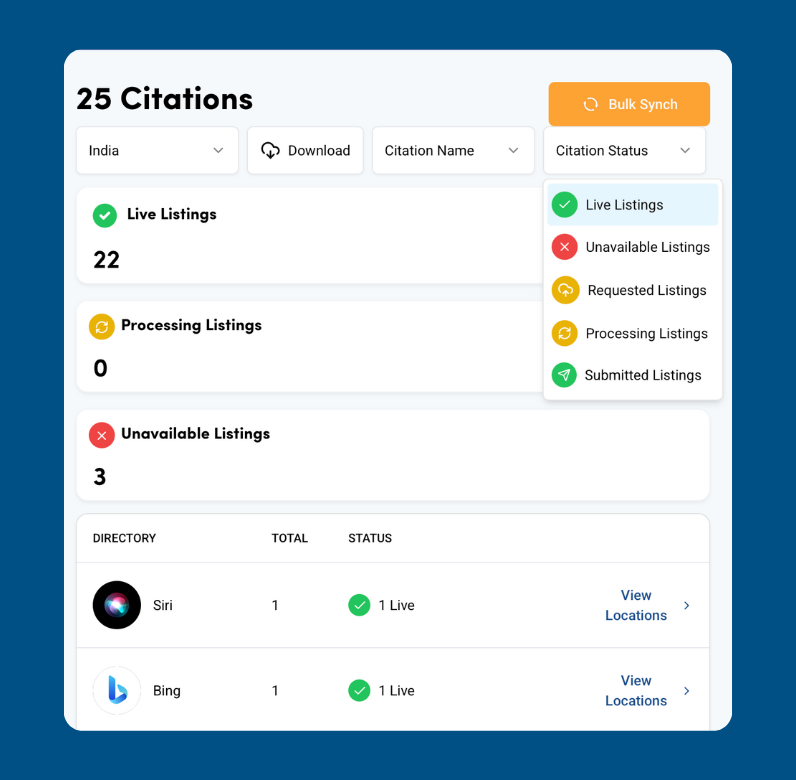
ImprovementWe’ve improved how you view citations across your locations. You can now filter and search more easily to find your most important citations and check their current statuses.
New AI Agent Update for Smarter and Faster Actions
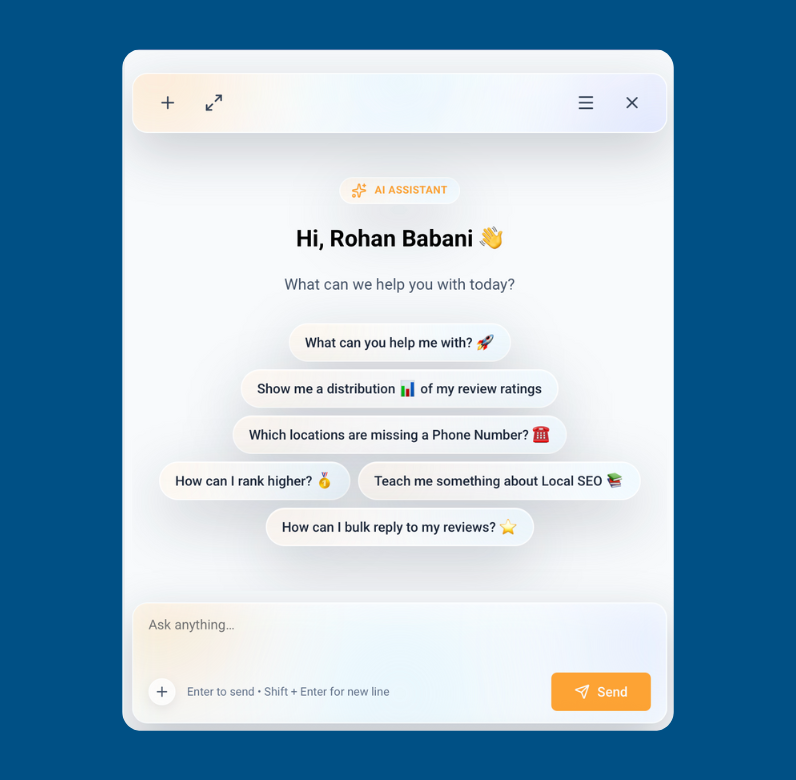
FeatureOur improved AI Agent now helps you navigate the app and perform actions for you. Want to run an AI Visibility Scan or track local rankings? Having trouble with the platform? Just ask. You can even ask the agent to contact us or post across your Google Business Profiles. Click on Ask AI in the search bar or type your question directly to get started.
202523
December
Bulk Edit Location Descriptions with Embedded Parameters
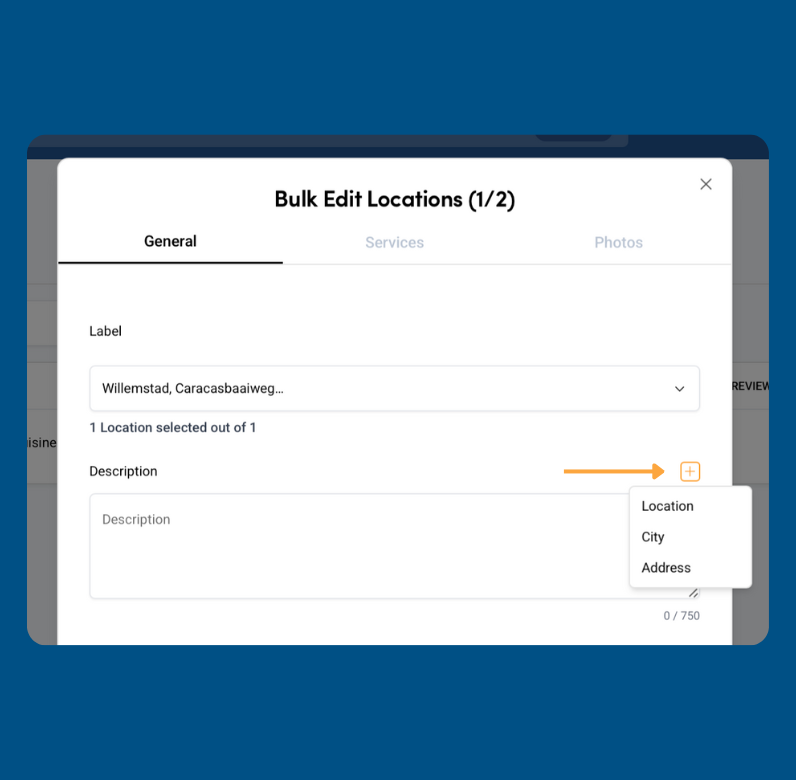
FeatureIn the Location section, filter the locations you want to update and select Bulk Edit Description. You can dynamically insert parameters such as Location Name, City, and Address into each description. This lets you personalise every location automatically and saves you time compared to editing each one separately.
Customise Your Dashboard with Your Favourite KPIs
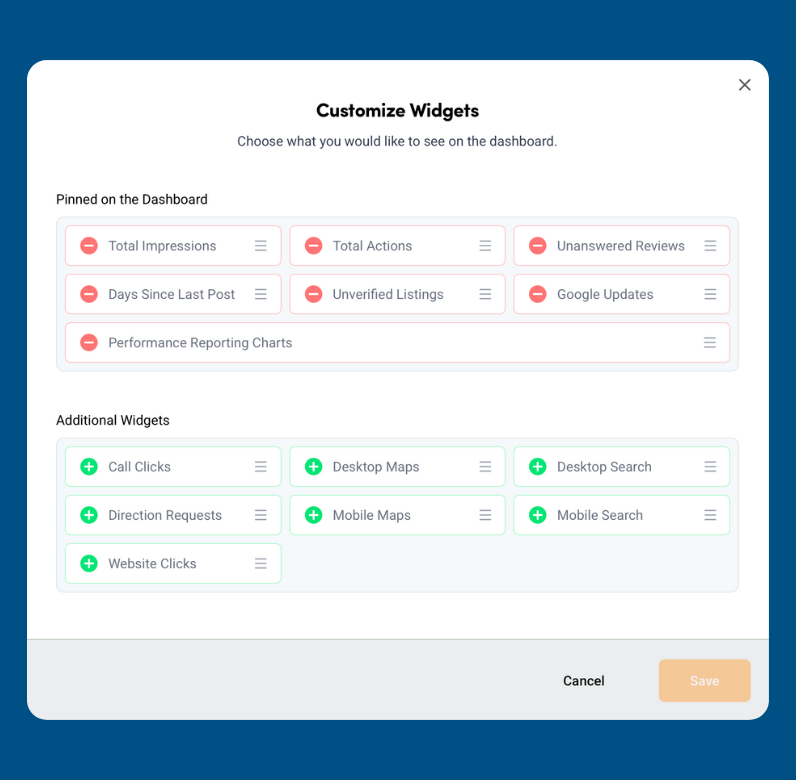
FeatureIn the Dashboard section, click the Layout button to personalise your view and place your favourite KPIs first. This lets you focus on the metrics that matter most to you on the main dashboard. Save time, evaluate your locations with precision, and turn insights into clear action items to keep improving your visibility.
November
Monthly Email Performance Reports Now Available
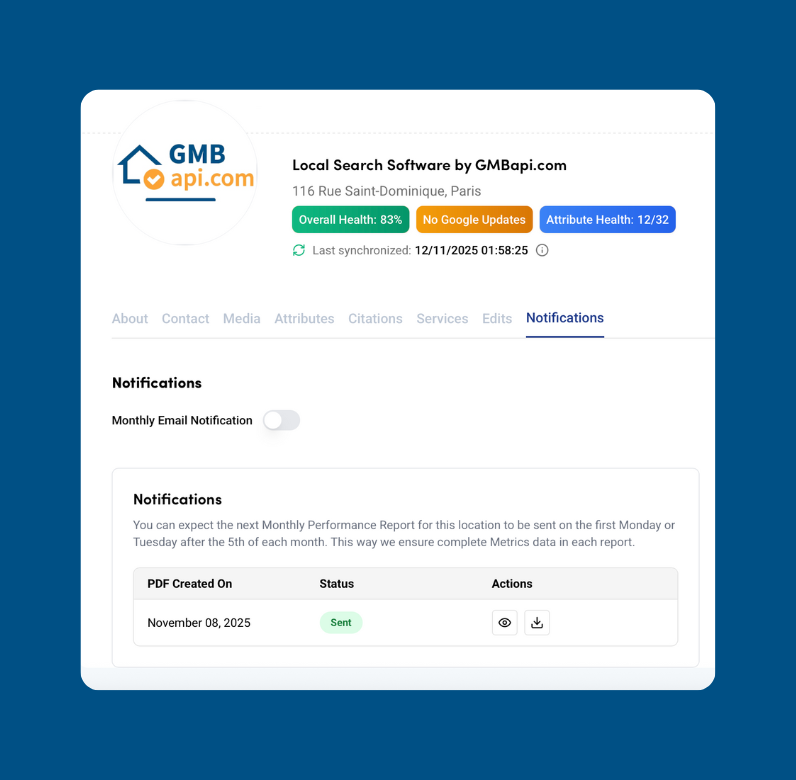
FeatureIn the Location Profile, under the new Notification tab, you can now enter your email and BCC addresses to receive a monthly performance summary per location. Get updates on month-over-month performance, a summary of customer feedback, and insights into which location health components are missing to help improve your online visibility.
October
Improve Location Filtering to Optimise Your Locations Faster
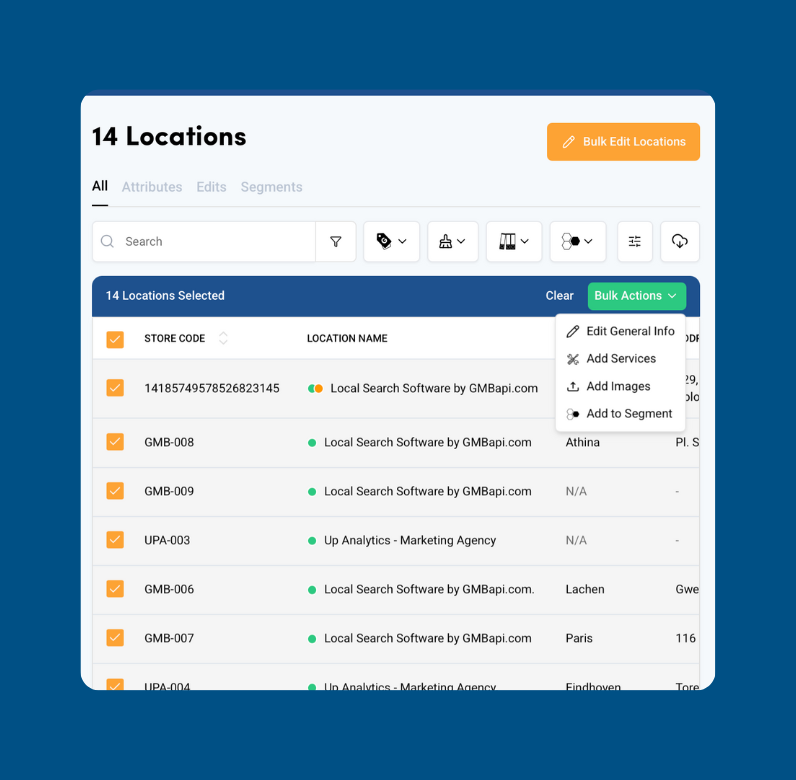
ImprovementIn the Location section, we’ve enhanced filtering and bulk editing tools to help you work faster. Filter locations by search bar, verification status, Google issues, conflicts, closing status, location type, updates, labels, health components, categories, or segments. Once filtered, select the locations and a new button will appear for bulk actions. Easily edit info, add services, images, or assign to segments.
New Performance Tab for Impressions vs Actions
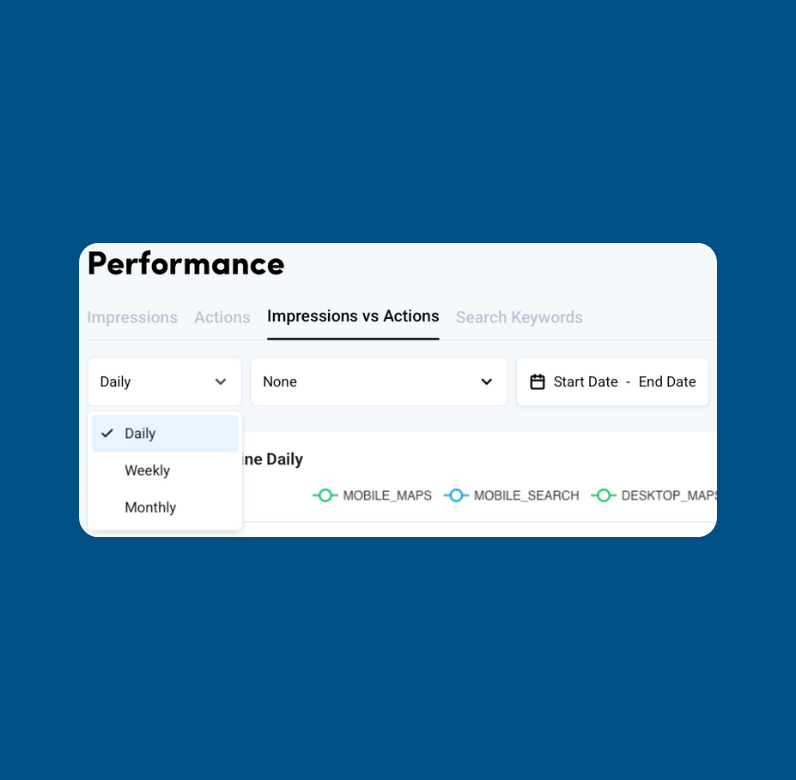
FeatureA new tab is now available under the Performance section. In tab 3, you can compare Impressions vs Actions across daily, weekly, and monthly views. On the daily view, you’ll also see a detailed table with all impression and action types aggregated per location. Use the date filter to customise your view and download the data—just like in the Google Business Profile environment.
Competitor Overview and Easy Audit Shortcuts
FeatureIn the first tab under the Competitors section, you can now view all scans performed in your account. Run a new audit for any location you manage, or analyse external locations for research and prospecting—even if you don’t have access to them.
July
Unlock Smarter Local SEO Insights with Our New AI Agent
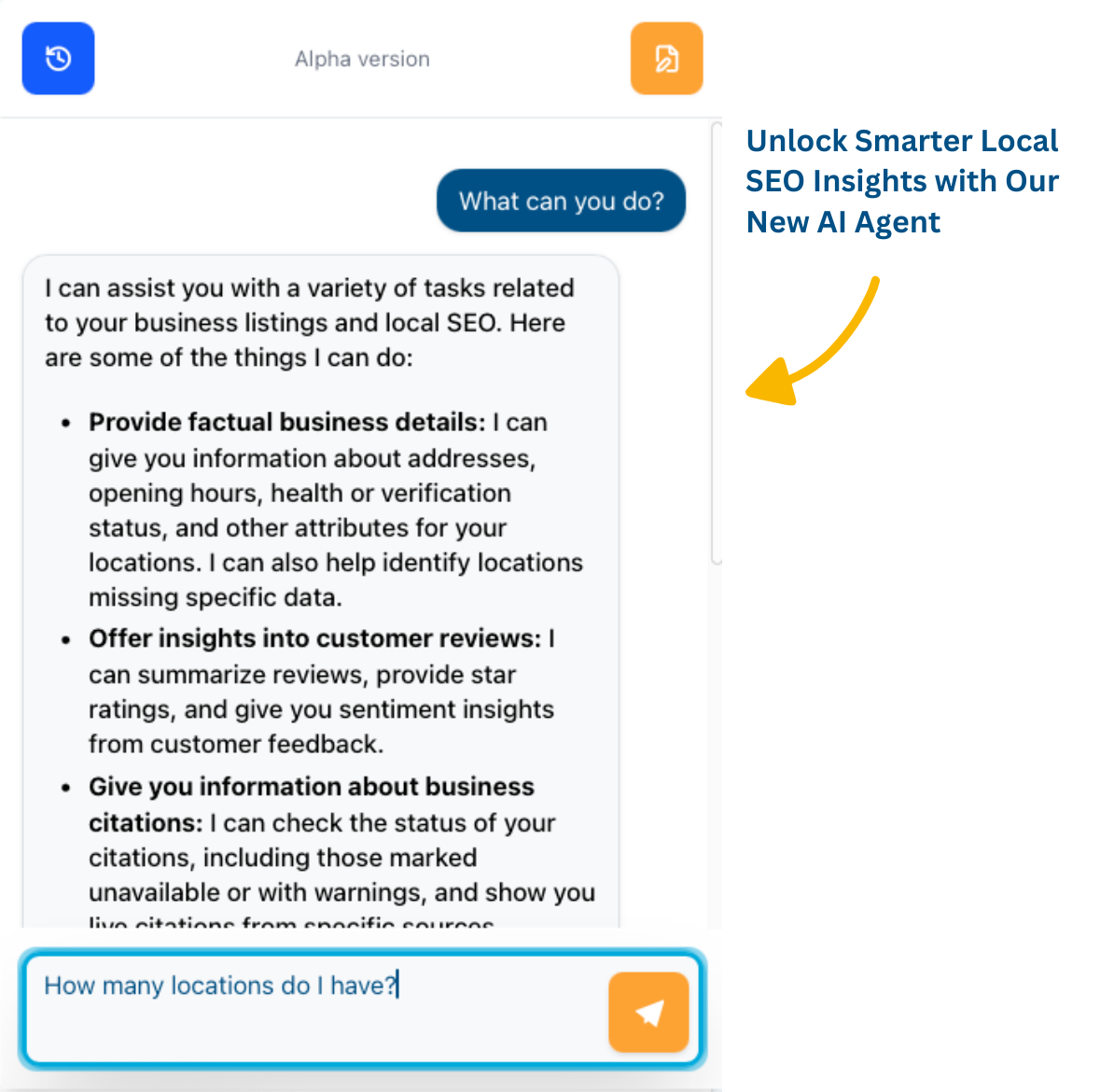
FeatureMeet our powerful new AI agent, designed to answer all your questions about your locations, health components, reviews, and any local SEO topics. Trained on extensive local SEO data, it provides expert advice to help you enhance and optimise your locations faster and more effectively. Sign up now for free access to the alpha version and stay ahead in local search!
June
No Limit on Location Edits and New Local Ranking Tab
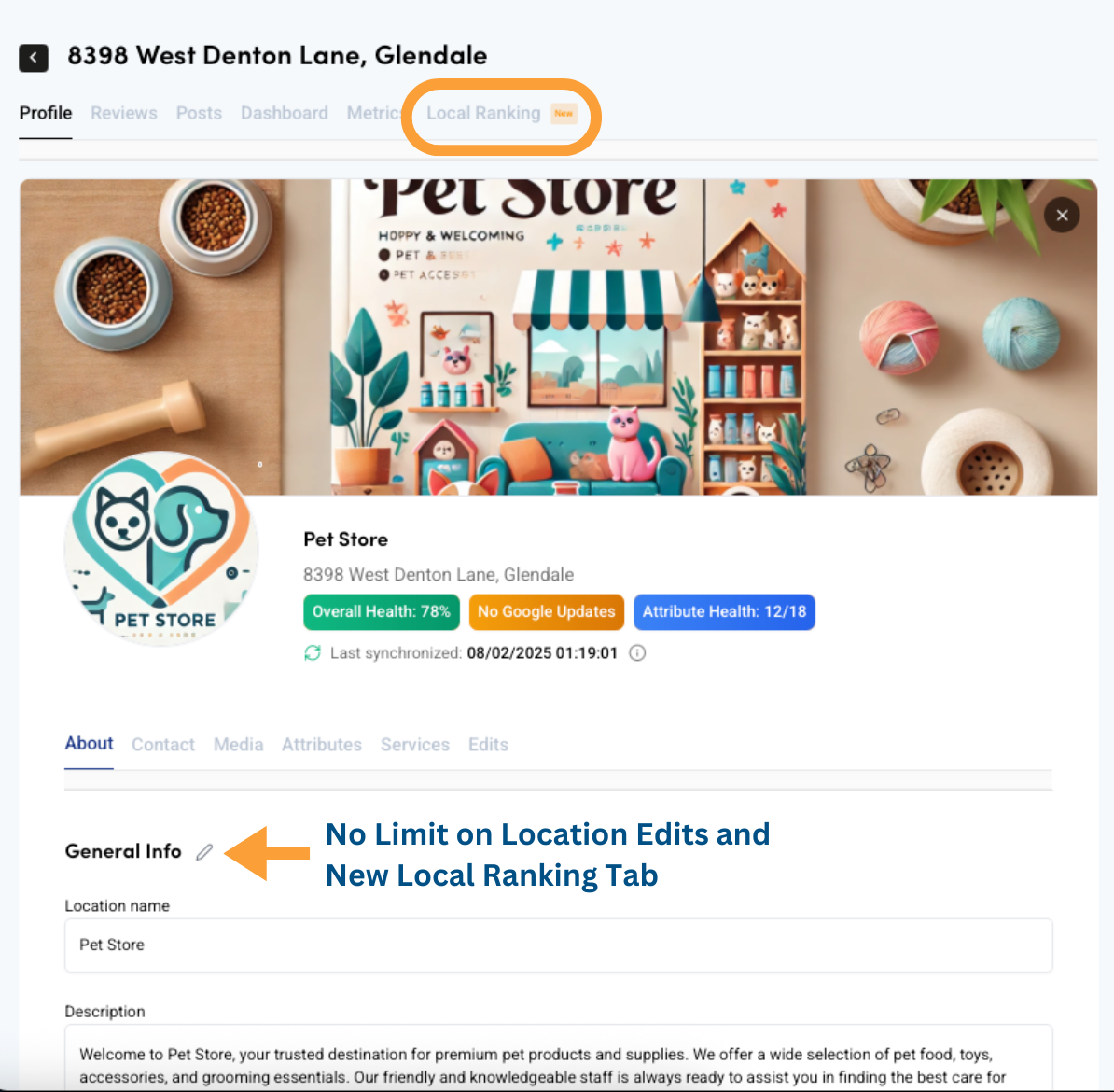
ImprovementYou can now make edits to your locations with no limit. Plus, following our recent Competitor Analysis update, a new Local Ranking tab is now available under each location profile. This allows you to track the ranking and performance of each one of your locations.
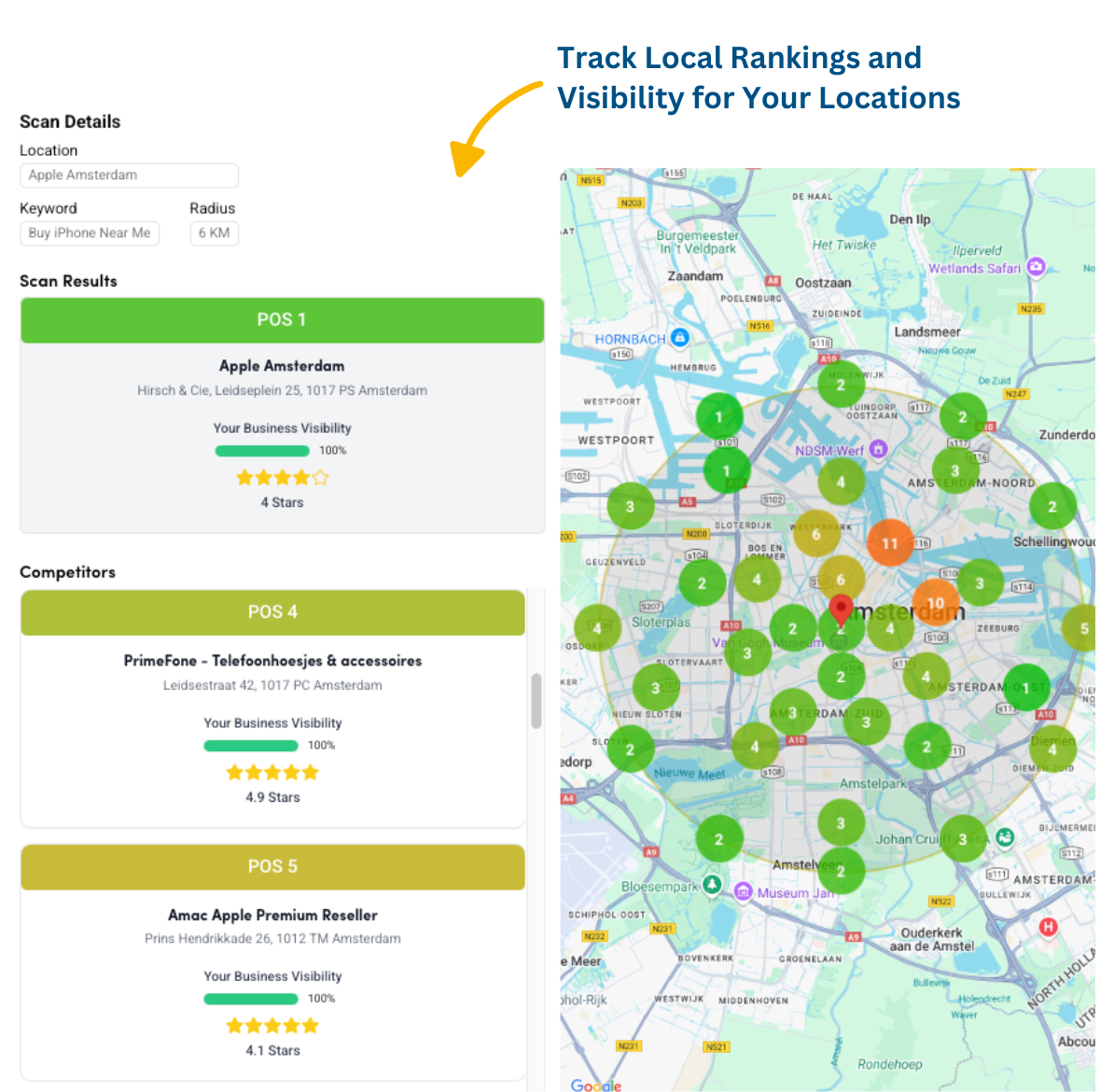
Track Local Rankings and Visibility for Your Locations
FeatureYou can now track your business visibility and rankings for each location. Visit the location profile and check the Local Ranking tab, or explore points of interest in the Competitors section. See how your rankings change over time and compare with competitors. To start, choose a keyword and radius to analyze. This is phase 1, with more features coming soon!
May
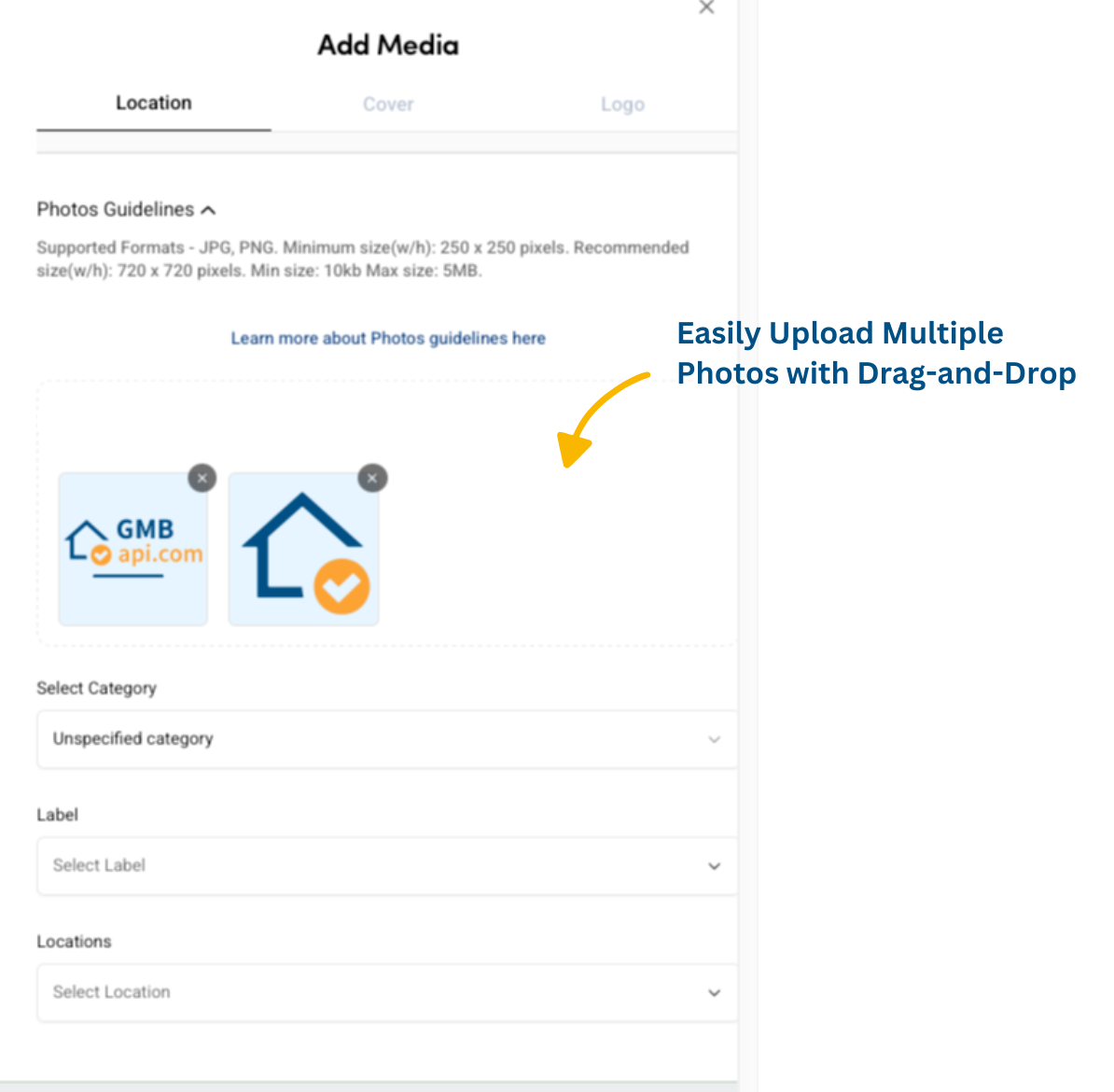
Easily Upload Multiple Photos with Drag-and-Drop
ImprovementEnjoy an improved photo upload experience in the Content section under the Photos tab. You can now bulk upload multiple images at once and use drag-and-drop for even faster management of your visual content.
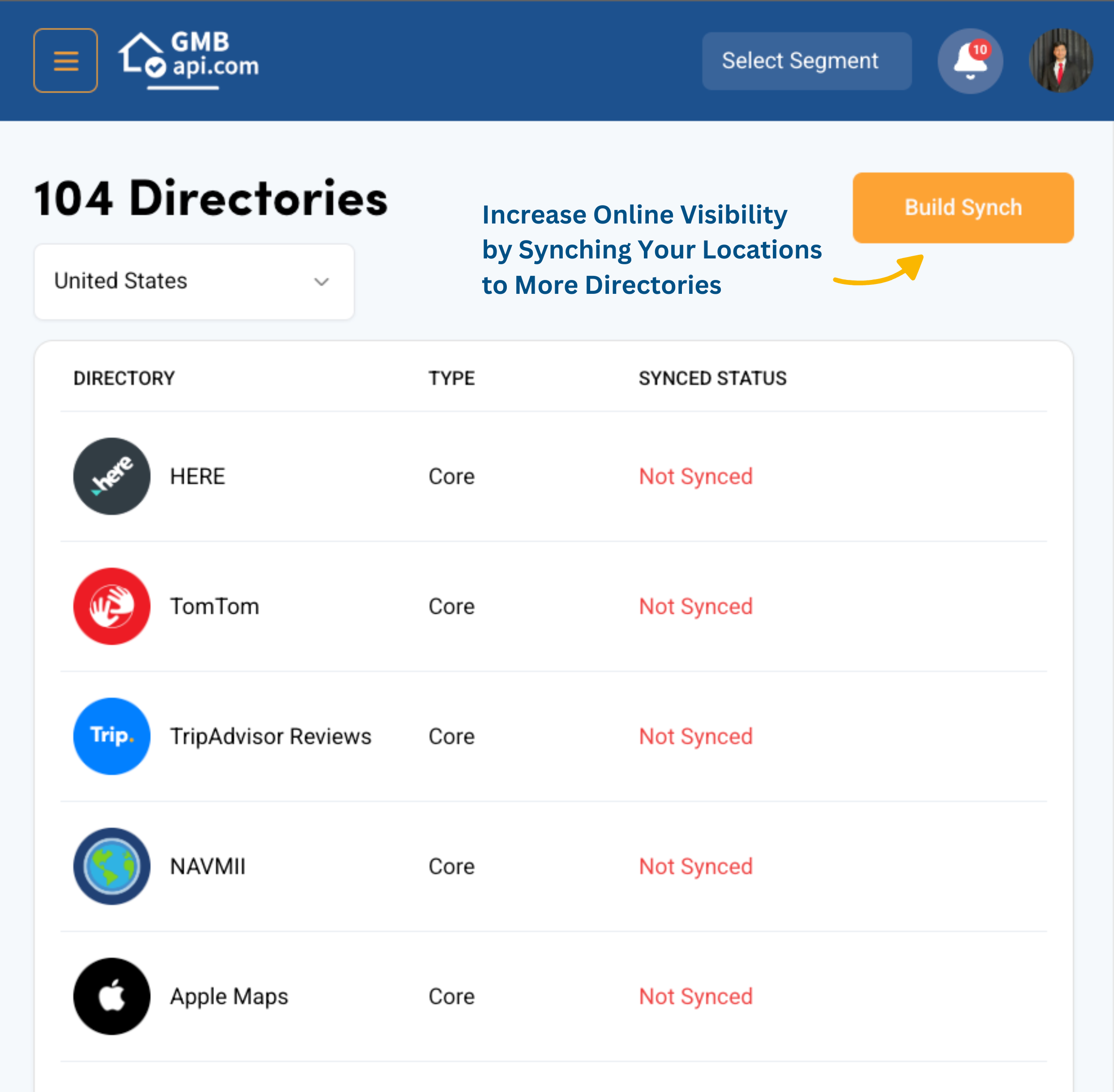
Increase Online Visibility by Synching Your Locations to More Directories
FeatureYou can now sync your Google Business Profiles to other directories, such as Apple, Facebook, Instagram, TomTom, and much more. Before syncing, check the health of your locations in the Directories tab, where the health check will display when you click on sync. Ensure your locations are ready for synchronization across all platforms and contact us for the next steps. This will enhance your online visibility and help increase footfall in-store.
April
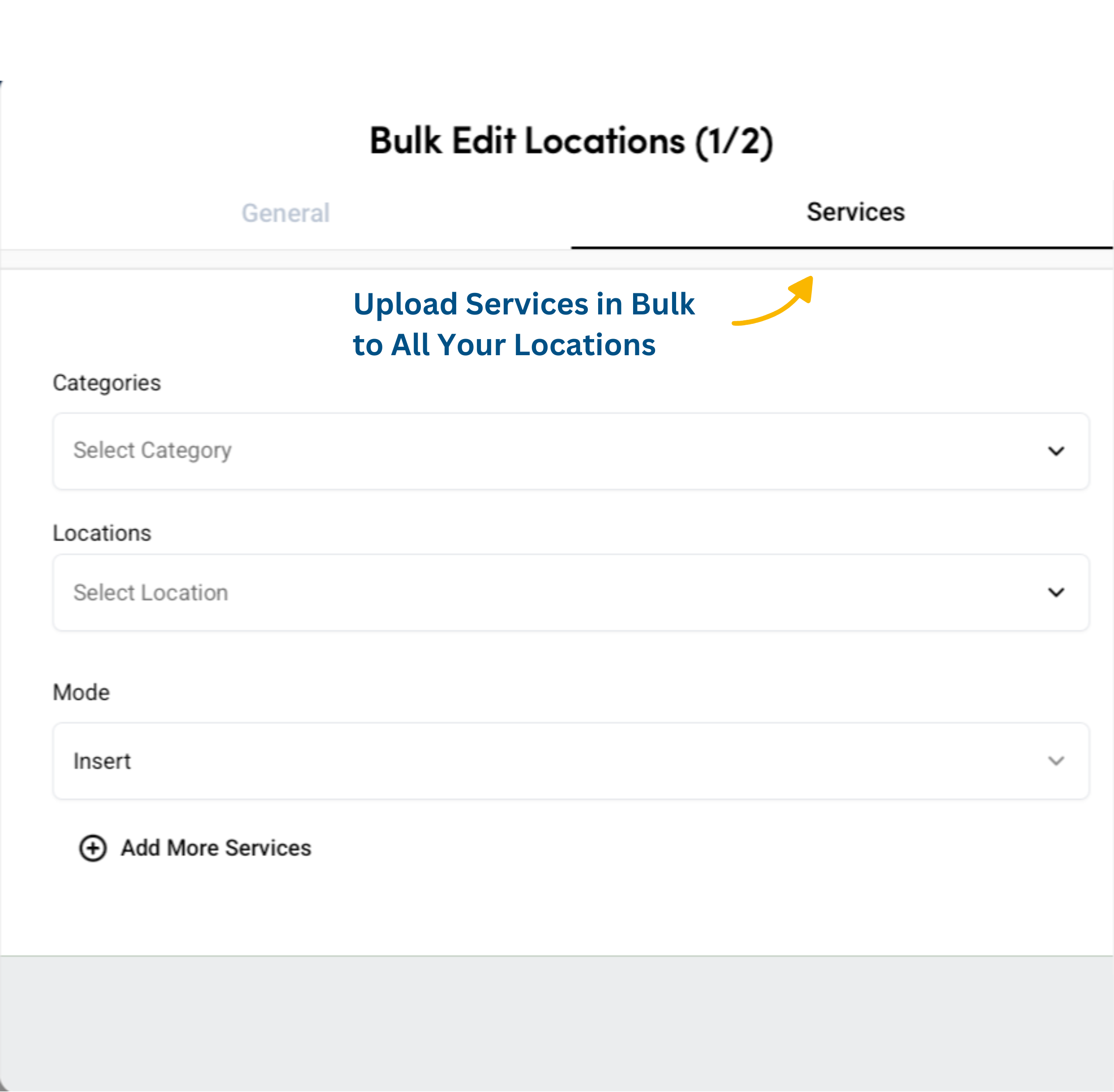
Upload Services in Bulk to All Your Locations
FeatureYou can now upload services in bulk to all your locations and increase visibility by including services that people can find you on. In the Location Tab, click on the orange Bulk Edit Location button and then upload your services now.
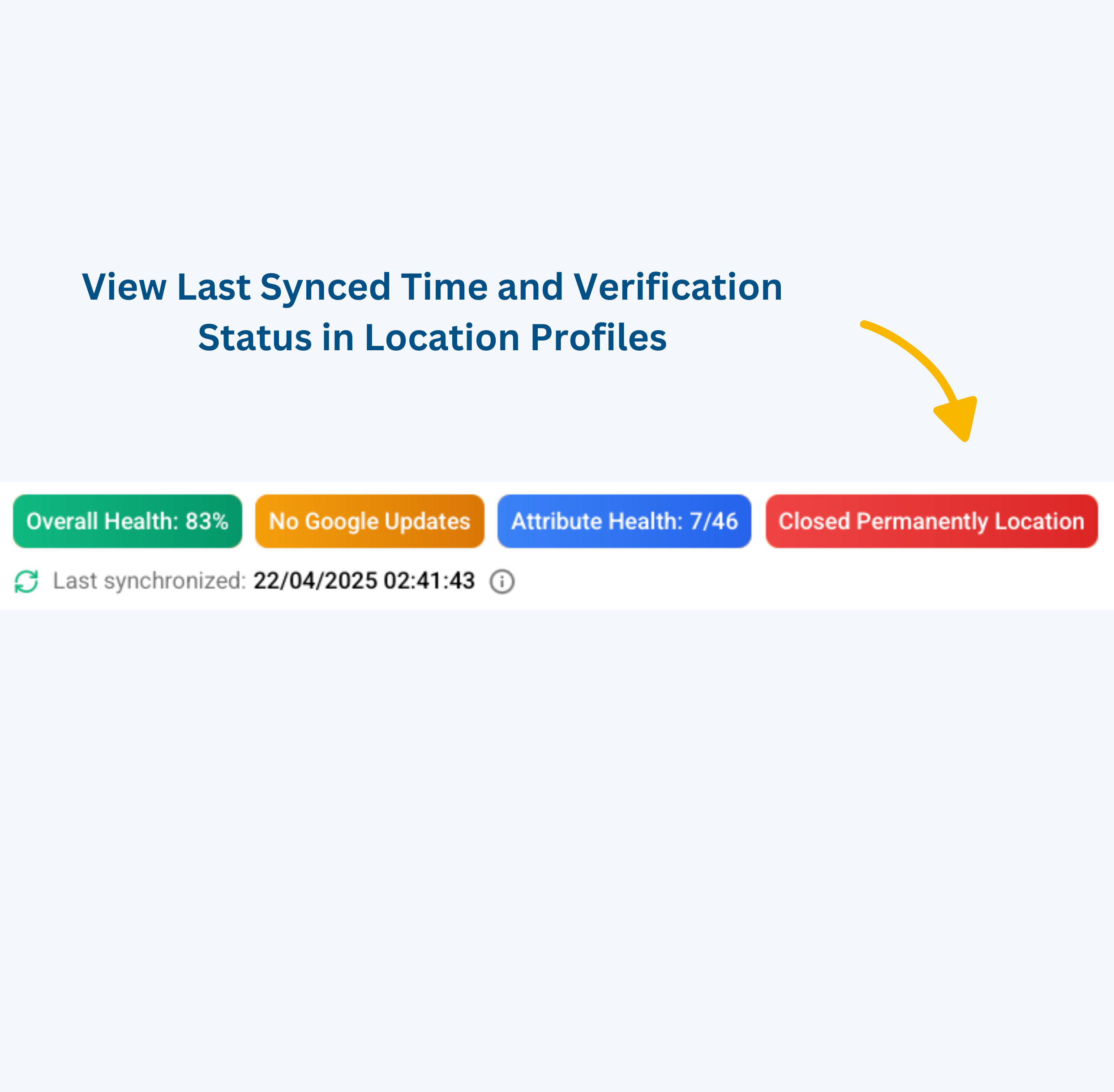
View Last Synced Time and Verification Status in Location Profiles
FeatureIn each location profile, you can now see when the location was last synced and check its verification status if the location is not verified. This feature helps you stay informed and ensure your locations are up to date.
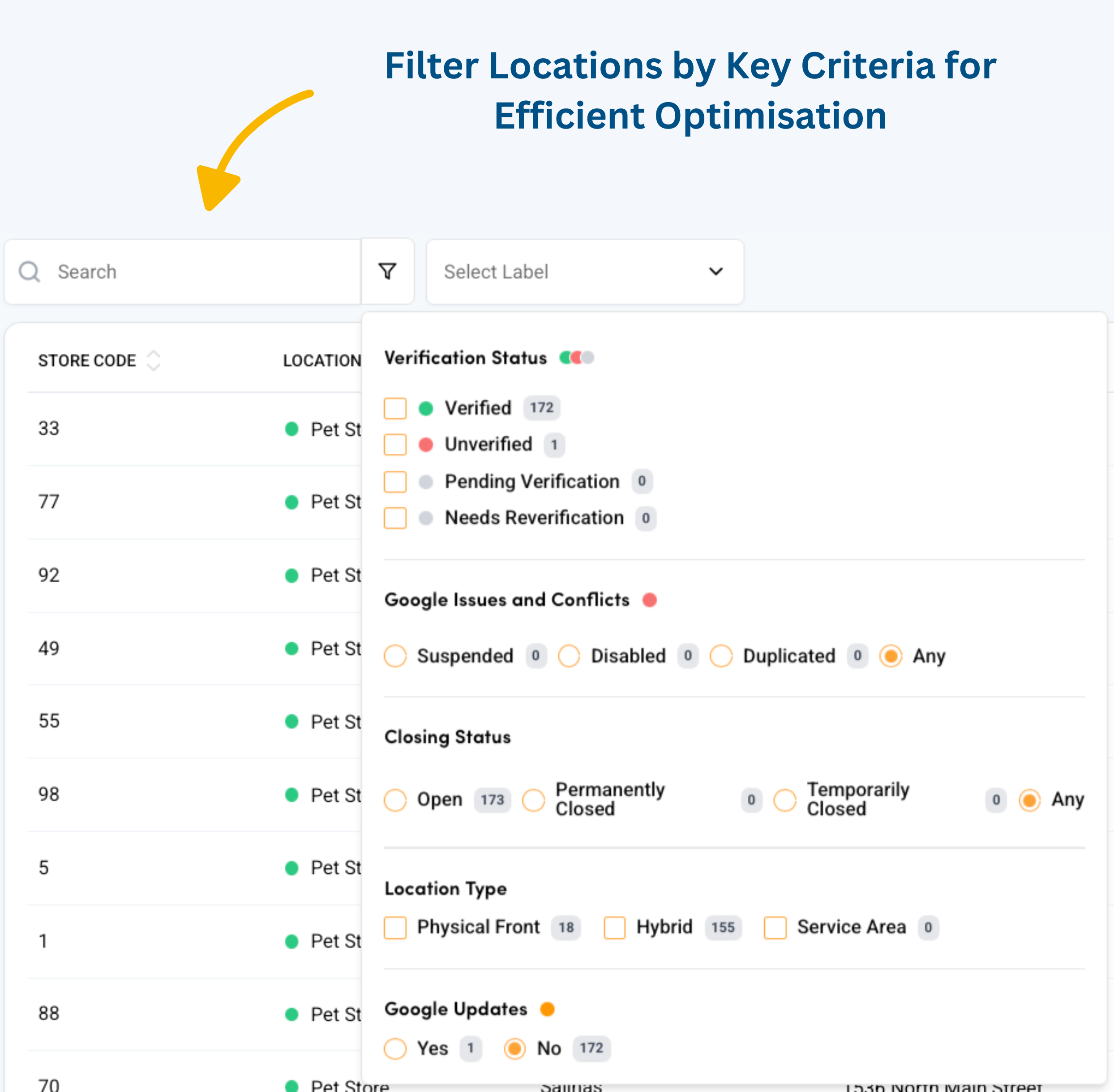
Filter Locations by Key Criteria for Efficient Optimisation
FeatureIn the Locations tab, you can now filter your locations by verification status, Google issues and conflicts, closing status, location type, and see which locations have Google updates. This makes it easier to optimise your Google Business Profiles and report changes quickly.
March
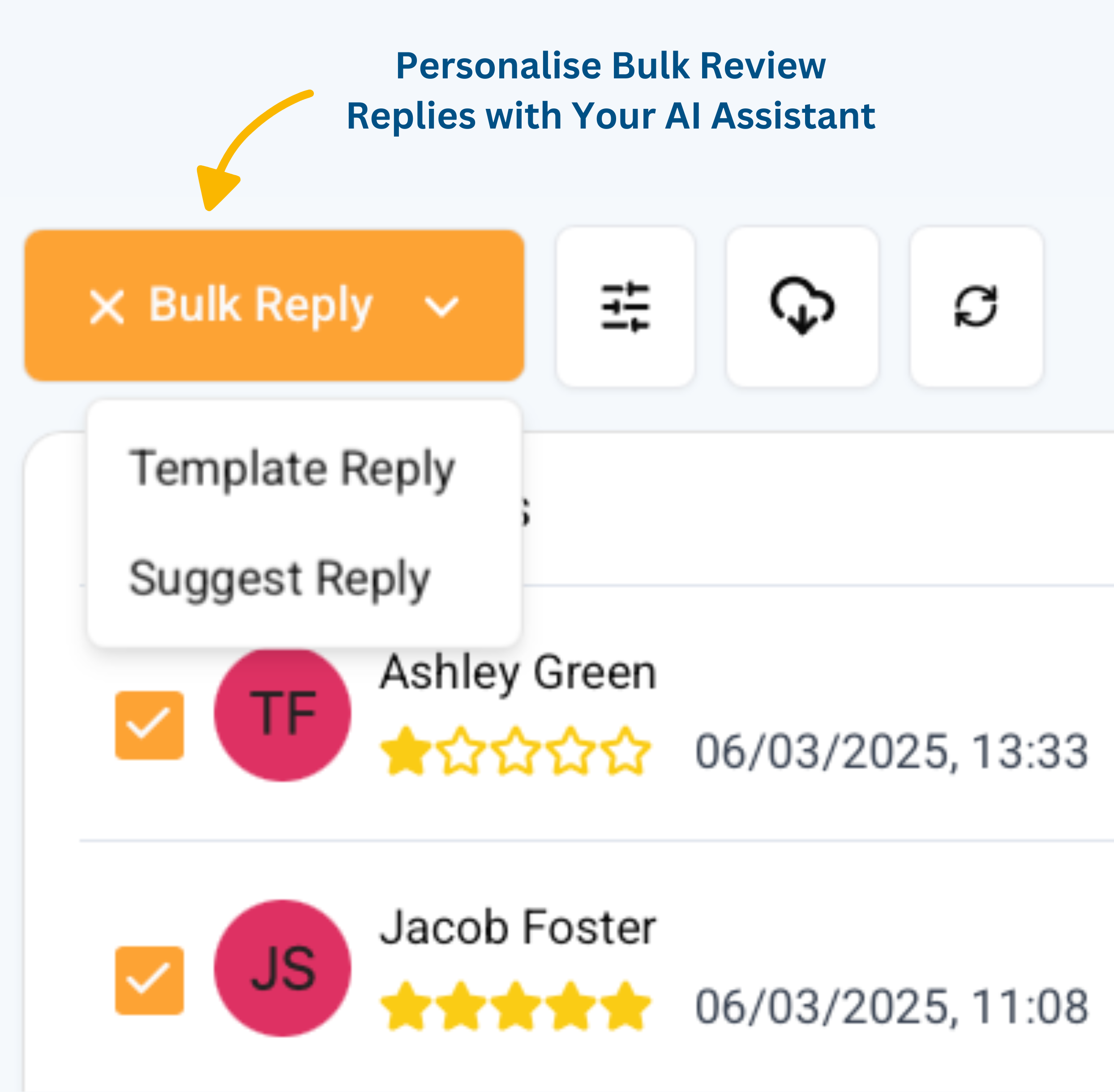
Personalise Bulk Review Replies with Your AI Assistant
FeatureUse your Review Assistant to personalise responses to reviews in bulk. Save time while maintaining consistency and a human touch across all your replies like never before.
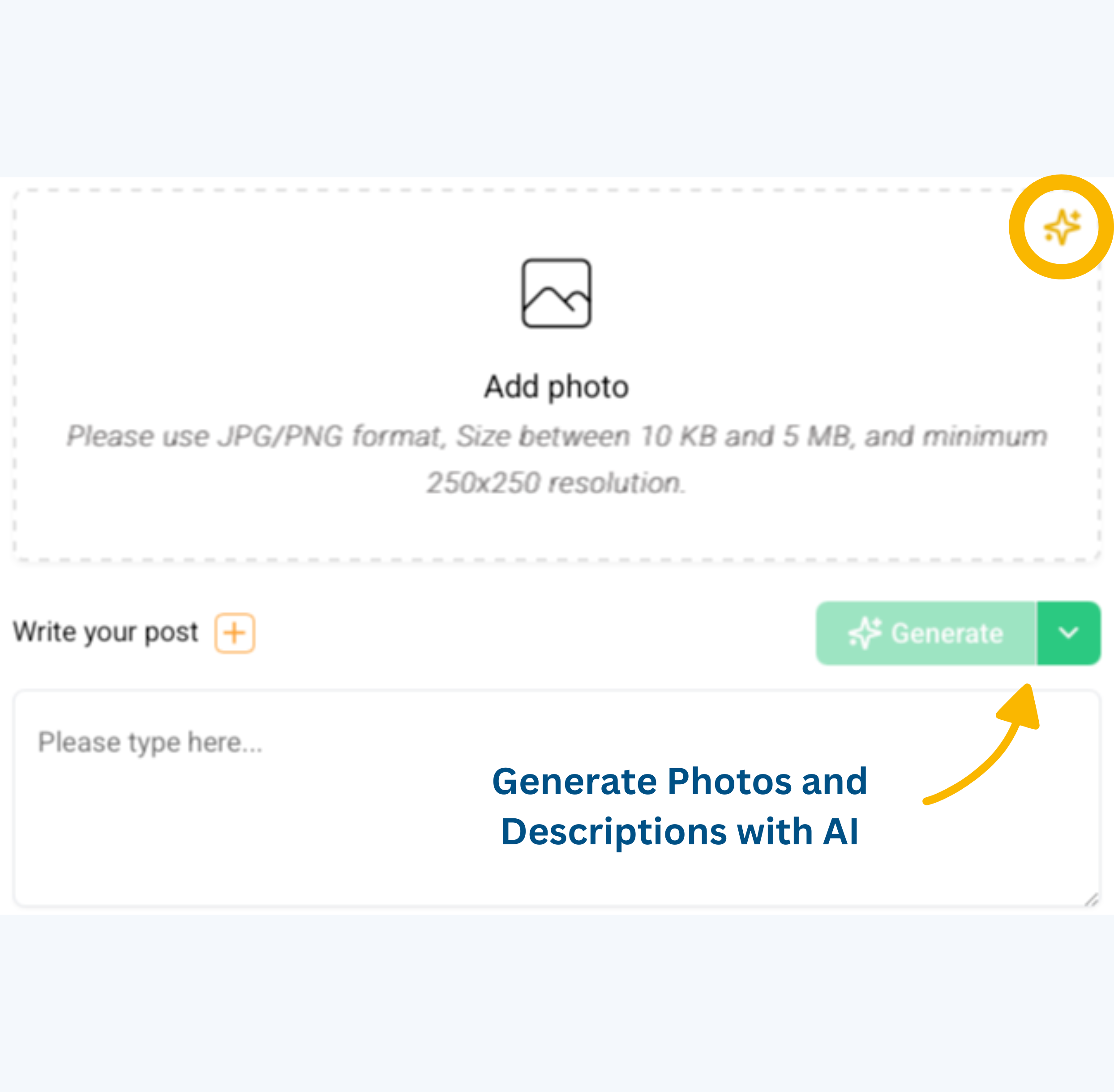
Generate Photos and Descriptions with AI
FeatureSave time and boost consistency by using AI to generate photos and descriptions for your business. No need to create content manually—just generate and post across all your locations in a few clicks.
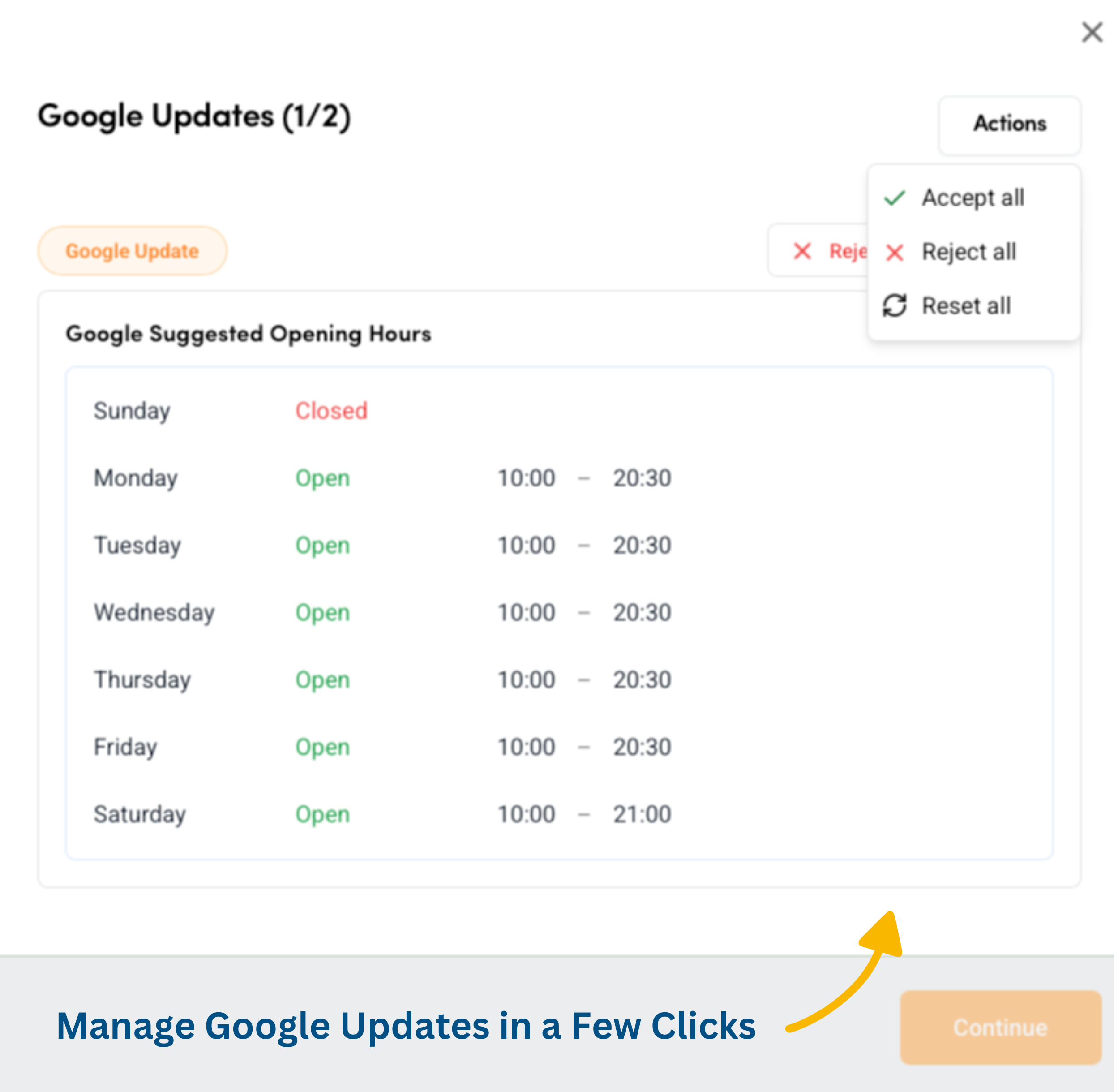
Manage Google Updates in a Few Clicks
FeatureYou can now review and action Google updates directly within the platform. Google may suggest changes to your Business Profile based on external sources like user reports or licensed content. Stay in control of your information, ensure accuracy, and protect your locations from unwanted changes.
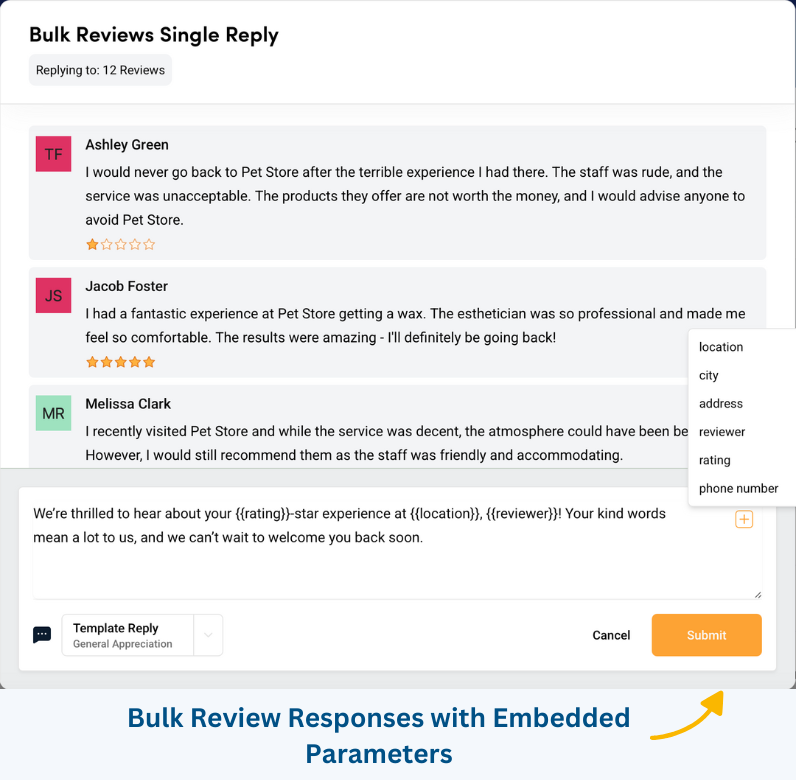
Bulk Review Responses with Embedded Parameters
FeatureSave time and personalise your replies by using embedded parameters for bulk review responses. Automatically include details such as location, city, address, reviewer name, and rating to make your replies more relevant and engaging.
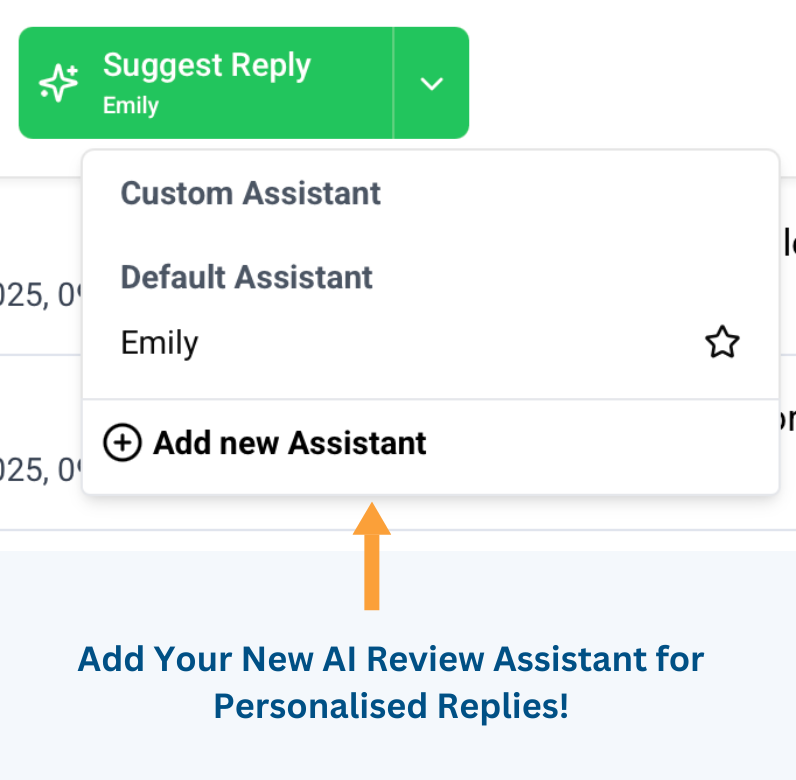
Add Your New AI Review Assistant for Personalised Replies
FeatureEnhance your customer engagement with our new AI-powered Review Assistant. Customise your responses by including customer service details, a branded sign-off, the reviewer’s name, and more based on specific criteria. Reply faster and with a personal touch like never before!
February
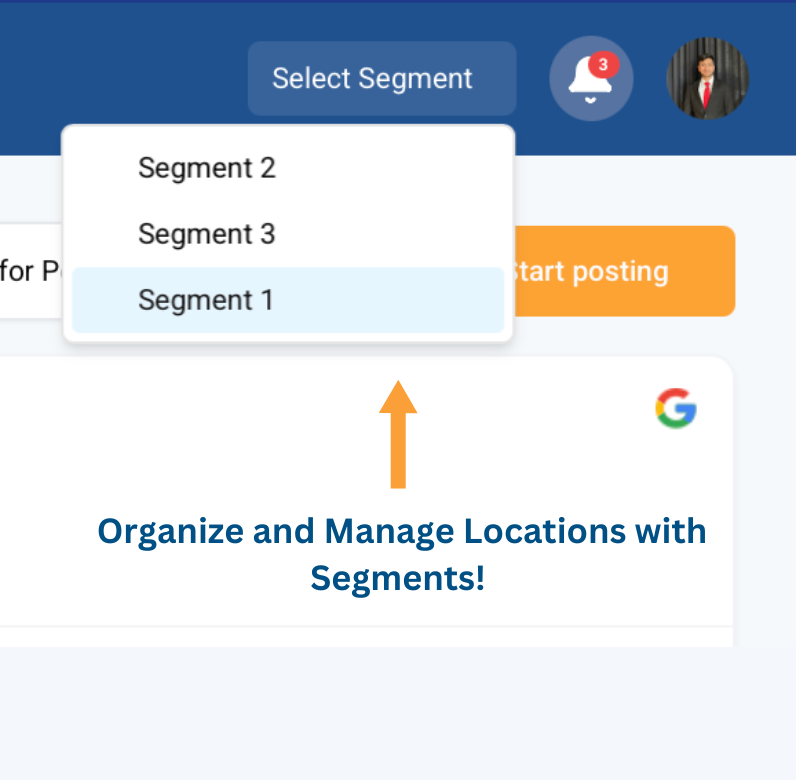
Organize and Manage Locations with Segments
FeatureEasily segment your locations by city, region, or custom groups to streamline management. View reports, post updates, and track reviews for specific location groups, and assign user access to the right segments effortlessly.
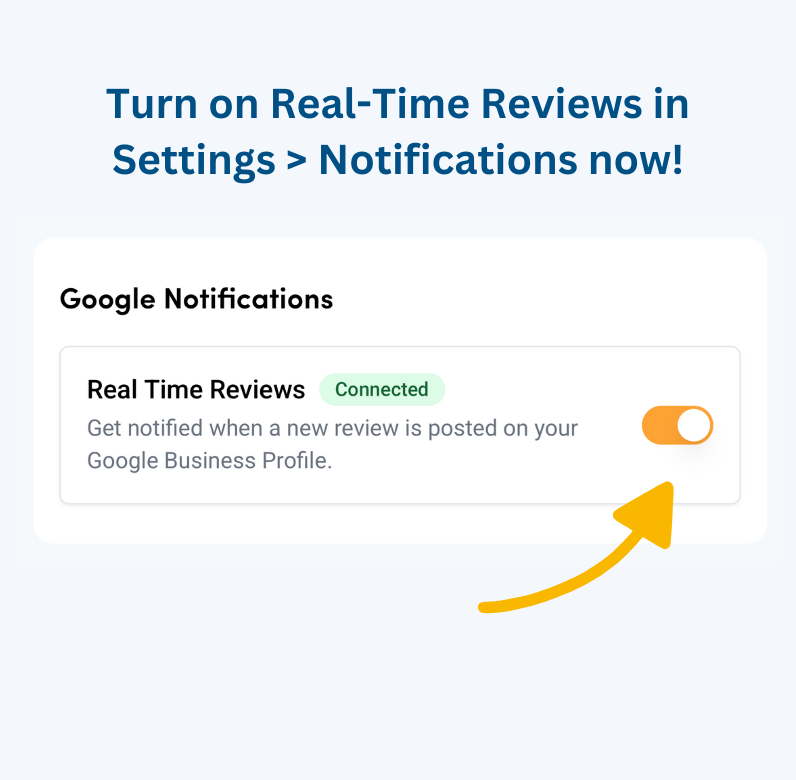
Real-Time Reviews Now Available!
FeatureInstantly access customer reviews as they come in and reduce response time. Turn on real-time reviews in Settings under the Notification tab to improve customer satisfaction and engagement!
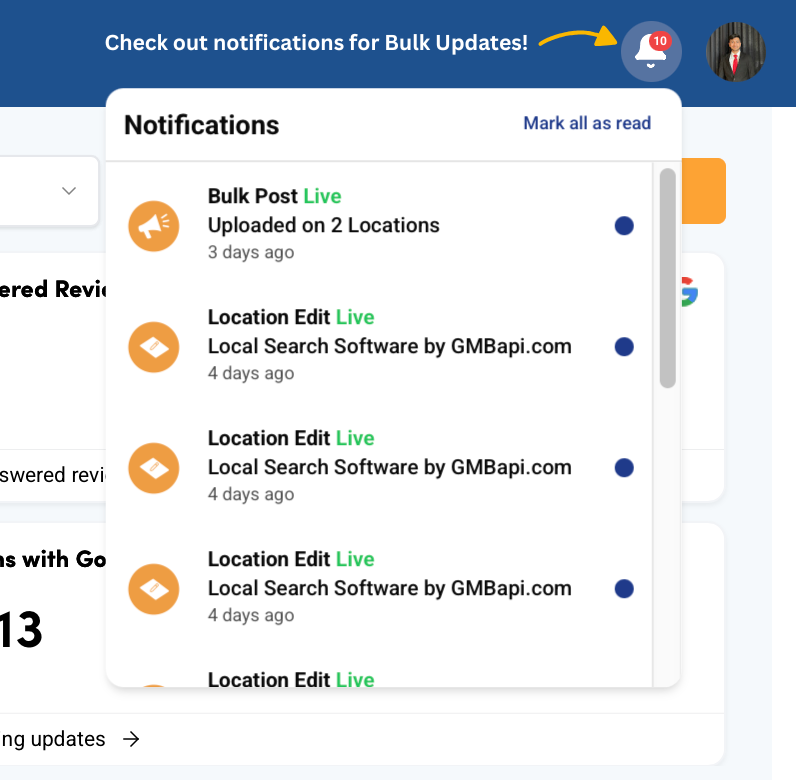
Stay Notified on Bulk Updates!
FeatureGet real-time notifications for bulk actions like posting content, editing multiple locations, or updating a single location. Stay informed as we expand notifications for all bulk edits and future updates!
January
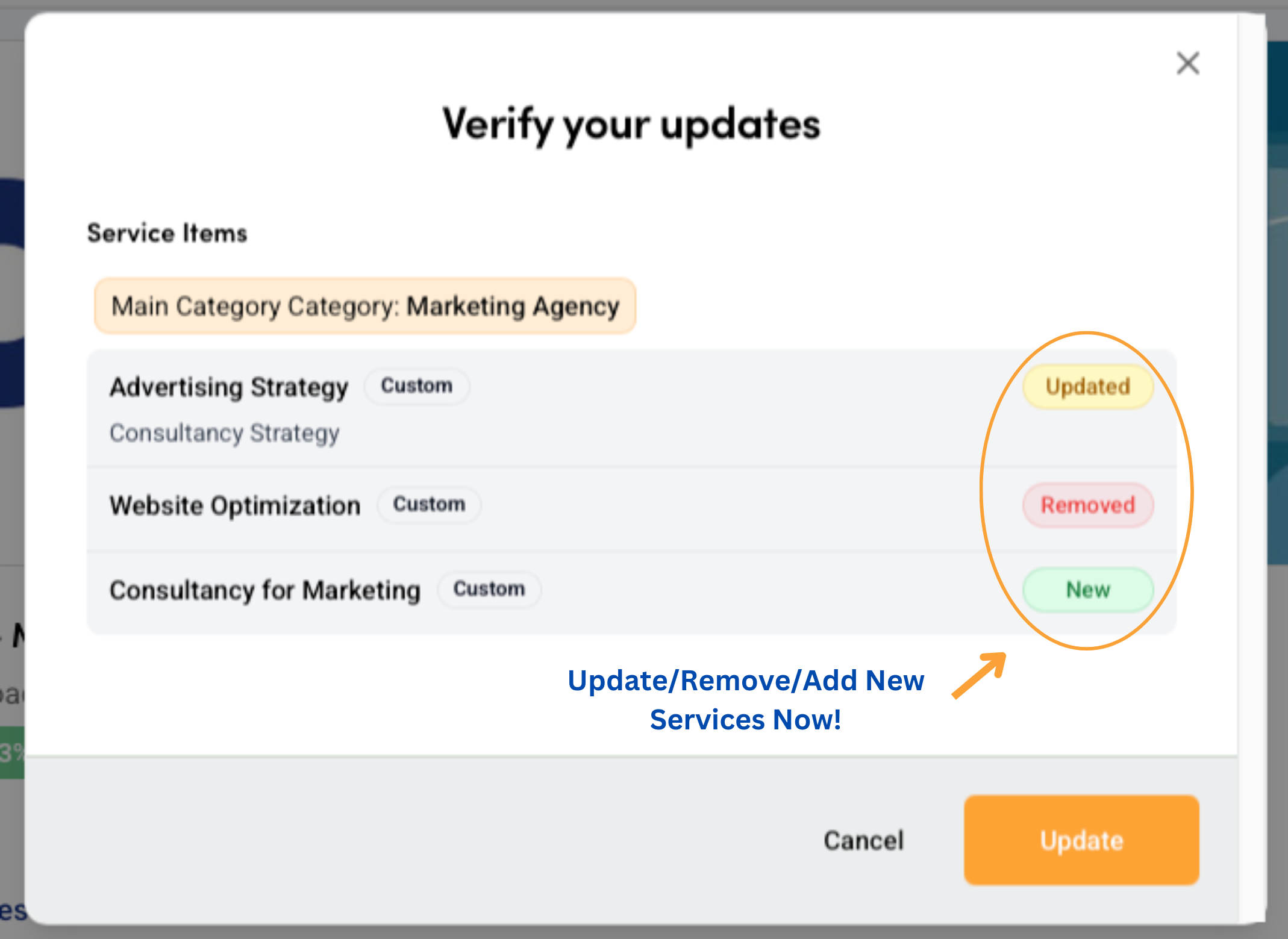
Update, Remove, or Add Services to Your Locations
FeatureQuickly update, remove, or add new services in just a few clicks from your location profiles. Maintain accurate and up-to-date business information effortlessly while ensuring consistency across all locations. Simplify your workflow and enhance your online presence with ease!
20243
December
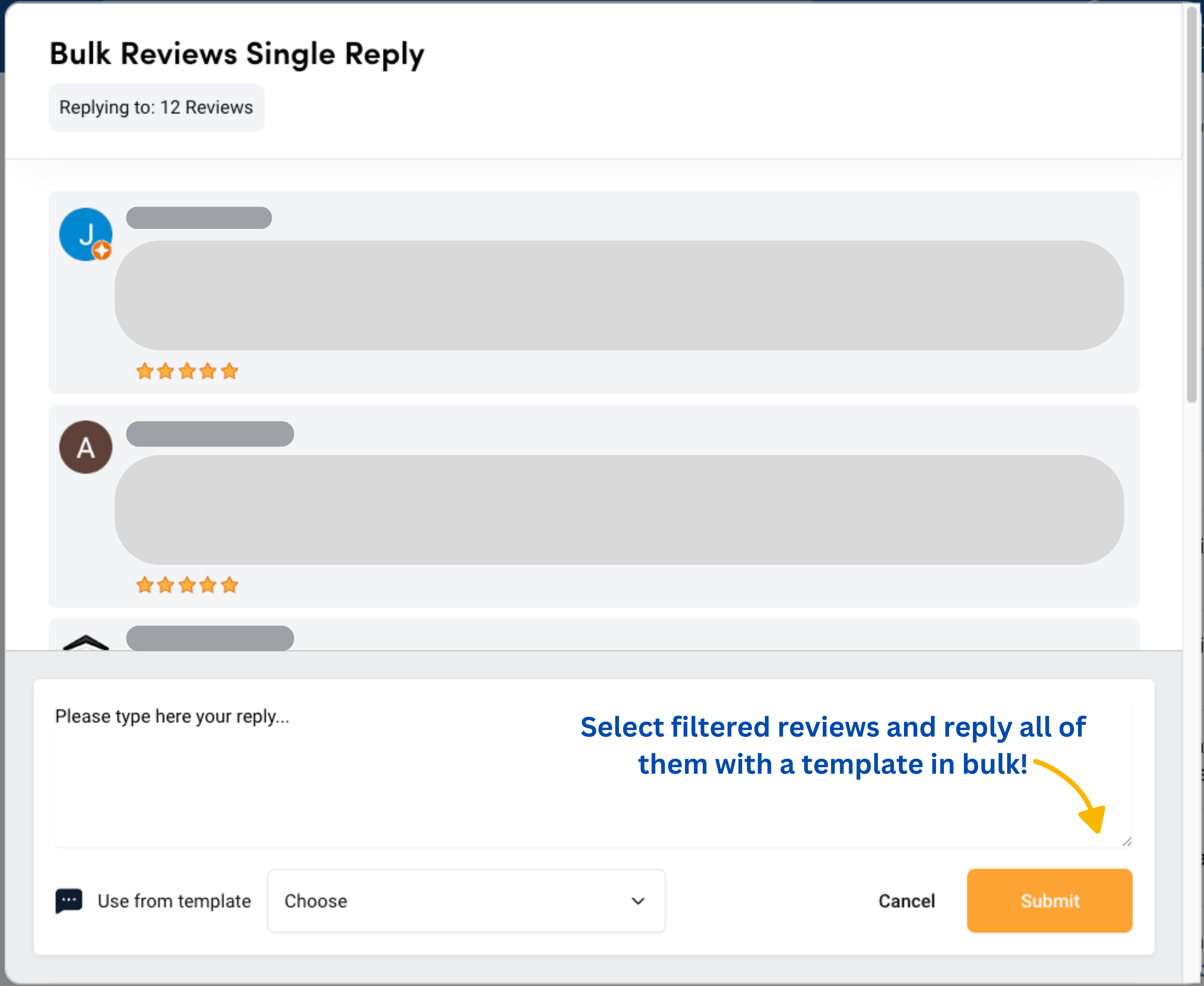
Bulk Template Review Reply
FeatureSave time by efficiently managing your review responses! Use filters to select specific reviews and reply to all of them at once with a pre-written template. Simplify your workflow, ensure consistency, and keep your customers engaged—all with just a few clicks!
November
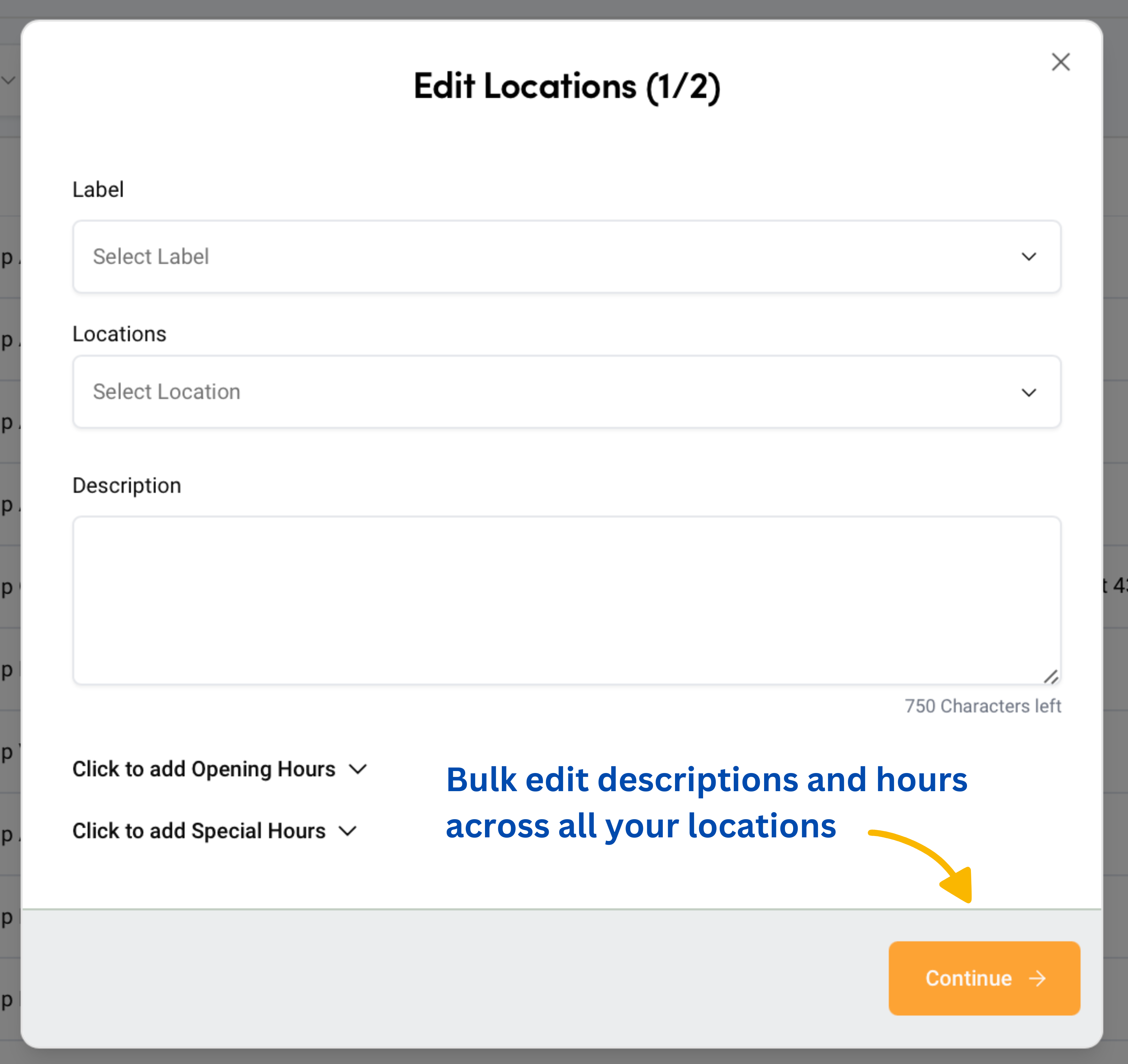
Bulk Edit Descriptions and Hours
FeatureSave time by easily updating Descriptions, Opening Hours, and Special Hours for multiple locations at once. Go to the Locations tab and make bulk changes with just a few clicks—streamlining your updates for efficiency and consistency!
New and Improved Location Tab
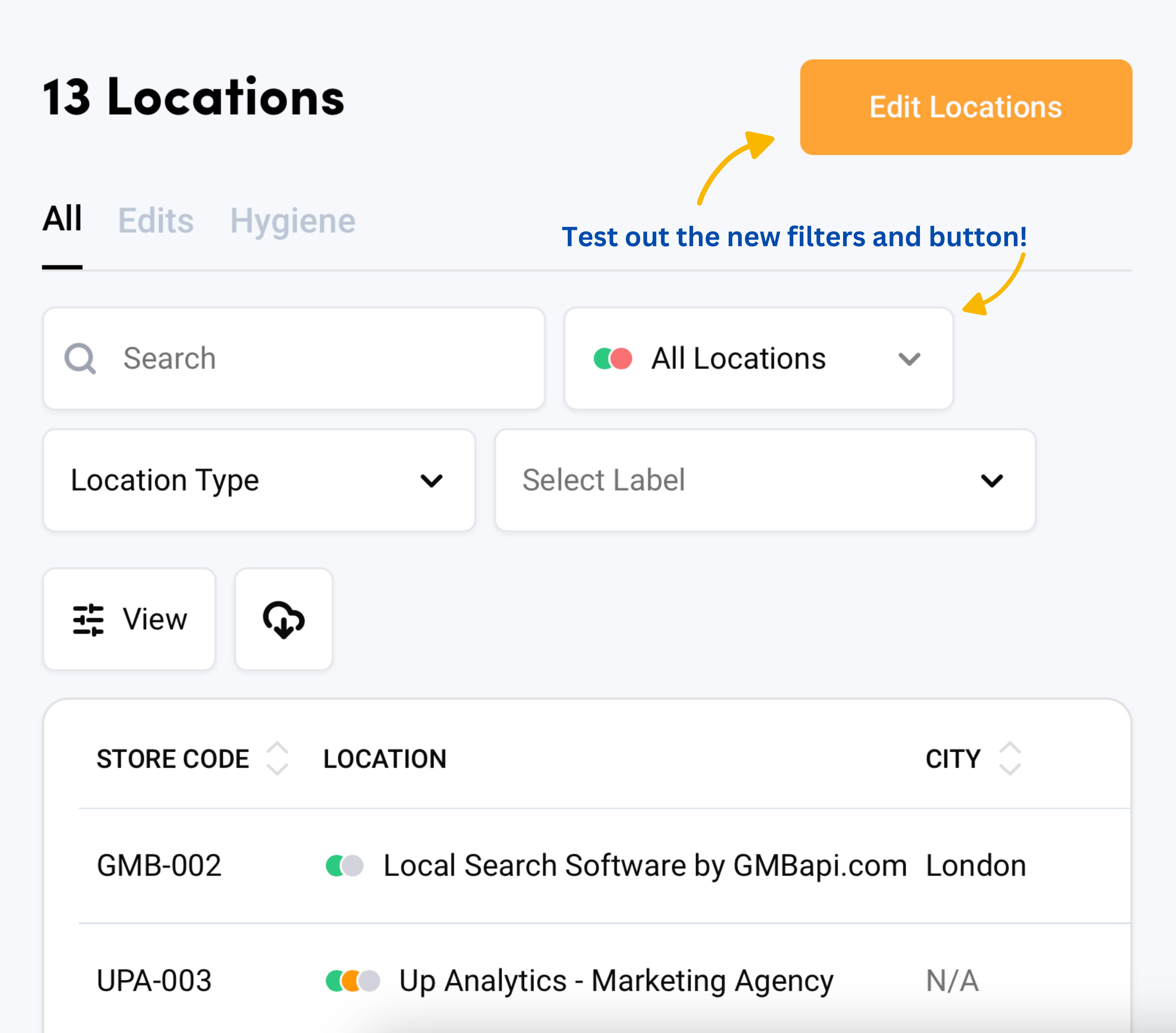
ImprovementDiscover enhanced filters and an exciting new button for bulk updates! Easily manage and update your locations with streamlined tools!