How Reserve with Google Turns Searches into Conversions
Discover how Reserve with Google can drive more bookings, orders, and appointments directly from Google Search and Google Maps.
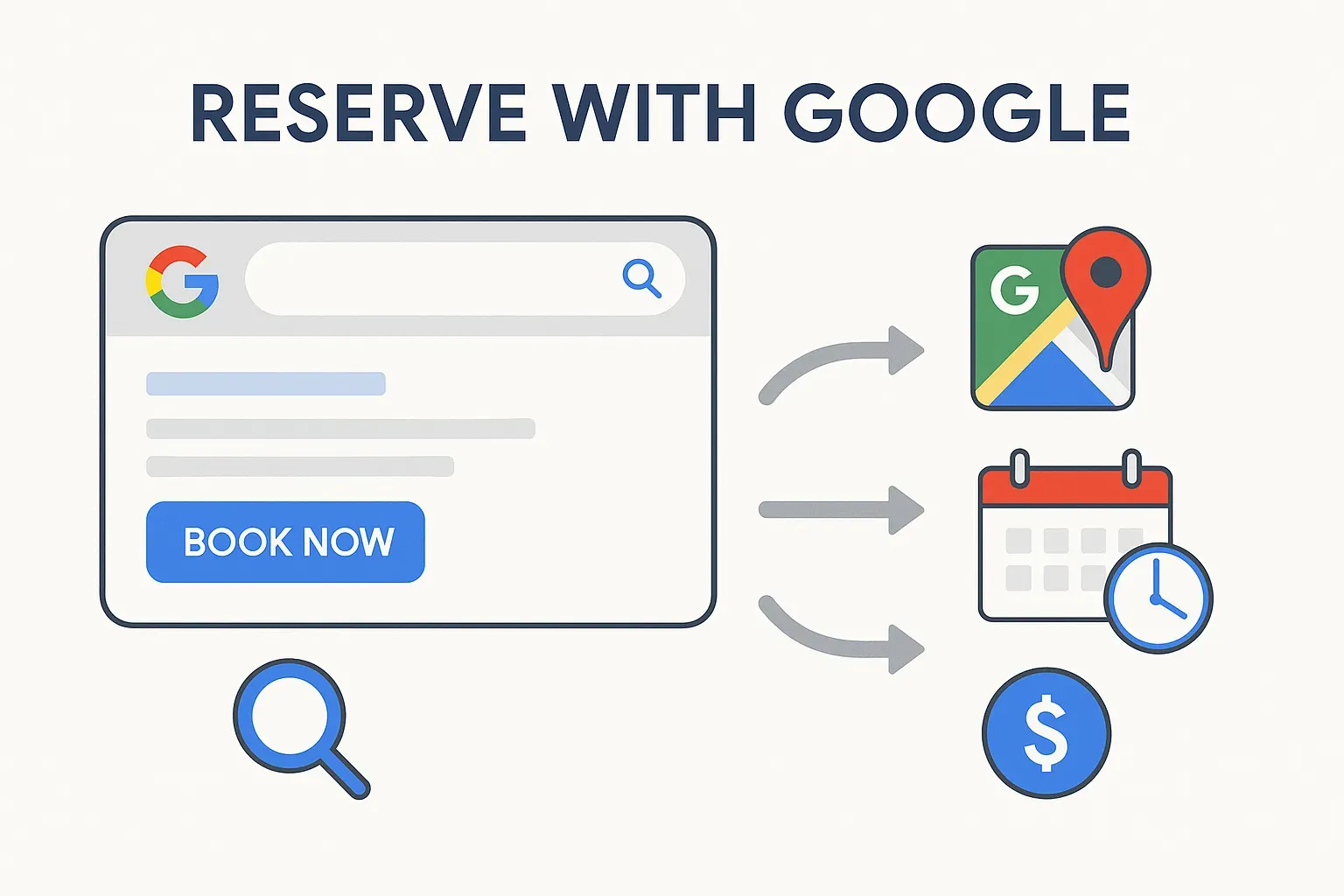
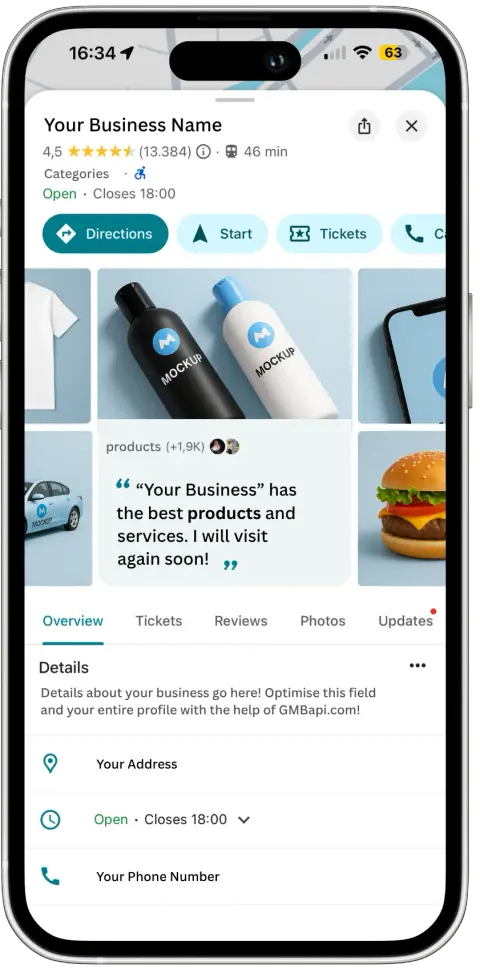
Reserve with Google is a booking feature built into Google's Action Center. It puts a direct booking button on your Google Business Profile, appearing in Google Search, Google Maps, and Google Assistant. A customer taps the button and is routed straight to your own booking system to see availability, pick a time, and confirm, rather than to an aggregator that would otherwise sit between them and your business and take a share of the fee along the way.
What is Reserve with Google?
Think of it as a bridge between your business and Google's user base. The Action Center provides APIs that surface your real-time availability, services, and prices across Google's surfaces, powering features like:
Reserve with Google
Order with Google
Book Appointments Instantly
Whether you're a restaurant, fitness studio, healthcare provider, or tourism operator, Reserve with Google connects your services to customers at the exact moment they're ready to act.
How does Reserve with Google work?
1. Integrate your booking or ordering system. Connect directly to the Google Action Center API, or work with an approved Reserve with Google partner who handles the technical setup for you.
2. Publish your real-time data. Share availability, service details, and pricing, kept current across Google's surfaces automatically.
3. Get discovered and booked. A customer finds your business, taps the booking button, and completes the booking on your own site.
Key Benefits for Your Business
Expanded Reach
Get discovered by people actively searching for your services, right at the decision-making moment. From "hair salon near me" to "book yoga class," your business can appear with an instant booking option attached.
A Shorter Path to Booking
Fewer steps between discovery and confirmation means fewer customers dropping off partway through. A visible, immediate booking option leads to higher conversion rates and fewer frustrated customers.
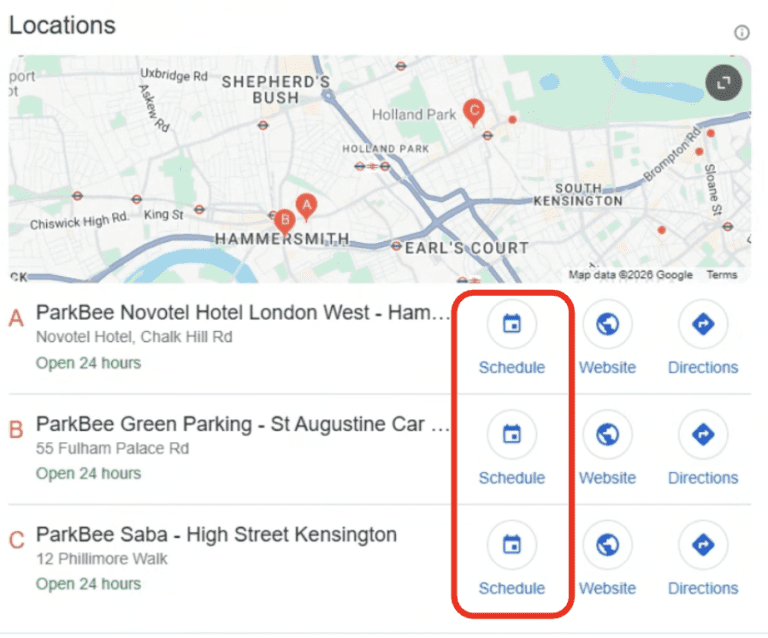
Direct, High-Value Conversions
The Action Center turns search intent into action:
Appointments & Bookings
Doctors, spas, salons, personal trainers
Food Ordering
Delivery or pickup straight from Search or Maps
Tickets & Tours
Events, attractions, guided experiences

“Since implementing the Google Action Center, we’ve seen a remarkable lift in performance. New users from Google Maps increased by more than 35% and daily purchases jumped over 38%. The real win goes beyond the numbers - the customer journey is now smoother and more seamless than ever. The Action Center is proving to be a real growth driver for ParkBee.”
Joost Heetla
Managing Director of ParkBee
How to Add a Book Now Button to Google Business Profile
There are three different ways to get a booking link onto your profile, and they're not all equal.
The Google Action Center integration (what most people mean by Reserve with Google) is Google's most prominent call-to-action space, a large button on your Business Profile. It's only available through a short list of trusted Google partners (including GMBapi), and it routes bookings directly to your own site rather than an aggregator. It provides a main action button plus service-specific booking buttons under your services section.
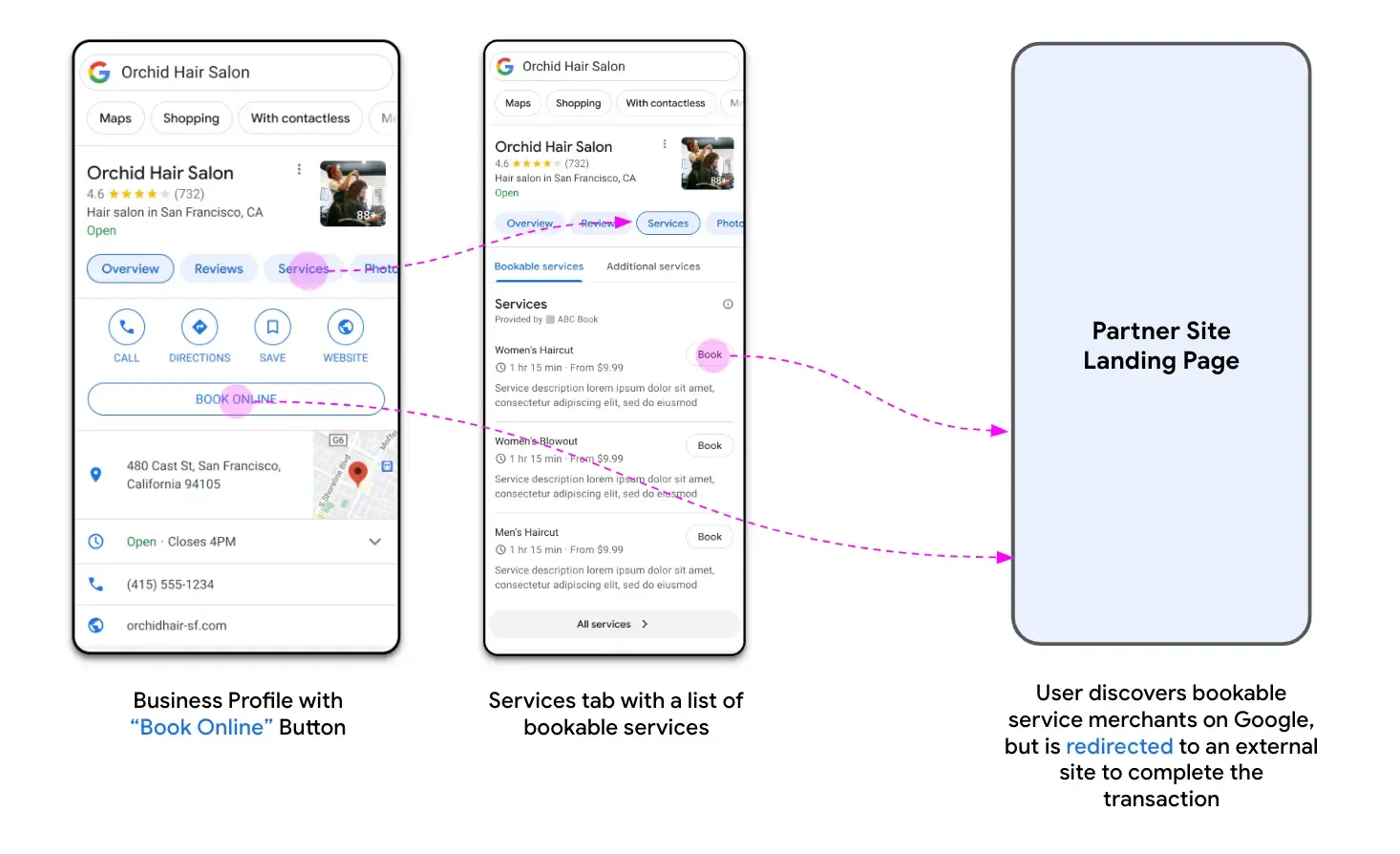
The Place Action Link has medium prominence, appearing as a clickable link on the profile. It can be added manually through the GBP dashboard, depending on your business category, and works as a direct shortcut to reservations, orders, or menus.
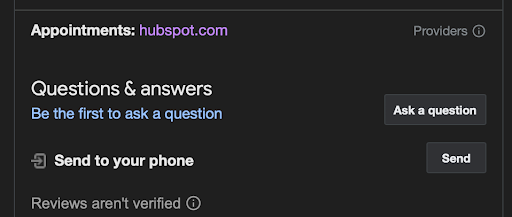
The Attribute Link, such as an Appointment Link, is the simplest to add: just a URL field under attributes. In testing, it shows the lowest visibility and doesn't always appear on the profile at all.
In short: Place Action and Attribute Links are the easiest to set up yourself. A genuine Google Book Now button, through the Action Center, requires a trusted partner and usually needs detailed service information.
“The reserve channel is exceeding bookings from the old appointment link by 105%”
Joost Heetla
Managing Director of ParkBee
The Power of Reserve with Google
Enabling Reserve with Google can transform your conversion rates. Removing extra steps, visiting your website separately, navigating menus, and filling in multiple forms cuts drop-off dramatically.
Customers see your availability, pick a time, and confirm, often in under 30 seconds once they land on your booking page. This captures more of the ready-to-buy audience and turns them into confirmed bookings before they even think to check a competitor's listing.
For many local service businesses, this shift from browsing to booking has delivered double-digit increases in confirmed reservations and a noticeable rise in repeat customers.
Reserve with Google Partners
Reserve with Google isn't something you switch on yourself. Google works through a short list of approved partners, GMBapi among them, who handle the API integration on your behalf. A partner connects your existing booking or ordering system to Google's Action Center, publishes your real-time availability, and keeps your Book Now button live and accurate as things change.
Working with a Reserve with Google partner matters most if you want bookings routed to your own site directly, rather than through an aggregator that takes a percentage of each booking fee. If margin matters to your business, who you integrate through matters as much as whether you integrate at all.
Reserve with Google API
For businesses or platforms with development resources, direct API integration is available without going through a partner. The Reserve with Google API requires:
- Real-time inventory and availability, with a response time under one second
- Support for online cancellations
- A working integration with the Google Action Center APIs
This route suits a B2B booking platform managing reservations for multiple businesses, rather than an individual business owner. Most single businesses find it faster and cheaper to work through an approved partner instead of building and maintaining this integration themselves.
Reserve with Google Setup
Getting set up usually looks like this:
- Choose a compatible booking provider, one that's an approved Reserve with Google partner, such as GMBapi.
- Sign up for that provider's software, if you're not already a customer.
- Check that your business data matches exactly. Your name, address, and phone number in your booking software need to match your Google Business Profile precisely.
- Activate the integration from your provider's dashboard.
Once this is done, Google's systems sync with your booking provider, and the Book Now button appears on your profile, usually within a few days, showing your real-time availability.
Where Reserve with Google Works Best
Reserve with Google is widely adopted across sectors where convenience and instant bookings drive customer decisions:
Beauty & Personal Care
Hair salons, barber shops, nail salons, spas, and massage therapists frequently use Reserve with Google to let customers book appointments directly from Search or Maps.
Fitness & Wellness
Gyms, yoga studios, Pilates studios, and personal trainers use it to let clients book classes, training sessions, or wellness services.
Restaurants & Dining
Restaurants rely on the feature to manage table reservations and waitlists, helping fill tables and smooth customer flow.
Tours & Activities
Businesses offering tours, activities, attractions, city tours, boat cruises, cooking classes, and museums use the platform to sell tickets and manage bookings directly.
Home Services
While some home services aren't supported, certain non-regulated services, pet grooming, car washes, and home cleaning, can use Reserve with Google to schedule appointments.
Financial Services
Some consultative financial services, a mortgage consultation or a financial planning session, use the platform to book client appointments.
FAQ About Reserve with Google
Reserve with Google is a feature within the Google Action Center that allows customers to book appointments or services directly from Google Search, Google Maps, or the Google Assistant, without visiting your website.
Google does not charge businesses to use Reserve with Google. However, you will need to work with an approved booking partner, and their fees (if any) would apply. We offer a service fee for setting up the integration and exclusively offer it to software users.
By eliminating unnecessary steps between discovery and booking, Reserve with Google reduces customer drop-off. Many businesses see significant increases in completed bookings compared to traditional web forms.
Not necessarily. You can integrate through an approved booking or ordering partner who handles the technical setup, or build a direct API integration if you have development resources.
Google does not publish a single, comprehensive public list of all its partners in an easy-to-read format. However, you can find a list of many of the integration partners here.
You cannot manually add a “Book Now” button on your own. This button is automatically generated and managed by Google. The presence of the button depends on two things:
Your business must have a Google Business Profile. If you don’t have one, you’ll need to create and verify it.
You must be using a booking software that is an approved “Reserve with Google” partner such as GMBapi. Once your booking software connects your account to Google’s Action Center, the “Book Now” button will automatically appear on your Google Business Profile (usually within a few days), as long as your business is in a supported category.
You enable the button through your booking provider’s software, not directly on your Google Business Profile.
The technical requirements for integration are primarily for the booking software provider, not for the individual business owner. Business owners who use a compatible partner’s software generally don’t need to worry about these technical details.
For a software provider to qualify, they must:
Be a B2B platform that manages online bookings, reservations, or appointments for multiple businesses.
Provide real-time inventory and availability. Google’s system must be able to query the provider’s data and receive a response in under a second.
Support online cancellations. Users must be able to cancel bookings through the Google platform.
Have an integration with the Google Action Center APIs. This is the core technical link that allows data to flow between the two systems.
The individual business needs to simply use one of these qualified partners and ensure their business information (name, address, phone number) matches their Google Business Profile exactly.
The process is straightforward:
Find a compatible booking provider (such as GMBapi). Research booking and scheduling software in your industry (e.g., salon software, restaurant reservation systems) and check their features to see if they are a “Reserve with Google” partner.
Sign up for that software. If you aren’t already a customer, you’ll need to subscribe to their service.
Ensure your business data is correct. Make sure the name, address, and phone number in your booking software exactly match the information on your Google Business Profile.
Activate the integration. In the administrative dashboard of your booking software, there will be an option to enable or connect with “Reserve with Google.” Follow the on-screen instructions.
After you’ve completed these steps, Google’s systems will begin to synchronise with your booking provider. The “Book Now” button will appear on your Google Business Profile and display your real-time availability.
Google does not publish a definitive list of all supported Google Business Profile categories. However, eligibility is typically limited to businesses where appointments, reservations, or ticketed services are the core offering.
The most prominent and widely supported primary categories are in the following sectors:
Beauty and Personal Care: This is a very large category that includes businesses like:
Hair Salon
Nail Salon
Barber Shop
Spa
Massage Therapist
Tattoo Shop
Waxing Hair Removal Service
Health and Wellness (Non-Medical): Businesses that offer non-regulated, appointment-based services are often supported, such as:
Fitness Center
Yoga Studio
Meditation Center
Reiki Therapist
Pilates Studio
Food and Dining: Restaurants are a core vertical, specifically for managing reservations and waitlists.
Restaurant
Breakfast Restaurant
Bistro
Café
Tours and Activities: Businesses that provide bookable activities or tours.
Tourist Attraction
Tour Operator
Art Studio
Museum
Professional Services: Select service-based businesses that offer consultations or appointments.
Financial Planner
Tax Preparation Service
Photographer
It’s important to note that many medical, legal, and other regulated businesses are not supported due to privacy and legal requirements (e.g., HIPAA compliance). Additionally, mobile or “on-demand” services without a fixed physical location are typically not eligible unless they are part of a specific Google-vetted program like Google Guaranteed.
The best way to confirm if a specific category is supported is to check with an approved booking partner. These partners have direct access to Google’s APIs and can confirm if your business’s primary category is compatible with the “Reserve with Google” functionality.
Start growing with GMBapi
Leverage AI to manage reviews, bulk publish content while ensuring consistency across all your local platforms. Stay ahead by monitoring competitors & showcasing what makes you stand out.
Our Transparent Pricing
EXPLORE PLANSHow Our Clients Keep Winning
SUCCESS STORIESHave any questions?
Feel free to contact us!
Trusted By

%20--%3e%3csvg%20version='1.1'%20id='Layer_1'%20xmlns='http://www.w3.org/2000/svg'%20xmlns:xlink='http://www.w3.org/1999/xlink'%20x='0px'%20y='0px'%20viewBox='0%200%20229%2033'%20style='enable-background:new%200%200%20229%2033;'%20xml:space='preserve'%3e%3cstyle%20type='text/css'%3e%20.st0{fill-rule:evenodd;clip-rule:evenodd;fill:%23ffffff;}%20.st1{fill:%23ffffff;}%20%3c/style%3e%3cg%3e%3cg%3e%3cpath%20class='st0'%20d='M166.4,6c0.1-2.2-1.7-3.2-3.7-2.8c-1.8,0.3-3.6,1.9-5,3.4v0c-0.5,0.6-1,0-1,0l0,0c-1.4-1.5-3.2-3.1-5-3.4%20c-1.9-0.4-3.7,0.6-3.7,2.8c0.1,3.9,4.8,3.9,7.7,2.4c-2.1,1.9-4.3,4.4-6.2,3.4c0,0,0,0-0.1-0.1c0.4-0.1,0.6-0.4,0.6-0.8%20c0-0.4-0.4-0.7-0.8-0.7c-0.4,0-0.7,0.4-0.7,0.9c0,0.2,0.1,0.3,0.2,0.4h0c2.7,2.9,6.3-1.5,8.3-3.8c0,0,0.1,0,0.1,0c0,0,0.1,0,0.1,0%20c2,2.3,5.6,6.8,8.3,3.9h0c0.1-0.1,0.2-0.3,0.2-0.4c0-0.4-0.3-0.8-0.7-0.9c-0.4,0-0.8,0.3-0.8,0.7c0,0.4,0.2,0.7,0.6,0.8%20c0,0-0.1,0.1-0.1,0.1c-1.9,1-4.1-1.4-6.2-3.4C161.6,9.9,166.3,9.9,166.4,6z%20M150.6,7.5c-3.1-2,0.5-6.8,6.3-0.2%20C156.9,7.3,153.7,9.4,150.6,7.5z%20M157.6,7.3c5.7-6.6,9.3-1.7,6.3,0.2C160.8,9.4,157.6,7.3,157.6,7.3z'/%3e%3c/g%3e%3cg%3e%3cpath%20class='st1'%20d='M0,0.7V0h3.7v17.9h0.1c1.1-2.1,3.4-4.5,6.6-4.5c4.7,0,6,2.4,6,5v14.1h-3.7V17.3c0-2.4-1.2-3.2-2.6-3.2%20c-3.7,0-5.6,3.7-6.4,5.2v13.2H0V0.7z'/%3e%3cpath%20class='st1'%20d='M24.7,14.1v-0.7h3.7v15.8c0,1.9,1.1,3.1,2.7,3.1c3.1,0,5.8-3.5,5.8-6.8V14.1v-0.7h3.7v19.1H37v-4h-0.1%20c-0.4,1-2.2,4.6-6.2,4.6c-4.4,0-6-2.3-6-4.9V14.1z'/%3e%3cpath%20class='st1'%20d='M49,15.1v-1.7h3.7v4.5h0.1c1.1-2.1,3.3-4.5,6.6-4.5c4.7,0,6,2.4,6,5v14.1h-3.7V17.3c0-2.4-1.2-3.2-2.6-3.2%20c-3.7,0-5.6,3.7-6.4,5.2v13.2H49V15.1z'/%3e%3c/g%3e%3cpolygon%20class='st1'%20points='72.1,0%2075.8,0%2075.8,24.6%2086.4,14.4%2087.7,14.4%2080.1,21.5%2088.9,32.5%2084.1,32.5%2077.4,24.1%2075.8,25.6%2075.8,32.5%2072.1,32.5%20'/%3e%3cg%3e%3cpath%20class='st1'%20d='M96.2,25.6c0,3.1,0.4,6.7,4.5,6.7c3.7,0,6.4-2.5,7-6.1h0.7c-0.7,4.1-3.7,6.8-7.8,6.8c-5.2,0-8.8-4-8.8-9.8%20c0-4.3,3.4-9.8,8.2-9.8c5.2,0,7.9,5.8,7.9,7.7c0,0.3-0.1,0.4-0.4,0.4H96.2V25.6z%20M103.9,19.5c0-2.8-0.8-5.4-3.7-5.4%20c-3.1,0-4,2.6-4,5.4v1.2h7.4c0.2,0,0.3-0.1,0.3-0.3V19.5z'/%3e%3cpath%20class='st1'%20d='M113.6,32.5V14.1v-0.7h3.7v4.3h0.1c1.2-2.2,3-4.3,6.3-4.3c2.8,0,5.6,0.8,6,4.7h0.1c0.9-2.5,3.1-4.8,6.4-4.7%20c4.5,0,6,2.6,6,5.4v13.7h-3.7V18c0-3.2-1.4-3.9-3.1-3.9c-2.6,0-4.8,2.8-5.7,5.9v12.5H126V17.1c0-2.2-1.1-3-2.9-3%20c-2.6,0-4.6,2.1-5.9,5.2v13.2H113.6z'/%3e%3cpath%20class='st1'%20d='M157.3,13.4c5.7,0,9.3,4.7,9.3,9.8c0,5.1-3.7,9.8-9.3,9.8c-5.7,0-9.3-4.7-9.3-9.8%20C147.9,18.1,151.6,13.4,157.3,13.4%20M162.4,21.5c0-3.8-0.2-7.4-5.1-7.4c-4.9,0-5.1,3.5-5.1,7.4v3.4c0,3.8,0.2,7.4,5.1,7.4%20c4.9,0,5.1-3.5,5.1-7.4V21.5z'/%3e%3c/g%3e%3cpolygon%20class='st1'%20points='172.6,0.7%20172.6,0%20176.3,0%20176.3,32.5%20172.6,32.5%20'/%3e%3cpolygon%20class='st1'%20points='184.8,0.7%20184.8,0%20188.5,0%20188.5,32.5%20184.8,32.5%20'/%3e%3cg%3e%3cpath%20class='st1'%20d='M198.7,25.6c0,3.1,0.4,6.7,4.5,6.7c3.7,0,6.4-2.5,7-6.1h0.7c-0.7,4.1-3.7,6.8-7.8,6.8c-5.2,0-8.8-4-8.8-9.8%20c0-4.3,3.4-9.8,8.2-9.8c5.2,0,7.9,5.8,7.9,7.7c0,0.3-0.1,0.4-0.4,0.4h-11.5V25.6z%20M206.4,19.5c0-2.8-0.7-5.4-3.7-5.4%20c-3.1,0-4,2.6-4,5.4v1.2h7.4c0.2,0,0.3-0.1,0.3-0.3V19.5z'/%3e%3cpath%20class='st1'%20d='M216.6,15.1v-1.7h3.7v5.2h0.1c0.5-2,2.1-5.2,5.7-5.2c1.6,0,2.9,1.1,2.9,2.6c0,1.1-0.7,2.1-2,2.1%20c-1.5,0-1.9-0.8-1.9-1.9c0-1,0.5-1.6,1-1.9c-0.2-0.1-0.4-0.1-0.6-0.1c-1.8,0-5.1,2.9-5.1,8.6v9.8h-3.7V15.1z'/%3e%3c/g%3e%3c/g%3e%3c/svg%3e)

'%3e%3c/path%3e%3cpath%20d='M27.28,30.32H22.72V18.87a2.26,2.26,0,0,1,.67-1.62l6.75-6.75a2.25,2.25,0,0,1,1.62-.67H43.22v4.56H30.69a3.42,3.42,0,0,0-3.42,3.42Z'%20transform='translate(0%20-0.18)'%3e%3c/path%3e%3cpath%20d='M63.8,9.82h3.52V13h.08a6.24,6.24,0,0,1,5.34-3.66,10.69,10.69,0,0,1,2.49.28V13a5.6,5.6,0,0,0-2.09-.36c-3.38,0-5.59,3.22-5.59,8.37v9.33H63.8Z'%20transform='translate(0%20-0.18)'%3e%3c/path%3e%3cpath%20d='M179.24,22.35c0,3.09-2,5.44-5.7,5.44-1.72,0-3.81-1.18-3.81-3.36,0-3.65,5.06-4,7.1-4,.8,0,1.6.08,2.41.08Zm-11-7.87a9.52,9.52,0,0,1,5.94-2.13c3.77,0,5.05,1.84,5.05,5.38-1.48-.08-2.53-.08-4-.08-3.89,0-9.52,1.6-9.52,6.75,0,4.5,3.1,6.42,7.51,6.42a7.6,7.6,0,0,0,6.34-3.11h.08v2.61H183V17.79c0-5.6-2.36-8.47-8.21-8.47A13.1,13.1,0,0,0,168,11.24Z'%20transform='translate(0%20-0.18)'%3e%3c/path%3e%3cpath%20d='M88,22.35c0,3.09-2,5.44-5.7,5.44-1.73,0-3.81-1.18-3.81-3.36,0-3.65,5.06-4,7.1-4,.8,0,1.6.08,2.41.08ZM77,14.48A9.52,9.52,0,0,1,83,12.35c3.77,0,5.06,1.84,5.06,5.38-1.48-.08-2.53-.08-4-.08-3.89,0-9.52,1.6-9.52,6.75,0,4.5,3.1,6.42,7.51,6.42a7.6,7.6,0,0,0,6.34-3.11h.08v2.61H91.8V17.79c0-5.6-2.36-8.47-8.21-8.47a13.1,13.1,0,0,0-6.74,1.92Z'%20transform='translate(0%20-0.18)'%3e%3c/path%3e%3cpath%20d='M94.88,9.82h3.64V13h.08a7.39,7.39,0,0,1,6.73-3.72c5.31,0,7.66,3.28,7.66,8.79V30.32h-3.76V19.69c0-4.79-1-7.13-4.35-7.33-4.31,0-6.24,3.47-6.24,8.48v9.48H94.88Z'%20transform='translate(0%20-0.18)'%3e%3c/path%3e%3cpath%20d='M137.55,26.33a10.06,10.06,0,0,0,4.7,1.45c1.72,0,3.85-.73,3.85-2.95,0-3.76-8.87-3.43-8.87-9.21,0-4.27,3.18-6.31,7.23-6.31a15.49,15.49,0,0,1,4.7.81l-.32,3.27a11,11,0,0,0-4-1.05c-1.92,0-3.61.81-3.61,2.51,0,4.2,8.87,3,8.87,9.58,0,4.39-3.5,6.39-7.15,6.39a11.84,11.84,0,0,1-5.62-1.12Z'%20transform='translate(0%20-0.18)'%3e%3c/path%3e%3cpath%20d='M164.48,12.85h-5.43V24.11c0,2.38,1.45,3.67,3.17,3.67a4.65,4.65,0,0,0,2.57-.73v3.2a11.94,11.94,0,0,1-3.21.56c-3.89,0-6.29-1.83-6.29-5.94v-12h-4.62v-3h4.62V5.08l3.76-1.2V9.82h5.43Z'%20transform='translate(0%20-0.18)'%3e%3c/path%3e%3cpath%20d='M189.56,20c-.08-3.76,1.53-7.64,5.62-7.64s6.06,3.92,6.06,7.76c0,3.43-1.77,7.68-6,7.68C191.17,27.79,189.48,23.22,189.56,20ZM201.4,30.32H205V.18h-3.76V12.6h-.08C200,10.72,198,9.32,194.38,9.32c-5.94,0-8.84,4.85-8.84,10.37s2.61,11.13,8.8,11.13a8.22,8.22,0,0,0,7-3.36h.08Z'%20transform='translate(0%20-0.18)'%3e%3c/path%3e%3cpath%20d='M119.57,20c-.08-3.76,1.53-7.64,5.62-7.64s6.06,3.92,6.06,7.76c0,3.43-1.77,7.68-6,7.68C121.17,27.79,119.48,23.22,119.57,20Zm11.84,10.33H135V.18h-3.76V12.6h-.08C130,10.72,128,9.32,124.38,9.32c-5.94,0-8.84,4.85-8.84,10.37s2.61,11.13,8.8,11.13a8.22,8.22,0,0,0,7-3.36h.08Z'%20transform='translate(0%20-0.18)'%3e%3c/path%3e%3c/svg%3e)