
Free tool
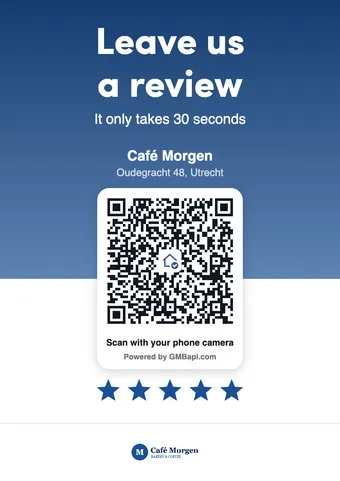
Free Google Review QR Code & Customizable Poster Generator
Find your business to create a review QR code, copy the direct review link, and design a printable poster — no signup required.
Find your Google Business Profile
Start typing your business name. Pick a listing to get a review QR code with a Place ID link.
- No signup
- A4 and A6 sizes
- Your logo and colors
- Posters in 8 languages
From search to printed poster
- 01
Find your business
Search for your Google Business Profile by name. Pick the right listing from the results.
- 02
Get your review QR code
We use the Place ID from that listing to build a direct Google review link and QR code, ready to copy or download.
- 03
Download or design a poster
Save the QR as PNG or SVG, or use the poster designer to print a ready-to-use review poster.
Where to put your Google review QR code
A6 sign
Counter, checkout, reception desk, restaurant tables, or a table stand
A4 sign
Front door, waiting room, or a wall poster near the exit
QR code as PNG
Receipts, invoices, menus, and printed flyers
QR code as SVG
Stickers, packaging, business cards, banners, and vehicle signage. SVG stays sharp at any size, so a print shop can scale it without losing quality.
Make it easy to scan: Hang it at eye level, in good light, and print the code at least 2 cm (1 inch) wide so any phone camera can read it.
Your Google review link, ready to share anywhere
The QR code and the review link open the same review form. Use the link wherever customers can’t scan: emails, texts, your website, and social posts.
Email
“Thanks for choosing [Business Name]. If you have a minute, we’d love to hear about your visit on Google: [link]”
Add the link to your email signature too.
SMS or WhatsApp
“Thanks for visiting [Business Name] today. Here’s a quick link to leave us a Google review: [link]”
Website button
Link the button to your review link, on your contact page or in your footer.
Why not use Google’s own QR code?
Google Business Profile can make a review QR code too, if you manage the profile and only need the code image. This tool covers the rest: any listing, a print-ready poster, and messages to send with it.
| Feature | Google Business Profile | This free tool |
|---|---|---|
| Review link and QR code | ||
| Any listing, no profile access | ||
| A print-ready poster | ||
| Messages written for you |
Collecting reviews for more than one location?
GMBapi brings the reviews of all your Google Business Profiles into one dashboard, with AI-suggested replies and reports for every location.
Google review QR code questions
What the generator does, which links work, and how to ask for reviews within Google’s rules.