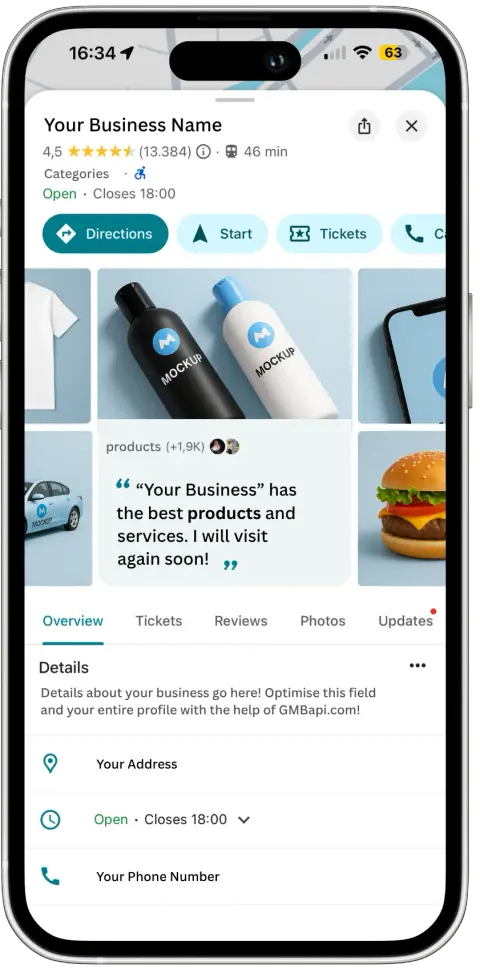
One of the key components of your Google My Business profile is your business hours – a fundamental piece of information that informs customers when they can visit or contact your establishment.
In this comprehensive guide, we delve into the intricacies of updating your business hours on Google, ensuring that your online presence accurately reflects your operational schedule. Whether you’re extending your hours for the holiday season, adjusting your opening times due to unforeseen circumstances, or simply optimising your listing for better visibility, mastering the art of updating your business hours is essential.
How to Change My Business Hours on Google
To change business hours on Google, follow these steps:
Step 1. Sign in to Google My Business
Go to the Google My Business website (https://www.google.com/business/) and sign in using the Google account that manages your business listing.
Step 2. Locate your business listing
After signing in, you’ll see a dashboard displaying your business listings. Select the listing for which you want to change the hours.
Step 3. Click on the pen icon
Once you’ve selected the correct listing, navigate to the pen icon. This tab allows you to edit various details about your business, including hours of operation.
Step 4. Edit business hours
Scroll down to the section labelled “Opening Hours”. Click on the pencil icon next to this section to edit your business hours.
Step 5. Update hours
The section will expand, allowing you to adjust your business hours for each day of the week. You can set different hours for specific days if needed. Make the necessary changes by clicking on the existing hours and entering the new opening and closing times.
Step 6. Special hours (if applicable)
If your business has special hours for holidays or other occasions, you can set them by clicking the pen icon in the special hours section. Follow the prompts to enter the special hours for specific dates.
Step 6a. Special hours
The section will expand, allowing you to add special opening hours for upcoming holidays. You can set different hours for specific days or date ranges.
Step 7. Save changes
After you’ve updated your business hours, don’t forget to click the “Apply” or “Save” button to confirm the changes. Google may take some time to review and publish the updates.
Step 8. Verify changes
Once you’ve saved the changes, double-check your business listing on Google Maps or Search to ensure that the updated hours are displayed correctly.
Also read the Google help page about how to set business hours.
Keep Your Business Hours Accurate
It’s important to keep your business hours accurate and up-to-date to provide accurate information to your customers. Make sure to revisit your Google My Business account regularly to adjust your hours as needed, especially during holidays or special events.
Google My Business Dashboard
Gain access to a thorough performance overview and prioritise key tasks while efficiently overseeing multiple locations with minimal time investment. Our dashboard for Google My Business centralises all local SEO recommendations, streamlining your management responsibilities. Start your free trial now.