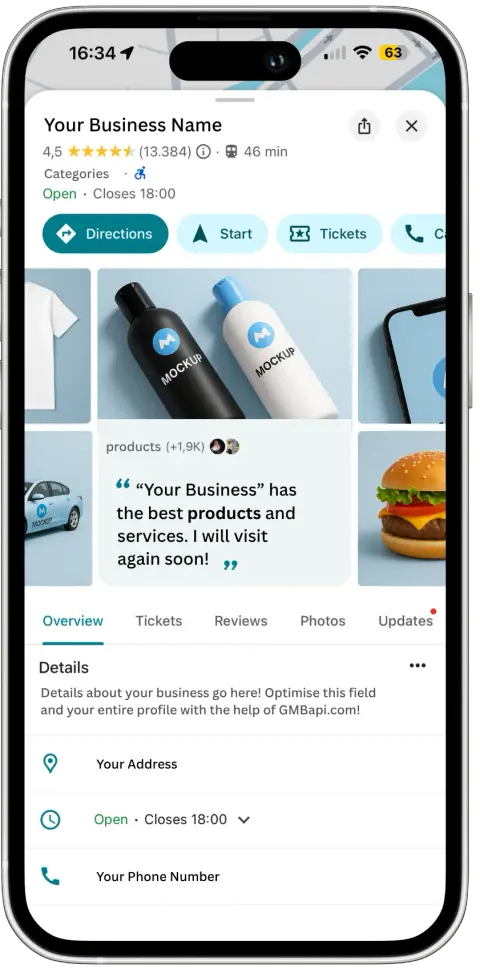
In 2026, Google Business Profiles (GBPs) are no longer just digital business cards; they are one of the strongest local ranking, visibility, and conversion drivers in Google Search, Maps, and AI-powered results.
Whether you operate a single location or manage hundreds, an optimised GBP directly influences how often you appear, where you rank, and whether customers choose you over competitors.
Local search has evolved. Google now prioritises accuracy, relevance, trust, and real-world signals over surface-level optimisation. This guide explains what actually matters in 2026 and how to maximise your GBP performance using data, consistency, and smart tooling.
For physical businesses, Google Business Profiles often appear above organic results, making them the first (and sometimes only) thing users see.
What Actually Drives GBP Rankings in 2026
Based on the latest ranking factor data, these elements now have the biggest impact on Local Pack and Maps visibility:
Core GBP Signals
These are no longer “setup tasks”; they are ongoing ranking levers.
- Primary category accuracy
- Proximity to the searcher
- Keywords in the business title (within guidelines)
- Physical address visibility
- Being open at the time of search
- Correct map pin placement
Reviews Are a Power Signal
In 2026, high ratings, review quantity, and review recency all strongly influence rankings and conversions. Fresh reviews moved from near-irrelevant in 2023 to a top-15 ranking factor in 2026.
Technical Hygiene Matters
Incorrect pins, inconsistent addresses, SAB misconfigurations, or outdated hours can actively suppress visibility.
Google is far less forgiving than it used to be.
Completing Your Google Business Profile Is the Minimum - Optimising It Is the Advantage
An optimised GBP is one of the most powerful drivers of local visibility. While completing your profile is essential, it’s no longer enough to stand out, especially in competitive markets. Every field must be accurate, intentional, and aligned with real-world search behaviour.
Both search engines and customers favour complete, well-maintained profiles. Research shows that businesses in the top 10% for data accuracy achieve up to 18× higher search visibility than those with incomplete or inconsistent information. That visibility directly translates into more customer actions, including calls, direction requests, and website visits.
Trust also plays a decisive role. Google reports that customers are 2.7× more likely to view a business as reputable when its profile is complete. Additionally, businesses with fully completed profiles are 70% more likely to attract in-store visits and 50% more likely to convert those visits into purchases.
Fully optimised Google Business Profiles consistently outperform “set-and-forget” listings by delivering:
Both search engines and customers favour complete, well-maintained profiles. Research shows that businesses in the top
10%
for data accuracy achieve up to
18× higher search visibility
than those with incomplete or inconsistent information. That visibility directly translates into more customer actions, including calls, direction requests, and website visits.
In short, completion gets you listed. Optimisation is what drives measurable growth.
Creating or Claiming Your Google Business Profile (The Right Way)
Before you can optimise a Google Business Profile, you must first have full ownership and control. In 2026, Google places far more weight on verified ownership, account history, and data integrity than it did in previous years.
Step 1: Check If a Profile Already Exists
- Search your business name directly in Google Search or Maps.
- If a profile already appears, it means Google has auto-generated or previously verified a listing. In this case, do not create a duplicate. Duplicate listings can suppress visibility and create long-term ranking issues.
- If you see: “Claim this business” or “Own this business?” → The profile exists but is unclaimed“
- You manage this business profile” → You already have access
- If the profile is claimed by another user, submit an ownership request. Google will notify the current owner and give them a limited window to respond. If no action is taken, ownership can transfer automatically.
Step 2: Create a New Profile Only When Necessary
If no profile exists, create one using a Google account associated with the business (ideally a domain-based email rather than a shared or personal account).
During setup:
Select one primary category that accurately reflects your core service
Specify whether you operate from a physical location or as a Service Area Business (SAB)
Enter your address or service areas precisely (accuracy here impacts map visibility)
Add your primary phone number and canonical website URL
Avoid “optimising” at this stage. The goal is correctness, not keyword stuffing.
Step 3: Complete Verification Immediately
Complete verification as soon as possible. Delays can stall visibility, restrict edits, and increase the risk of suspension or third-party claims. Google may offer verification via:
Phone or SMS
Email
Video verification (the most common)
Why This Step Matters
Profile creation is no longer a simple setup task. Google uses ownership history, verification signals, and early data accuracy to establish trust. Mistakes made here, duplicate listings, incorrect addresses, or misclassified business types, can limit performance long before optimisation even begins.
Ownership gets you access. Accuracy earns visibility. Control enables growth.
Managing Your Google Business Profile After Setup
Once your profile is verified, Google will prompt you with setup and optimisation suggestions inside the GBP management interface. These prompts are helpful, but they are not a strategy.
Google now evaluates profiles continuously, not just at creation. Every edit, update, and interaction feeds into trust, relevance, and visibility across Search, Maps, and AI-driven results.
Use Google’s Prompts Carefully
Google highlights missing or recommended fields, often shown as a completion or strength indicator. While useful for identifying gaps, this indicator should not be treated as a ranking benchmark.
After claiming or creating your Google Business listing, you’ll see a slider with several options to enhance your profile.
- The first option will guide you through setting up your profile, ensuring all necessary details are added.
- The second option allows you to manually edit and input your business information.
A “complete” profile is a baseline. Well-optimised, accurate, and actively maintained profiles outperform fully complete but neglected listings. With a complete, verified, and active Google Business Profile, your business has a better chance of appearing prominently in local search results, especially for users searching with location-based keywords like “near me.”
Key Optimisation Actions That Matter in 2026
Completion is the baseline. Precision, accuracy, and consistency over time are what drive measurable gains in visibility and conversions.
- Pin Down Your NAP & Map Accuracy
Your Name, Address, Phone Number, and map pin placement must be correct and consistent across your GBP, your website, and your store locator. This helps customers find and contact you easily. Regularly review and update your NAP data to maintain accuracy and provide a seamless customer experience.
How GMBapi.com helps: Audit and monitor data accuracy across all locations from a single dashboard
- Keep Opening Hours Perfect (Including Special Hours)
Customers can be disappointed if they arrive at your business only to find it closed. Avoid this by clearly posting your opening hours, which also positively impacts your SEO. “Open now” is now a ranking factor, not just a UX detail. To update your hours, navigate to the business information editor by clicking the “Add your opening hours” tab. From there, you can set hours for each day of the week and include special hours for holidays or specific services.
How GMBapi.com helps: Bulk-edit hours, manage holiday schedules, and prevent accidental closures at scale.
3. Select Relevant Categories & Attributes
Choosing the appropriate categories and attributes is crucial for making your business visible to the right audience. Categories help Google understand what your business offers, improving your visibility in search results. Secondary categories support relevance but only when aligned with real-world offerings. Over-categorisation now carries risk. Relevance beats volume. Attributes provide additional information about your services and features, which can influence customer decisions.
How GMBapi.com helps: Compare performance by category across locations and identify underperforming setups.
4. Enable Booking Options
Many businesses can now accept bookings directly through their Google Business Profile without requiring customers to visit their website. If the “Set up booking” tab is available on your profile, it means you can connect with a third-party booking provider. This integration is simple to set up and enhances customer engagement by making the booking process more convenient.
5. Use Photos, Videos & Proof of Place
Google increasingly uses visual signals to validate legitimacy. Enhance your GBP by adding photos and videos, which can significantly increase customer engagement. Visual content helps establish trust, attracts more clicks, and provides potential customers with a clear idea of what to expect. Include exterior shots to help customers locate your business, and use interior photos or walkthrough videos to give them a virtual tour.
You should upload a logo to represent your brand, a cover photo for your GBP, and other images that tell your business’s story. Ensure you follow Google’s guidelines: photos should be in JPG or PNG format, between 10 KB and 5 MB in size, with a minimum resolution of 720 × 720 pixels. Videos should be under 30 seconds, less than 100 MB, and have a minimum resolution of 720 pixels.
How GMBapi.com helps:
Upload images and logos in bulk across all locations.
6. Showcase Your Products and Services
Uploading services and products on your GBP allows customers to quickly understand what you offer and how it meets their needs. They also help Google understand and match your offerings to specific local queries, improving relevance and conversion potential, even if they are not standalone ranking factors. This not only makes your profile more appealing but also improves your visibility in search results. Regularly updating your listings ensures that customers always have access to the most current information about your offerings.
How GMBapi.com helps: Upload, edit, and maintain services in bulk across all locations while preserving local accuracy.
7. Post Regular Updates on Google
Google Posts appear prominently in search results and are an effective way to increase customer interaction and direct more traffic to your website. Keeping your posts updated helps you maintain a dynamic online presence and engage your audience with fresh, relevant content.
You can create posts up to 1,500 characters long and include images and links. For product launches, include a link directing customers to your online store, and for events, provide the event title, description, start and end dates, and times.
How GMBapi.com helps: Schedule and publish posts in bulk across hundreds of locations.
Read more about posting.
8. Encourage Customer Reviews
In 2026, reviews influence, rankings, conversions, and AI-generated search results.
Digital word of mouth remains one of the most powerful forms of marketing, as people tend to trust recommendations from friends and other consumers more than from businesses themselves.
Positive reviews can lead to increased sales and improved search engine rankings. Google makes it easy to start collecting reviews online. Simply click on the “Get your first reviews” tab, copy the link provided by Google, and share it with your satisfied customers. It’s important to follow Google’s guidelines when asking for reviews to avoid any penalties on your profile: never offer incentives in exchange for reviews.
How GMBapi.com helps:
Track review trends, respond at scale with AI assistance, and monitor sentiment across locations.
Read more about review management.
9. Monitor Monthly Performance
Regularly tracking the performance of your Google Business Profile is crucial to understanding how well it’s engaging with potential customers. By analysing key metrics such as calls, messages, and website clicks, you can assess the effectiveness of your profile and identify areas for improvement. These insights allow you to make data-driven decisions to optimise your profile and refine your local SEO strategy.
How GMBapi.com helps:
Monitor performance trends, keyword impressions, and engagement metrics per location, city, or brand with our GBP dashboard.
Profile Strength Indicators: What They Do (and Don’t) Mean
Google’s visual indicators reflect data completeness, not competitive strength.
Green Circle
Your profile is complete.
Light Green Circle
Your profile is nearly complete, with only a few minor details remaining.
Yellow Circle
Your profile is mostly complete but still requires some additional information.
Red Circle
Significant updates are needed.
A green or near-complete status simply means Google has enough information to understand the business. It does not mean you will rank above competitors, your categories are optimal, your data is accurate at scale, or that your profile is generating maximum visibility.
Treat the indicator as a hygiene check, not a performance goal.
Simplifying Multi-Location Google Business Profile Management
Managing one profile is manageable. Managing dozens or hundreds without drift, blind spots, or wasted effort is not.
GMBapi.com is built specifically for multi-location brands that need control without manual overhead, visibility into what actually drives impressions and actions, and proof that GBP optimisation is contributing to real business outcomes
Instead of juggling tools and guesswork, teams use GMBapi.com to monitor performance, manage reviews and content with AI assistance, and protect local visibility at scale.
You can start with a free trial today to see how your locations are really performing in Google Search and Maps and where the biggest growth opportunities exist.
Prefer our local search coverage?
Add GMBapi as a preferred source on Google so our articles show up more often for you.