 Michel van Luijtelaar
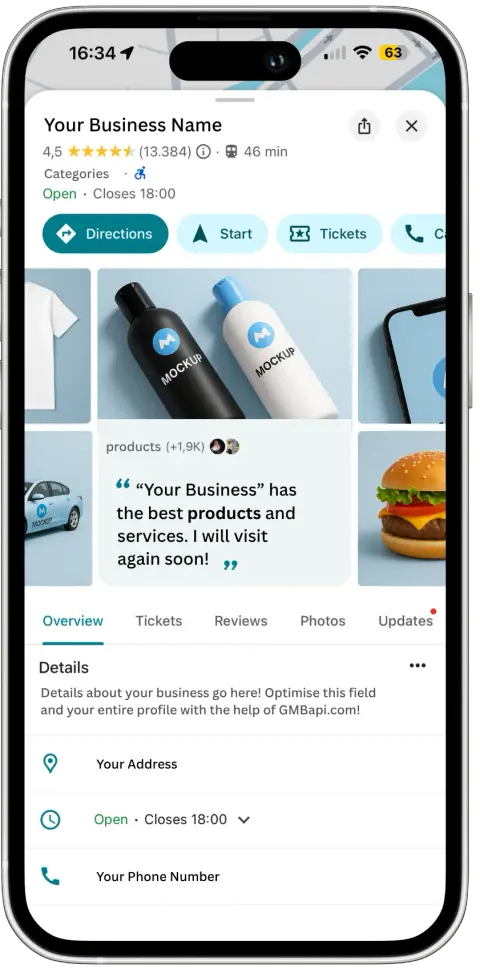
Maintaining accurate business information online is essential for ensuring that customers can easily find and engage with your business. One of the most critical pieces of information is your business address. Whether you’ve moved locations or need to correct an error, updating your business address on Google is vital for maintaining your online presence and enhancing your visibility to potential customers.
In this guide, we will walk you through the process of changing your business address on Google My Business, providing you with step-by-step instructions to ensure that your business information remains up-to-date and accessible to your target audience.
How to Change Your Business Address on Google
Follow these steps to change your business address on Google My Business:
Step 1: Sign in to Google My Business
Access your Google My Business account by signing in with your credentials.
Step 2: Select your business
Once logged in, navigate to the business listing for which you need to update the address.
Step 3: Click on the pen icon
Locate the pen icon on your business profile.
Step 4: Edit the address
Scroll down until you find the address section. Click on the pencil icon next to the address to edit it.
Step 5: Enter a new address
Enter the new address details accurately in the provided fields.
Step 6: Save changes
After entering the new address, click on the “Save” button to save the changes.
Step 7: Confirm updates
Once the changes are saved and verified, confirm that the new address is displayed correctly on your Google My Business listing.
Step 8: Update other platforms
To ensure consistency across all online platforms, update your business address on your website, social media profiles, and any other relevant platforms.
Straightforward Process
Updating your business address on Google My Business is a straightforward process that ensures customers can find you accurately. Follow these steps to change your address, verify the updates, and maintain consistency across all online platforms.
Dashboard for Google My Business
Access a comprehensive overview of performance and key priorities while efficiently managing numerous locations with minimal time commitment. Our Google Business Profiles (GMB) Dashboard consolidates all local SEO recommendations into a centralised platform, simplifying your management tasks.